.png?width=200&height=89&name=CC%20%20fiserv.%20(3).png)
Step by Step:
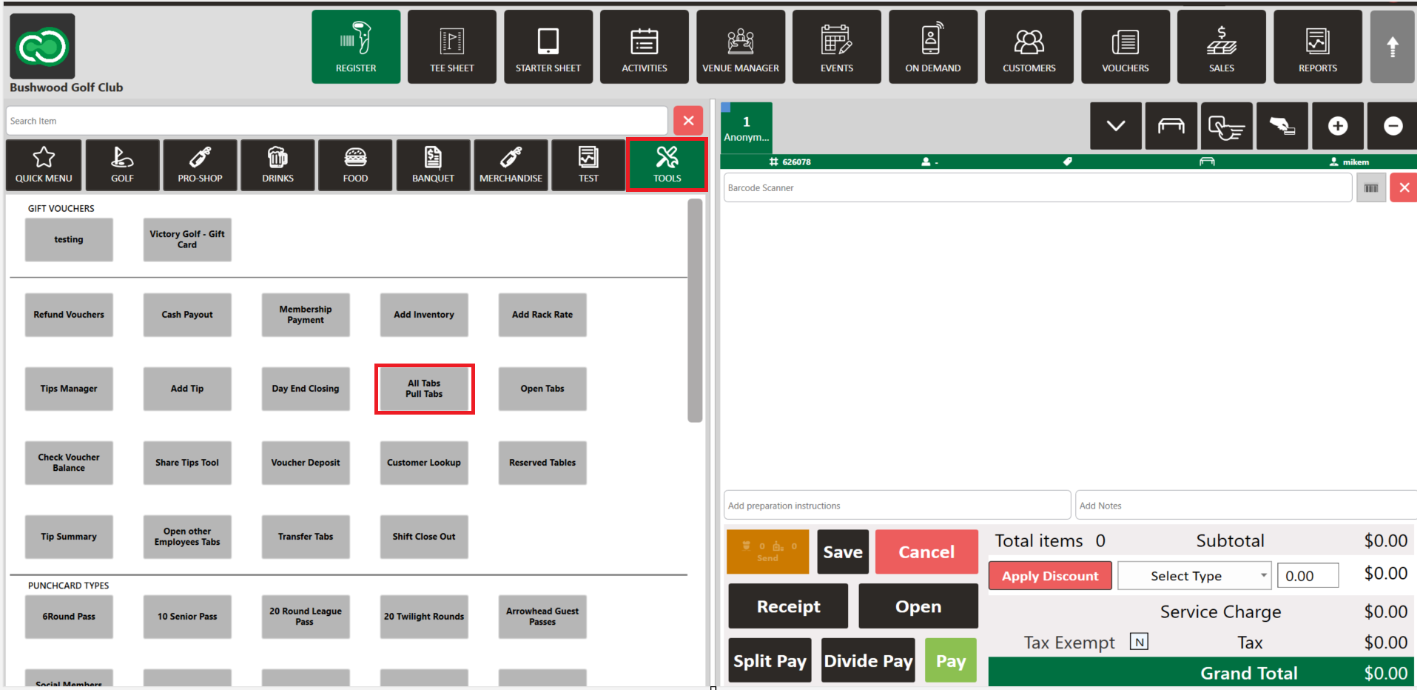
Step 1: Select the REGISTER module and then the TOOLS tab.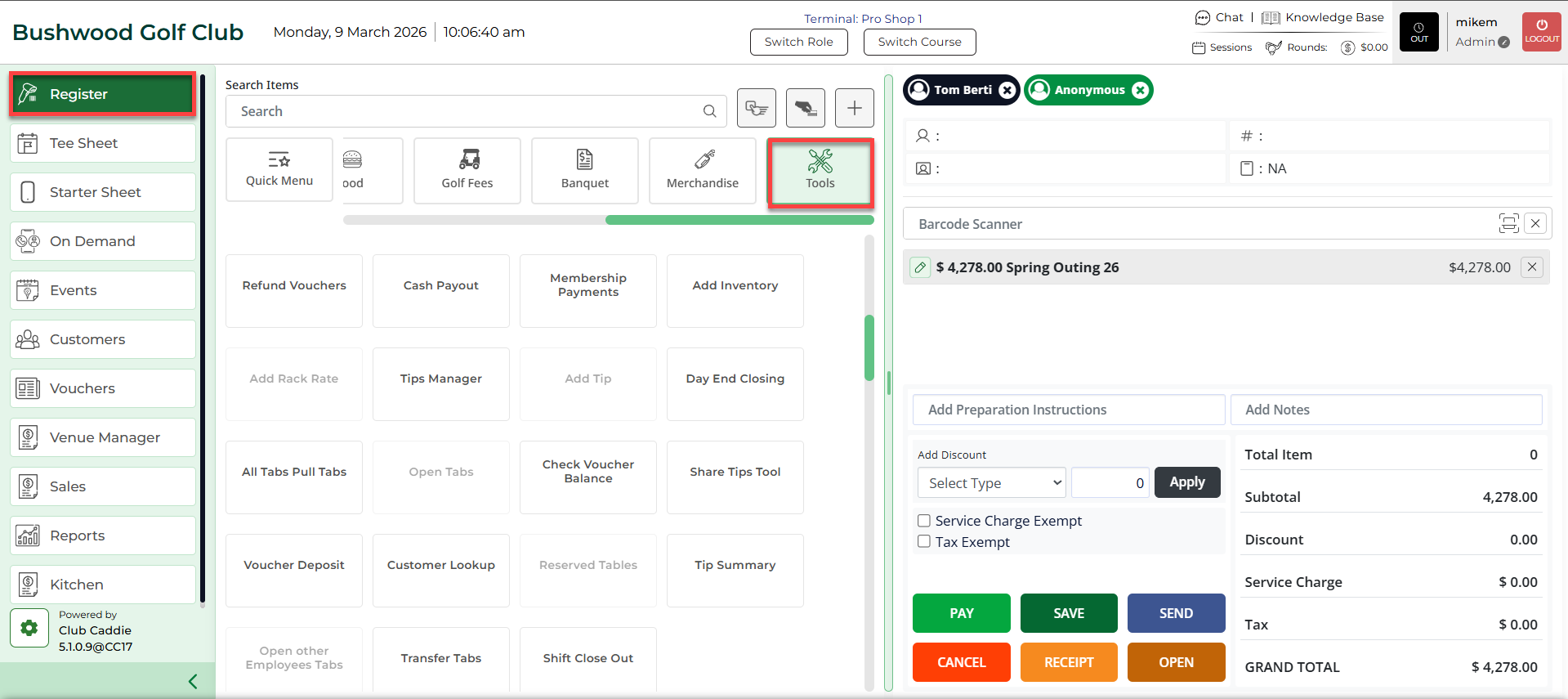
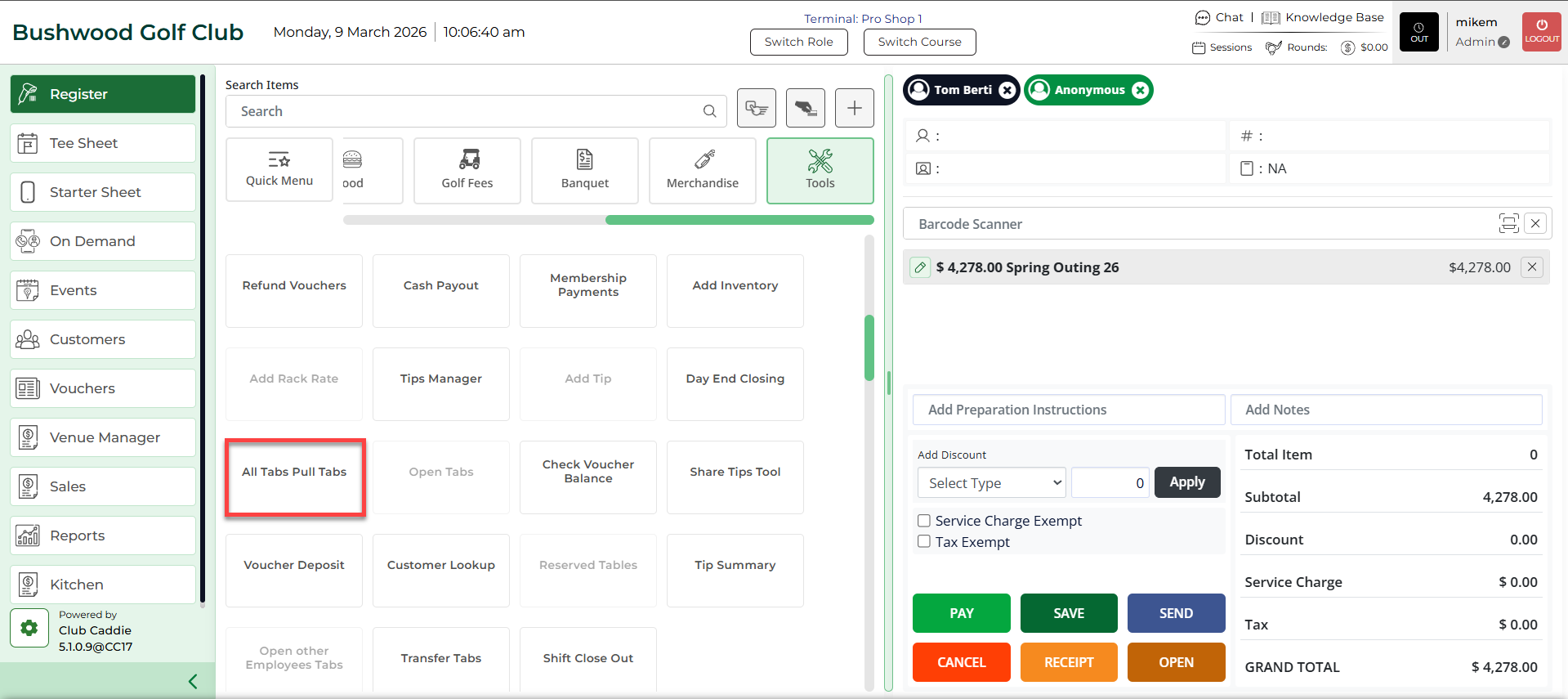
Step 2: Select All Tabs/Pull Tabs button. The system will generate a new Pull Tabs window.
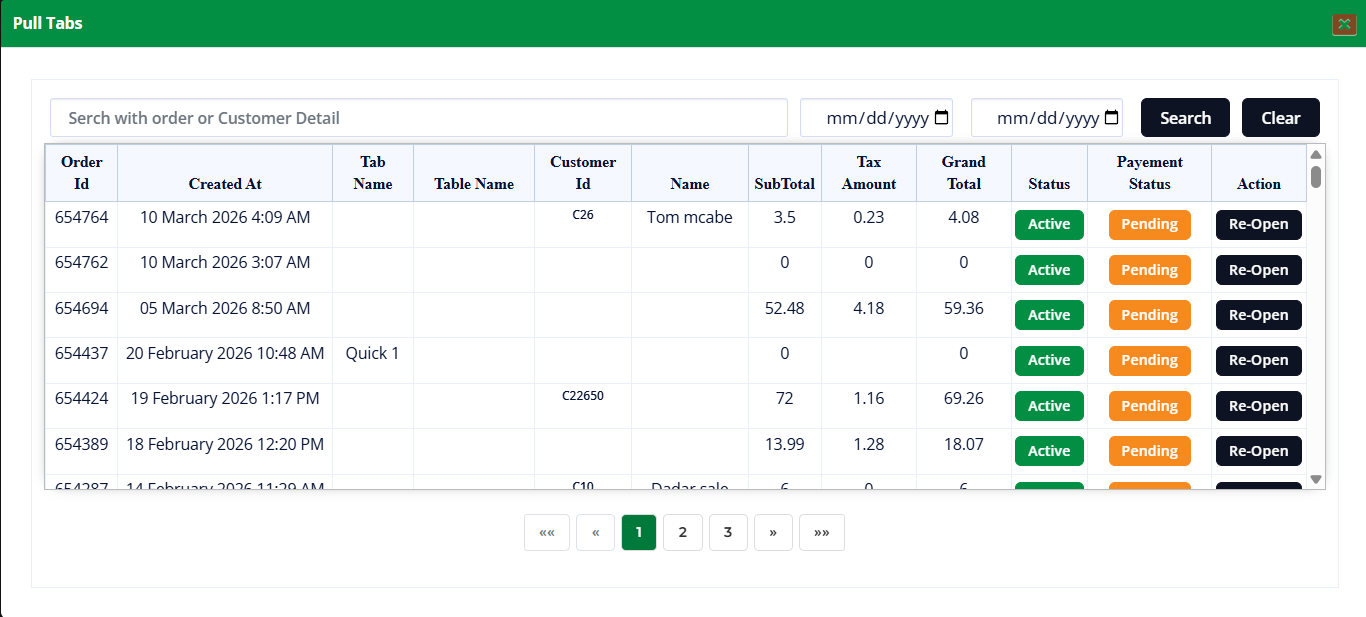

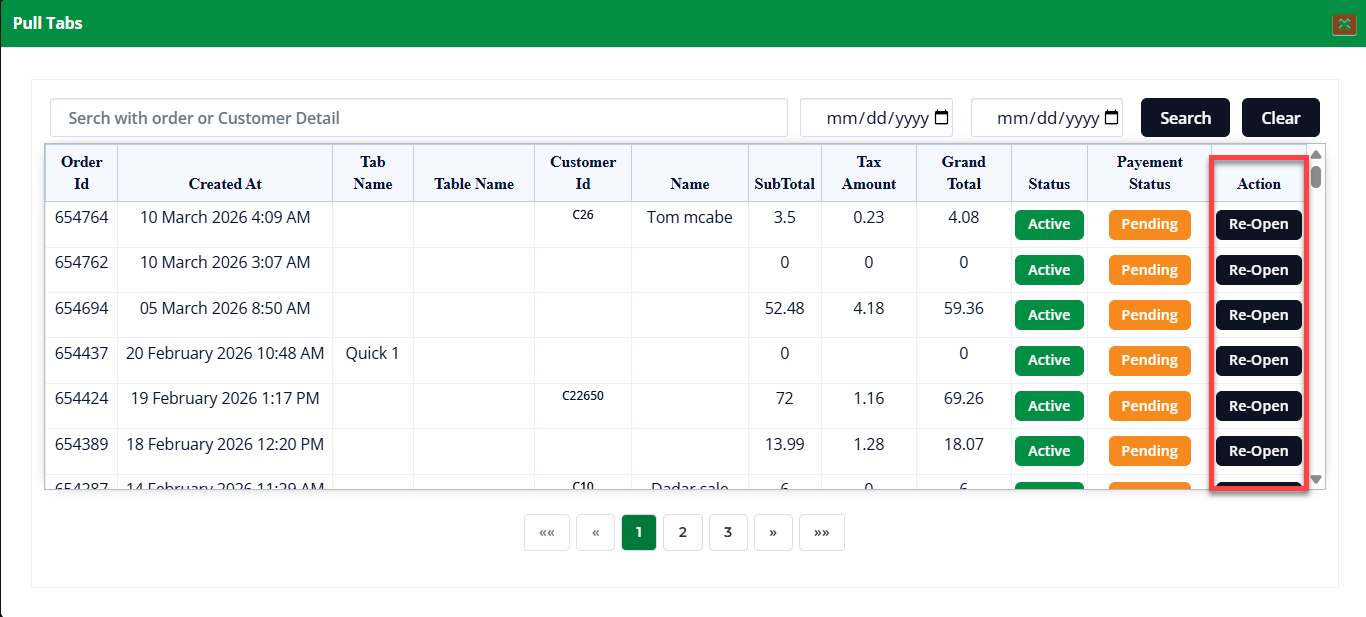
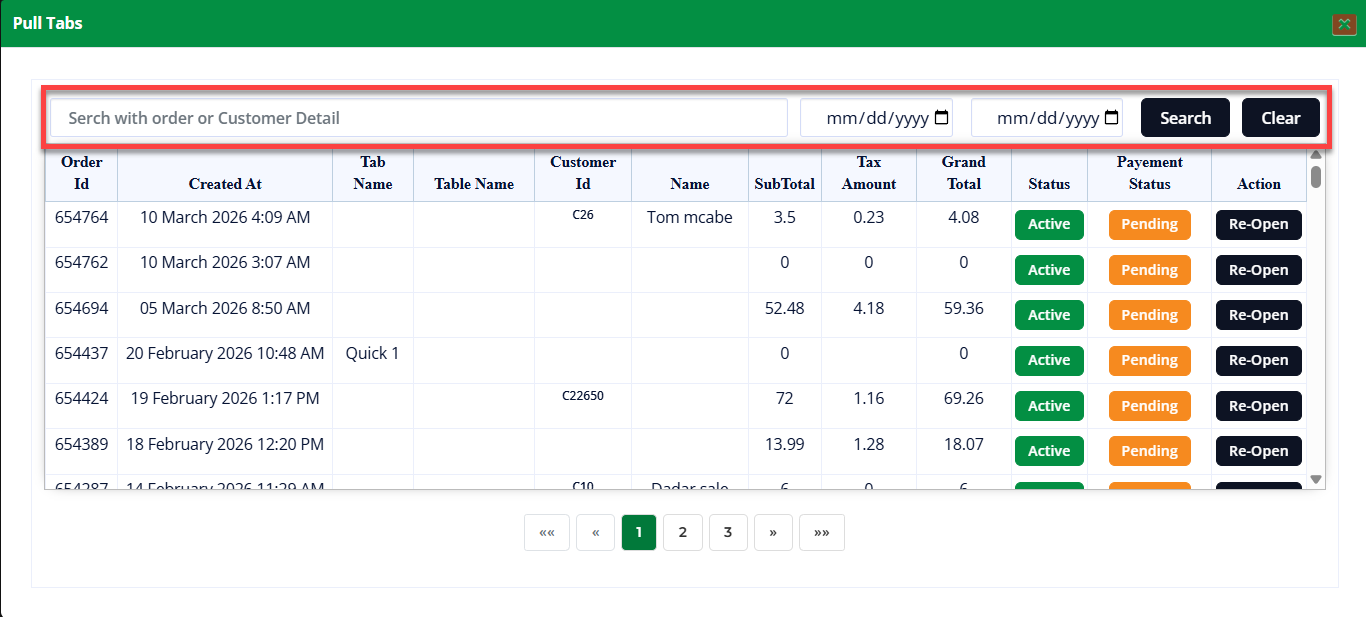
Step 3: In the Pull Tabs window the existing order list is shown. To search for an existing saved order enter the Order Id in the Search field.
Once the selection is made, select the Search button to search for all the orders made by the user.
Step 4: An existing order can be re-opened by selecting the Re-Open button from the Action section. The order will be re-opened in the register window.