.png?width=200&height=89&name=CC%20%20fiserv.%20(3).png)

How do you scan a barcode to add an item to the cart in Club Caddie?
To add an item to the cart using a barcode, open the Register module, click into the Barcode Scanner box, and scan the item's barcode. Club Caddie will automatically match the barcode against your inventory and add the corresponding item to the cart.
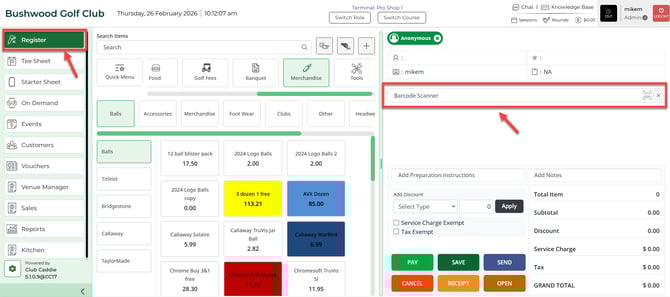
Step by Step:Step 1: Select the REGISTER module and then select into the Barcode Scanner box.
Step 2: Scan the barcode of any item from your inventory. The system will match the scanned barcode against your inventory center to identify the item and add it to the cart.
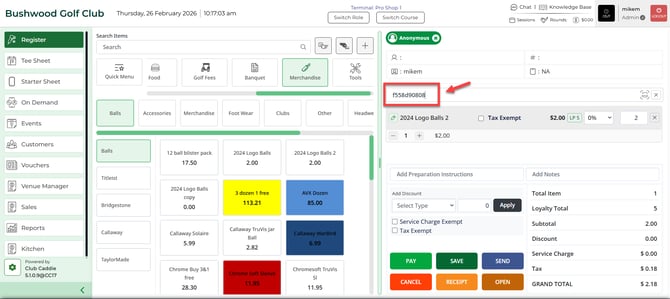
Step 3: If the item is not added to the cart, no matching barcode exists in your inventory center. Verify that the barcode is assigned to an item before scanning again.
Note: You can use either a barcode assigned to the item within Club Caddie or the manufacturer's barcode printed on the item itself.