.png?width=200&height=89&name=CC%20%20fiserv.%20(3).png)
Step-By-Step:
This tool is helpful when sharing a tip amongst coworkers. Ex. A server, bartender, and busser work a small event together. The event leaves a tip to the server for $100. This tool allows the server to share the tip with the bartender and busser.
This feature is only available until End of Day is performed.
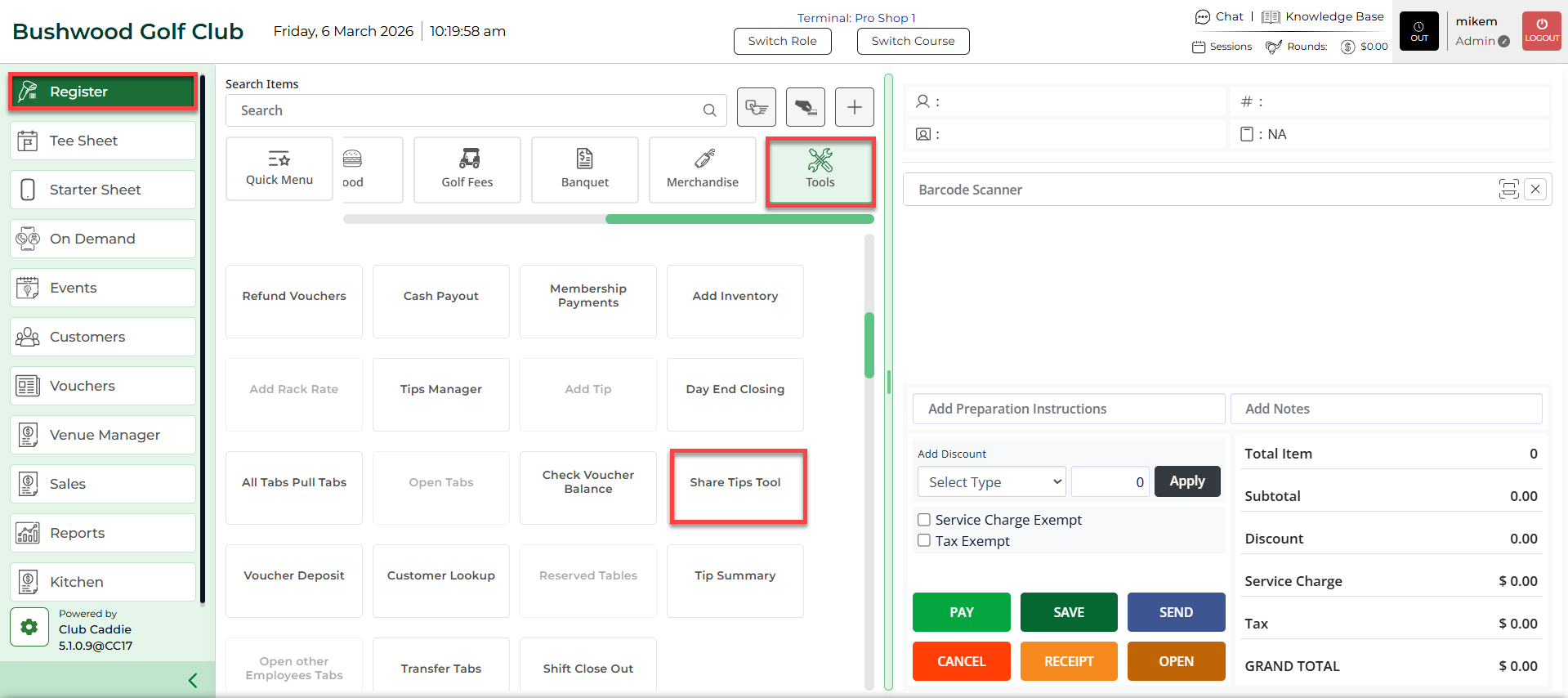
Step 1: Select the REGISTER module. Then, select the TOOLS tab, followed by Share Tips Tool.
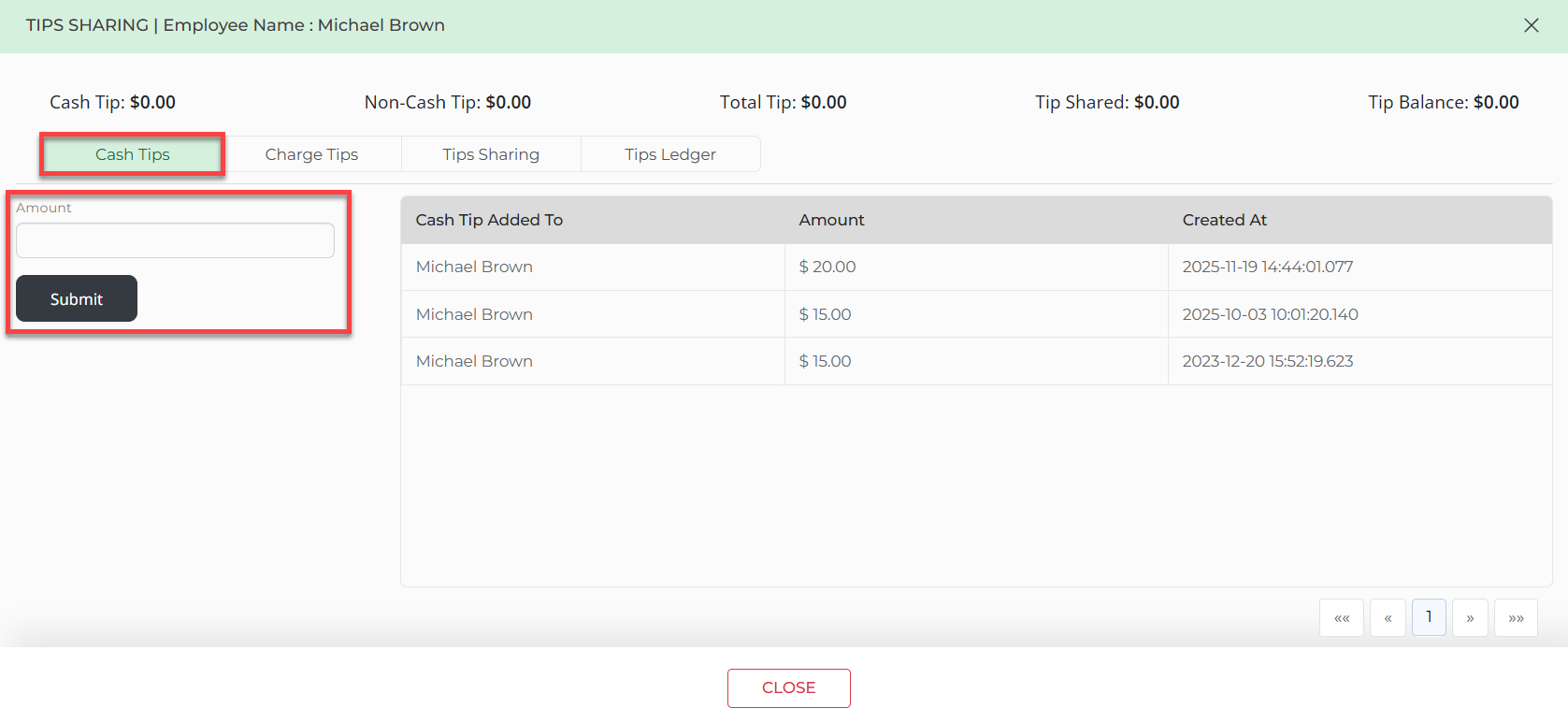
Step 2: Select the Cash Tips tab to enter any cash tips that you would like to share and report to your facility.
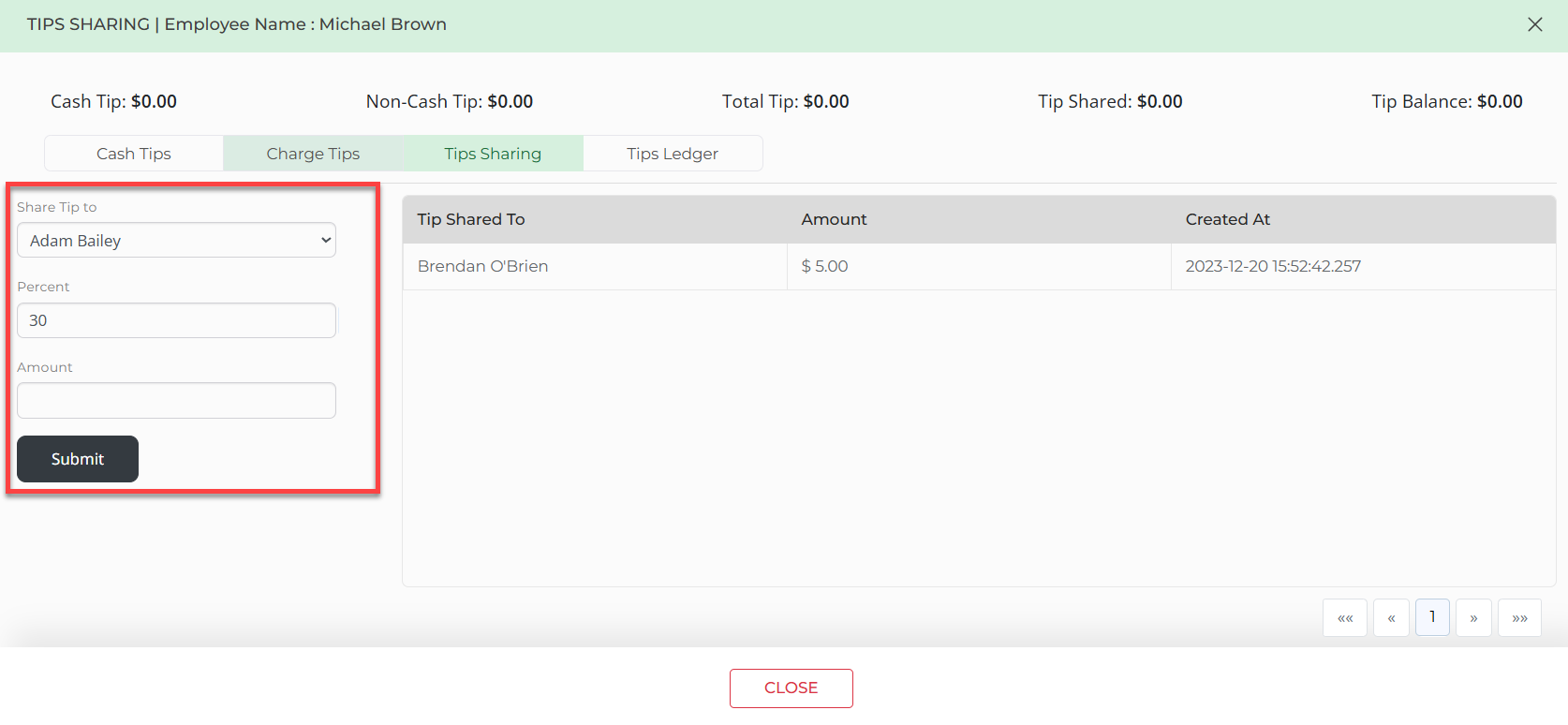
Step 3: Select the Tip Sharing tab. Then, select the employee from the drop-down, followed by entering the Percent or Amount. Once you have entered for each employee you want to share a tip with, select Submit.
Please note that when using Percentage, it'll calculate off of Total Tip. When using the dollar amount however, it'll be calculated off of Tip Balance.
Step 4: You can view your summary by clicking on the Tips Ledger tab.
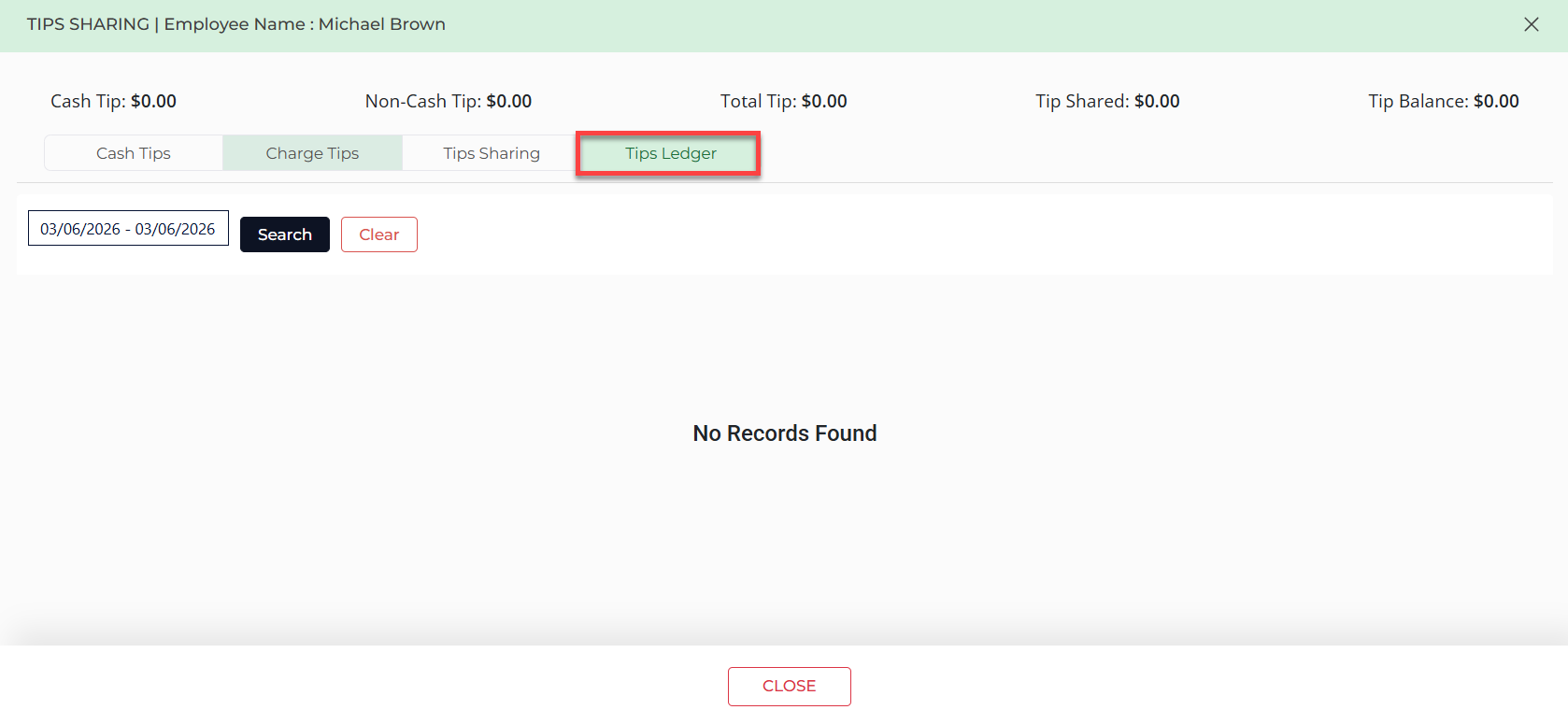
You can also view these changes on the Tips Ledger report, as well as toggle this feature on/off in Manager Roles in your settings.