.png?width=200&height=89&name=CC%20%20fiserv.%20(3).png)
Note: You can not add a tip to the order once the batch has settled.
Step-by-Step:
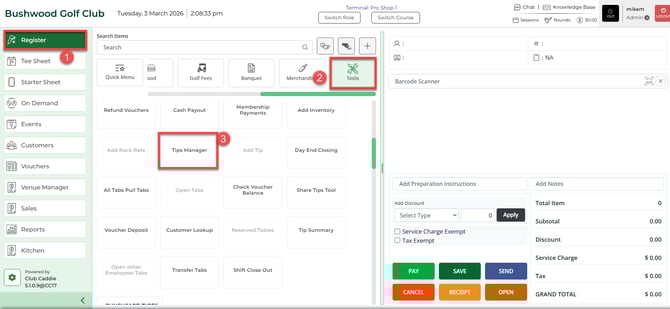
Step 1: Select the REGISTER module (1), then the TOOLS (2), and then select the Tip Manager button (3).
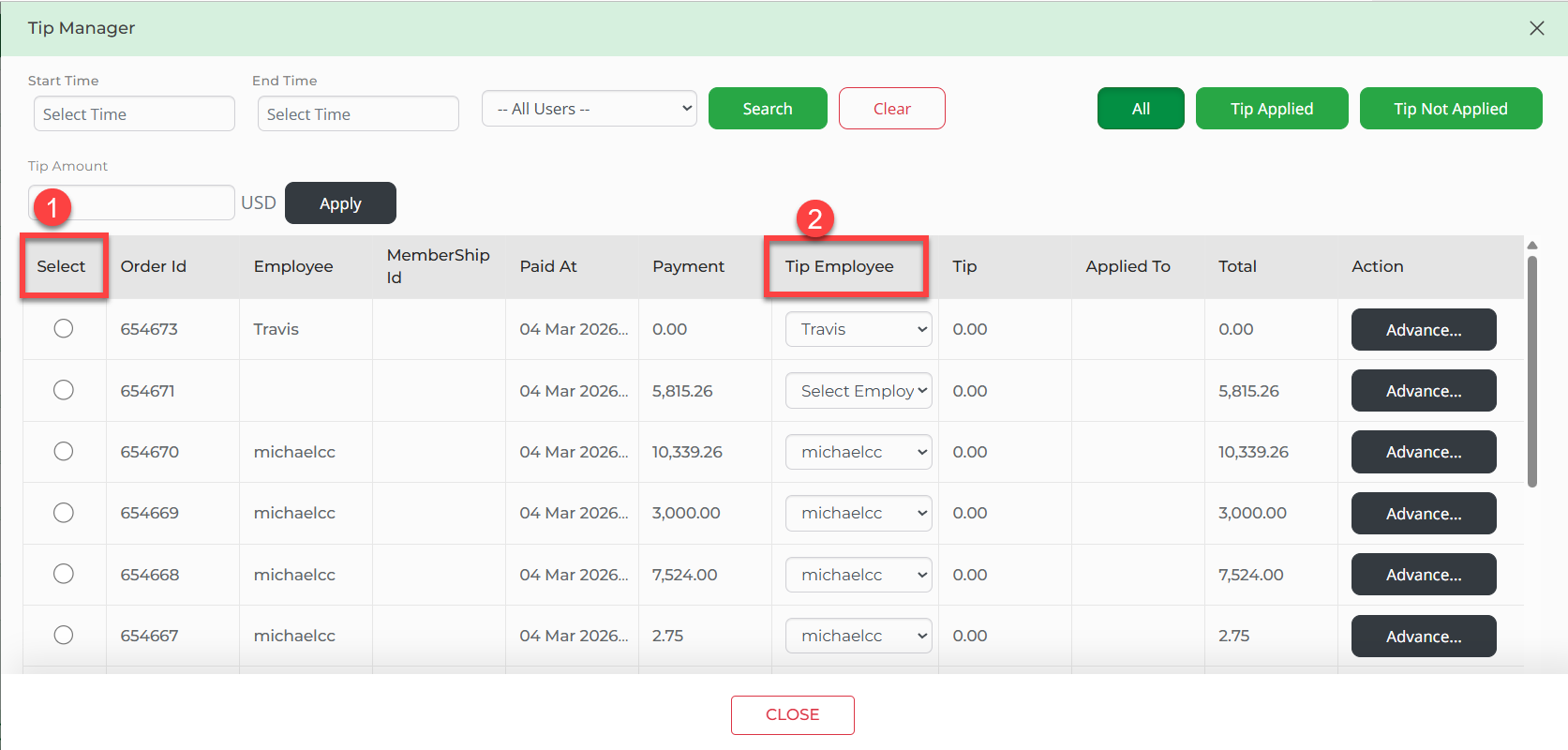
Step 2: First select the desired order (1), then select the employee's name (2) to be associated with the tip.
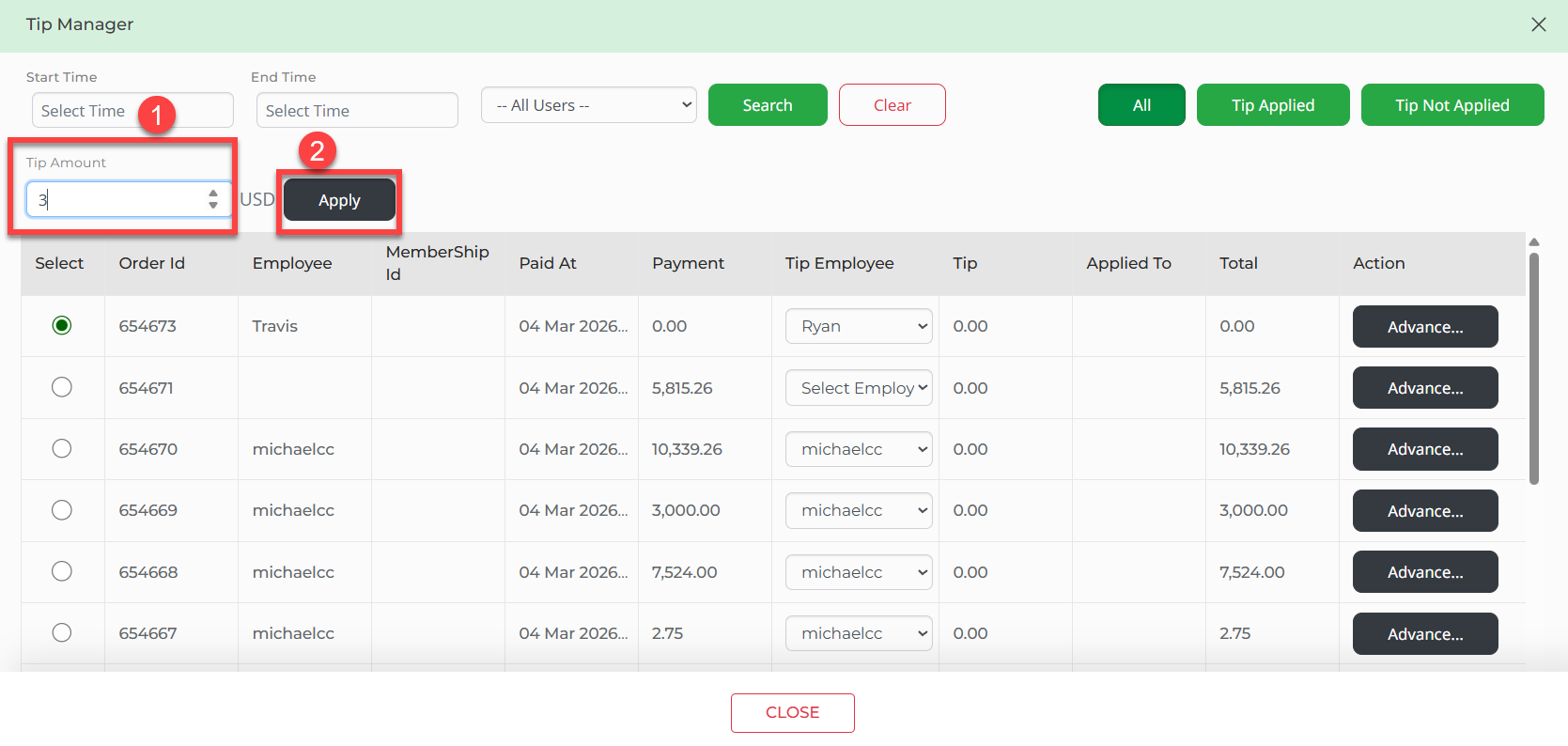
Step 3: Enter the Tip Amount (1) in the top left-hand corner of the screen and select Apply (2).