.png?width=200&height=89&name=CC%20%20fiserv.%20(3).png)
Watch the 3-minute video, or follow the steps below.
Step by Step:
Step 1 : Click on the TEE SHEET tab from the main menu.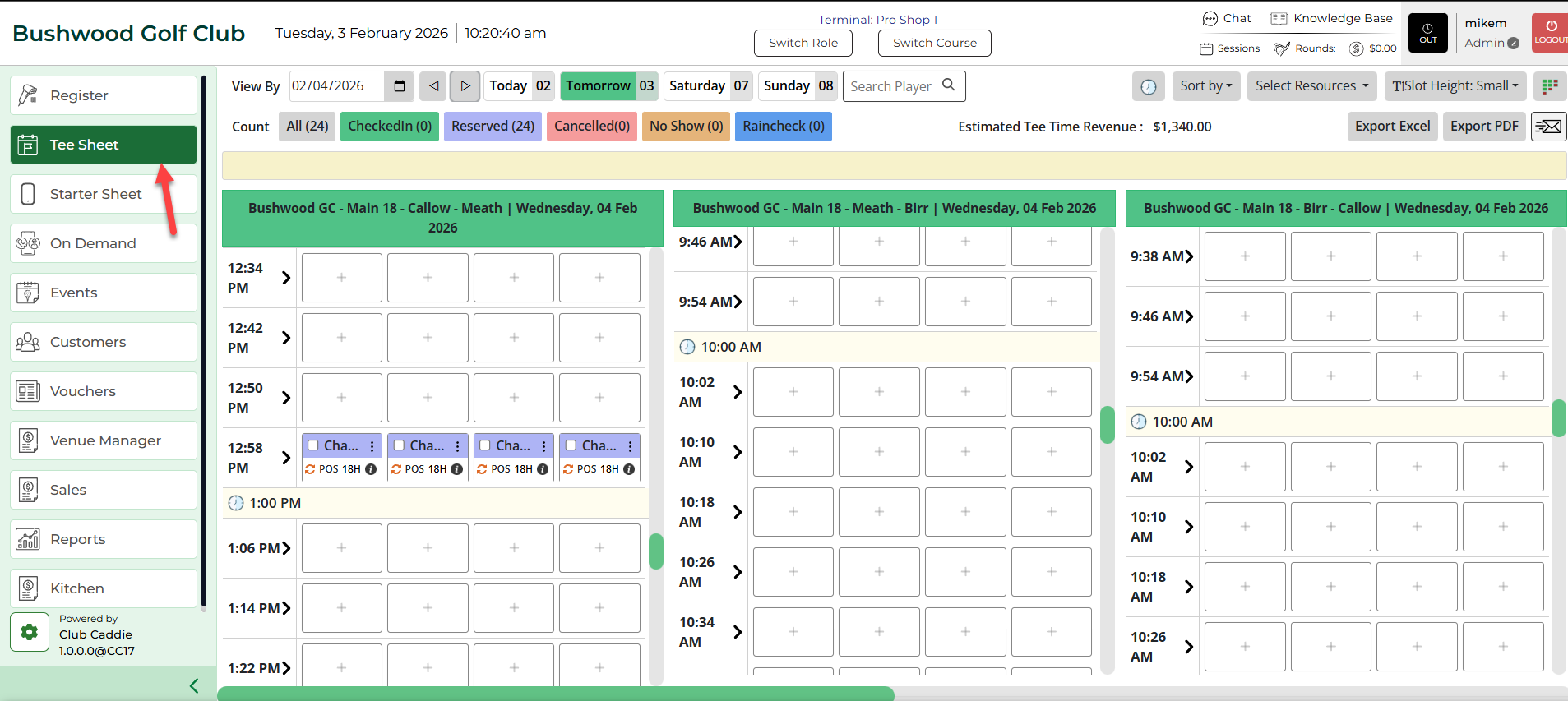
Step 2: Find and select the reservation from the Tee Sheet.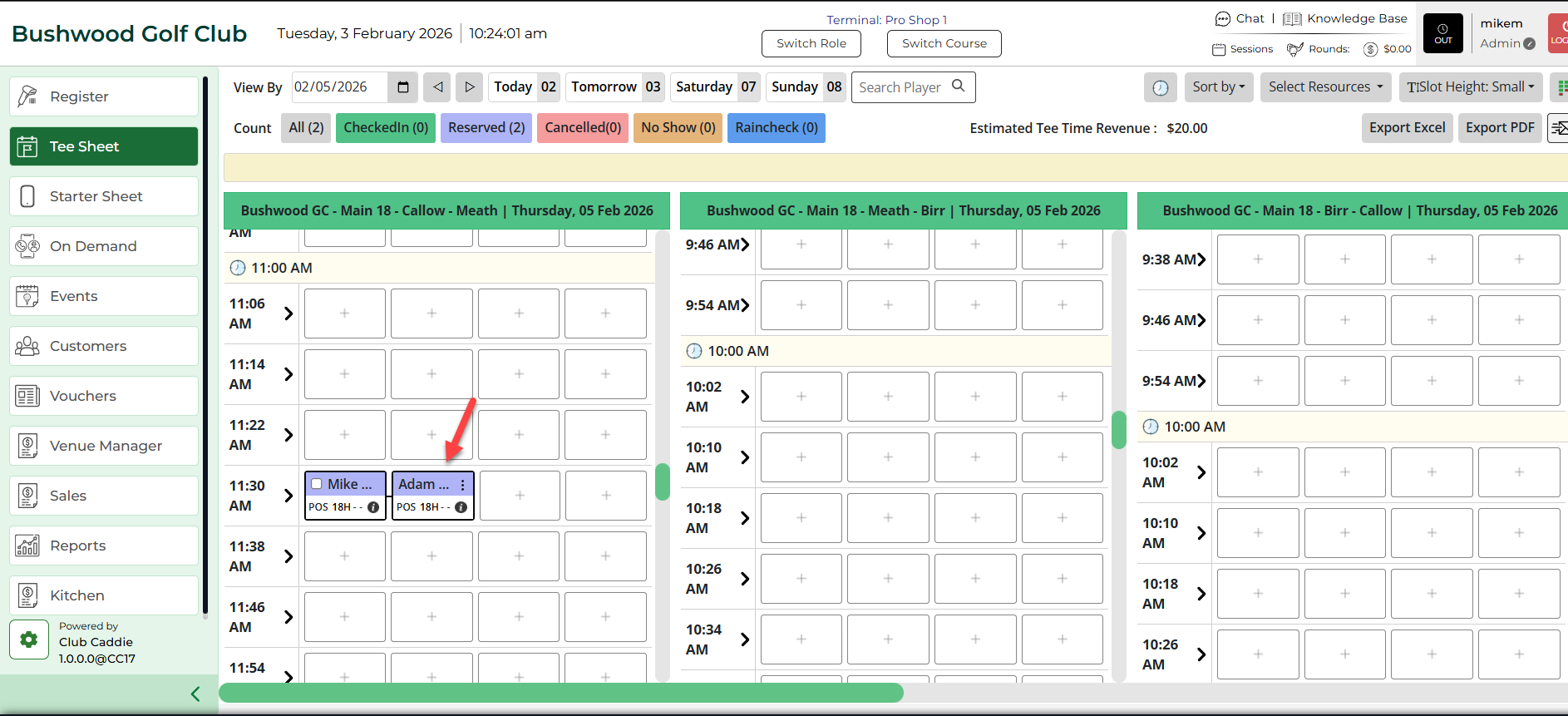
Step 3 (Option a): Right-click on the reserved time slot and click on Check-in from the drop-down menu.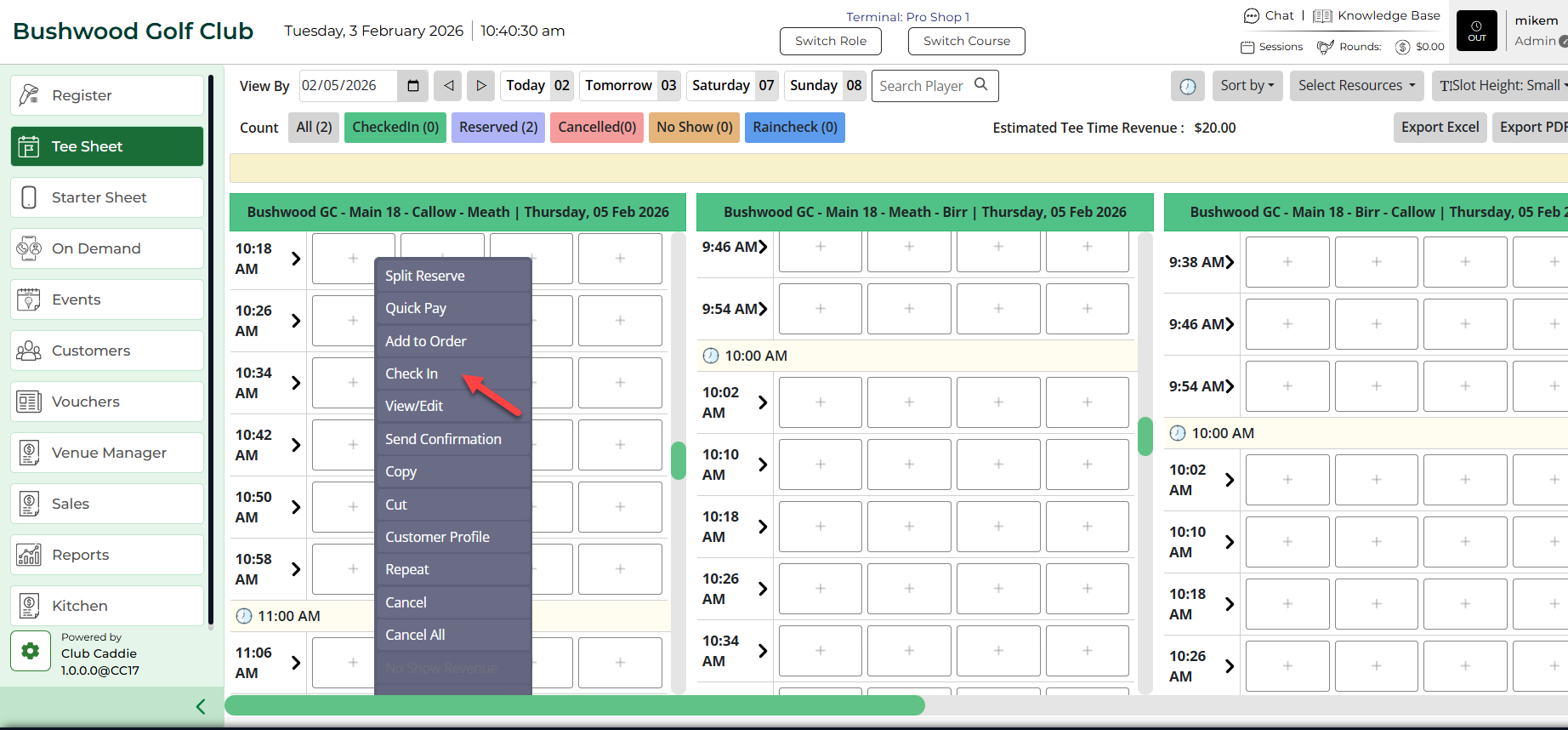
Alternatively:
Step 3 (Option b):
Double click on the reserved time slot, once the pop-up window opens, fill in the golfer's information and then click on Check-In.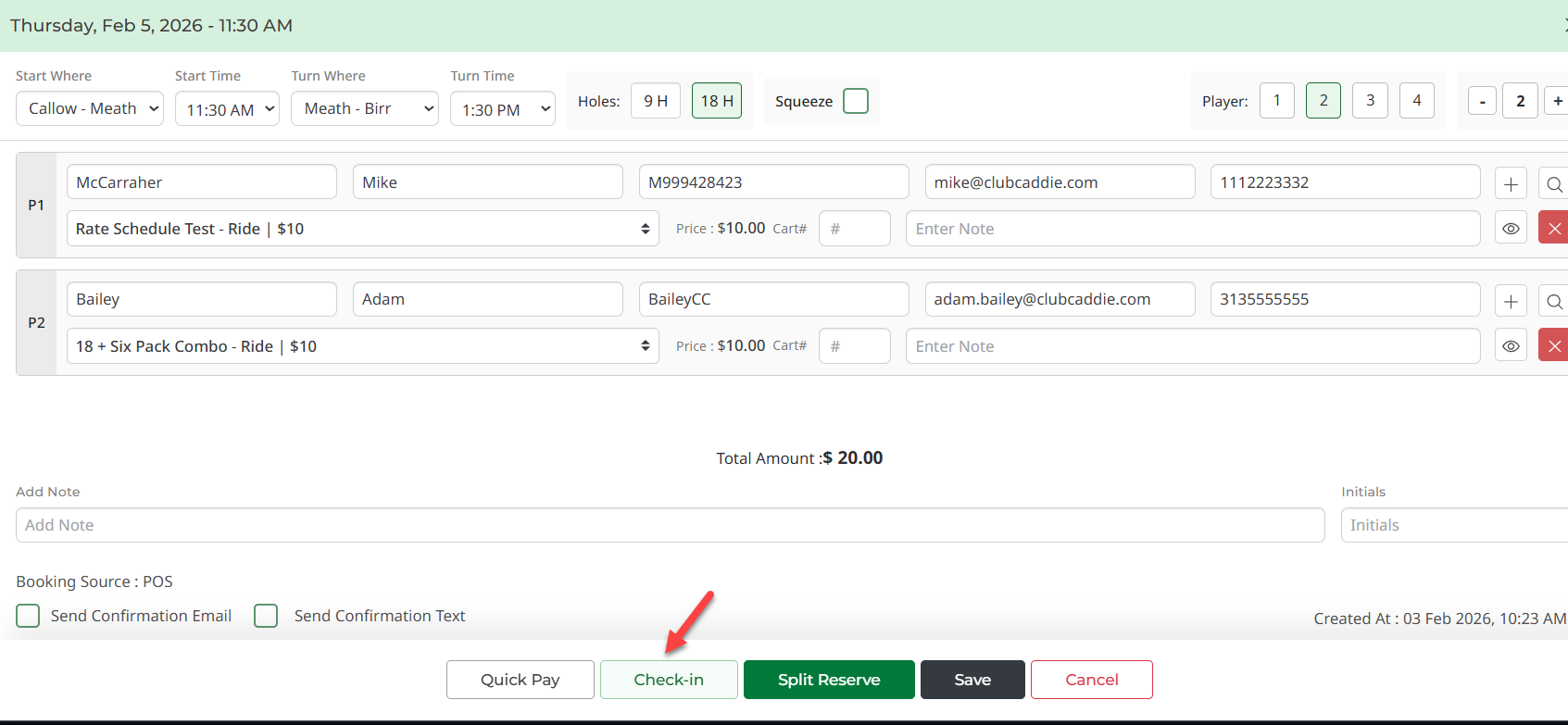
Step 4: After using any of the options above for check-in, an order will be created for a particular user and you will be directed to the Register tab in the main menu.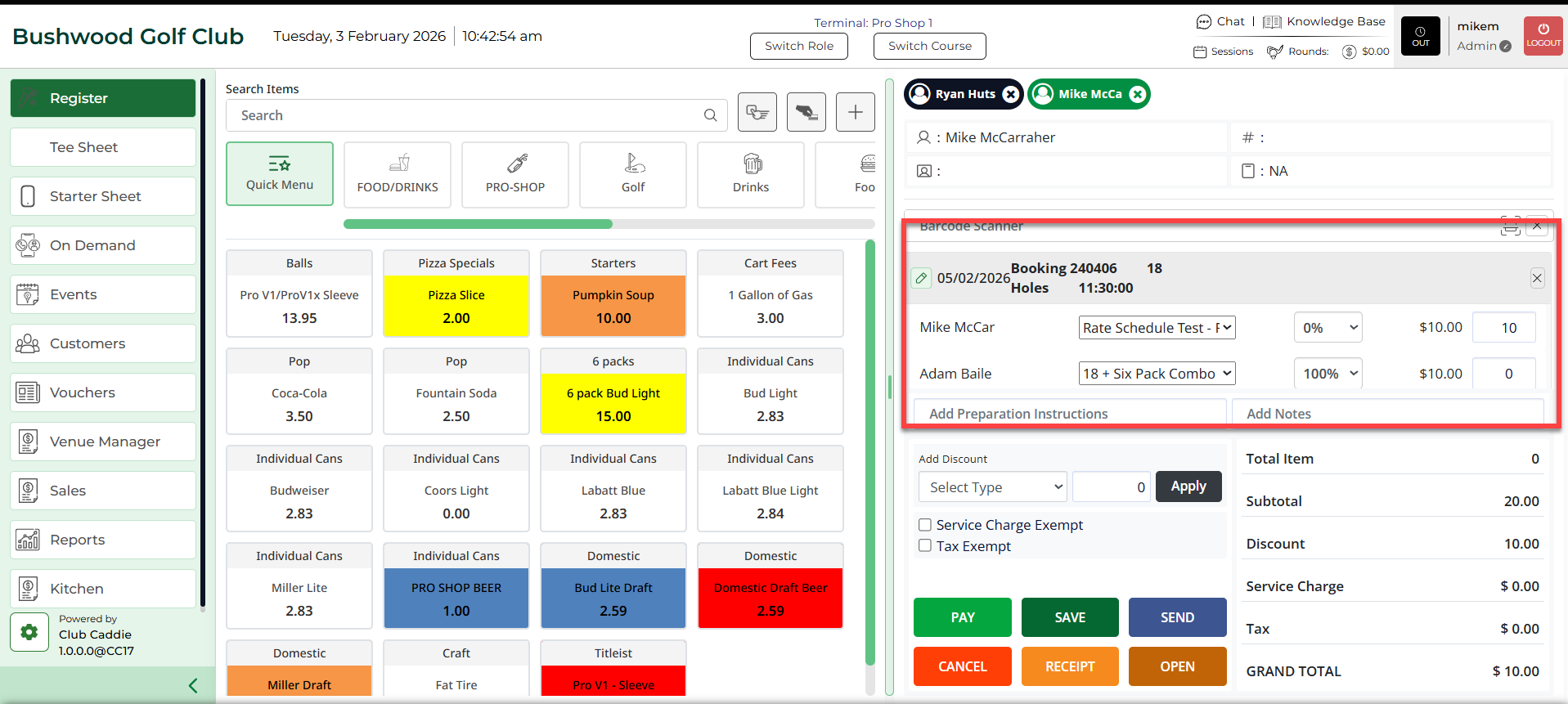
Note:
1) You can also click on direct check-in while on booking pop up following the same booking tee time method, in case of a walk-in.
2) Additionally, you can utilize the Quick-Pay functionality to check-in and pay directly from the tee-sheet