.png?width=200&height=89&name=CC%20%20fiserv.%20(3).png)
Step-By-Step:
Step 1: Navigate to the TEE SHEET module using the top navigation menu.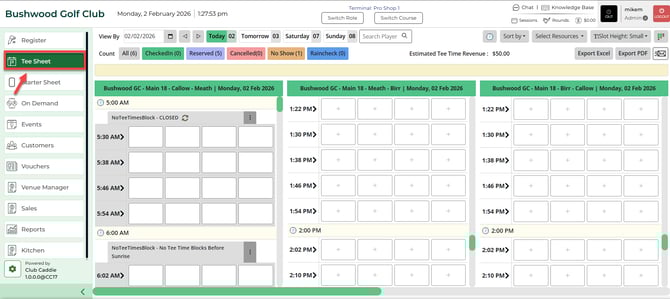
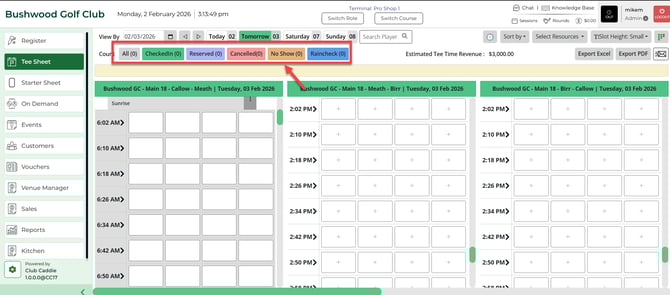
Step 2: In the top right-hand portion of the TEE SHEET module you have a number of colored options that when clicked will filter your day's Tee-Sheet to the desired status.
All: This is the default selection and will show you the total number of bookings for the day.
Checked In: Displays all of the tee-time bookings that have been moved to the checked-in status.
Reserved: Displays all of the tee-time bookings that have been reserved for the remainder of the day.
Cancelled: Displays all of the tee-time bookings that have currently been canceled for the day.
No Show: Displays all of the tee-time bookings that have so far been marked as having golfers absent.
Raincheck: Displays all tee time bookings that were given a raincheck on that particular day.