.png?width=200&height=89&name=CC%20%20fiserv.%20(3).png)
Step-By-Step:
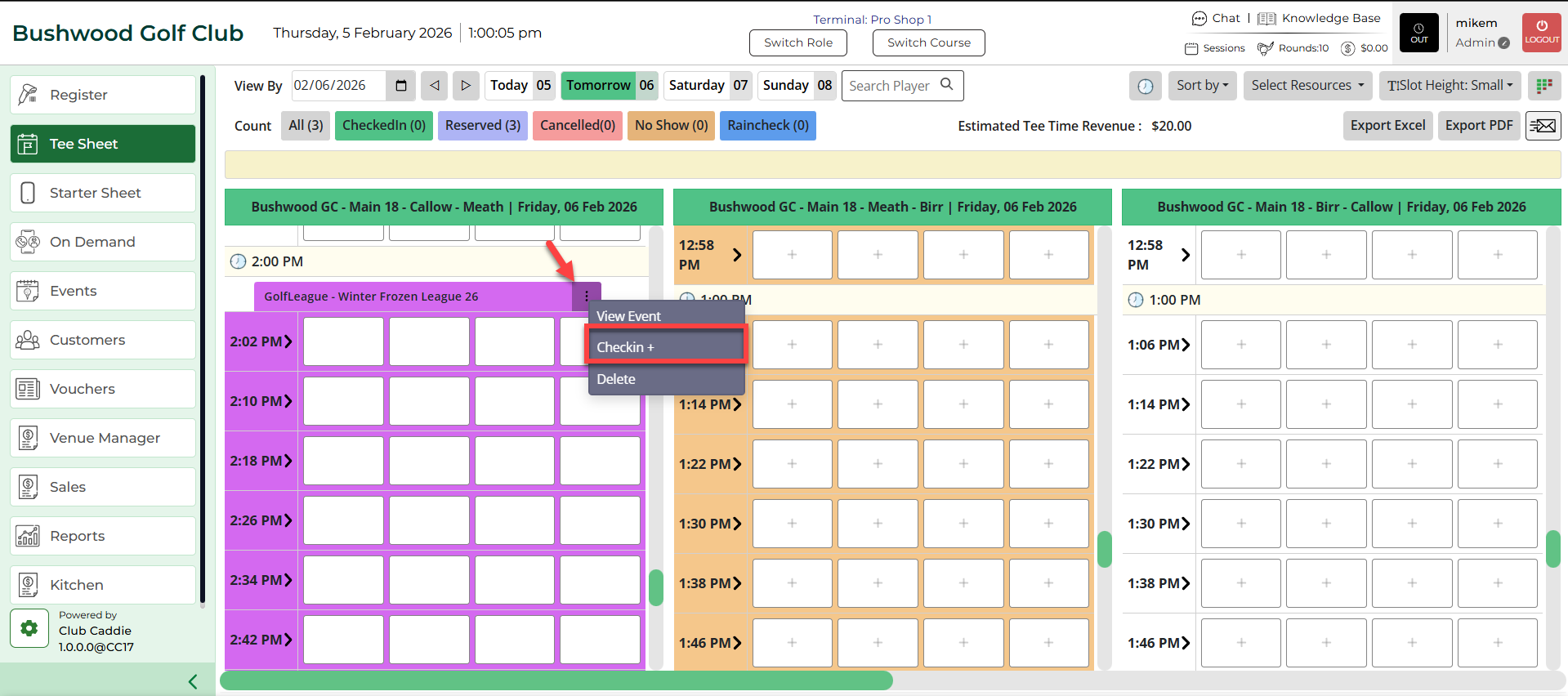
Step 1: Select the TEE SHEET from the main menu. Select the options icon (3 small dots), then select Checkin + from the drop-down list.
Step 2: Select which golfers to check in. Then select, Checkin to go to the register, or Quick Pay.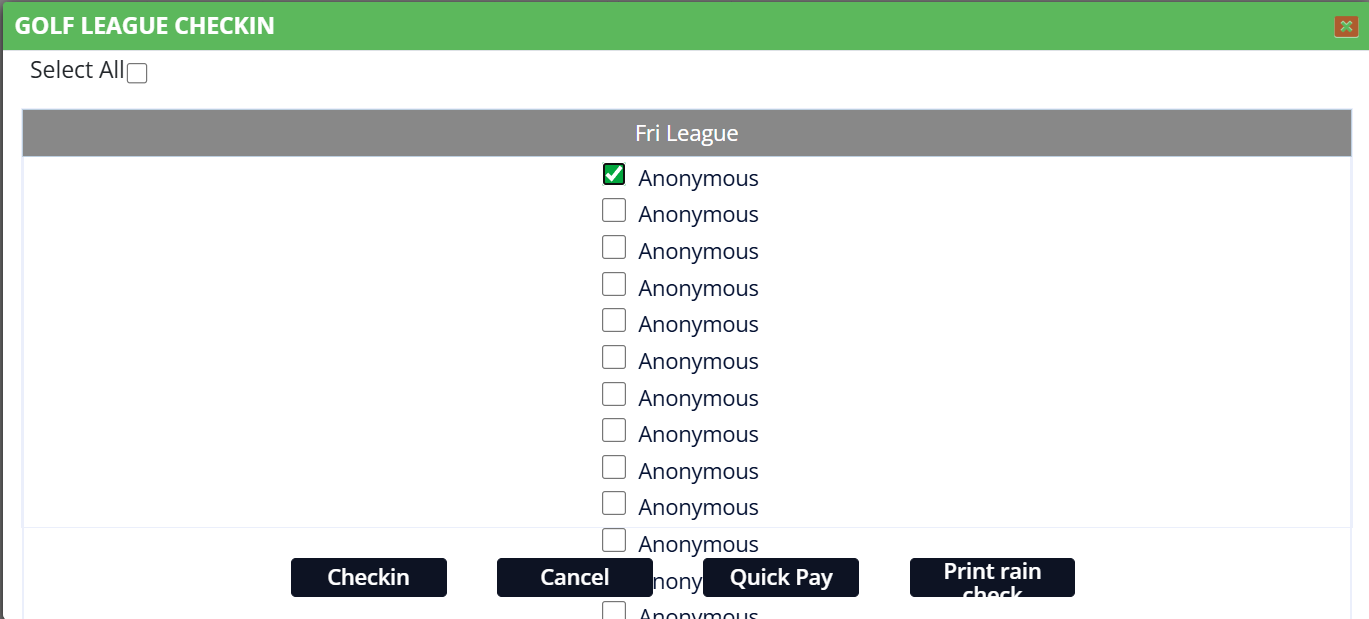
Payment Window: