.png?width=200&height=89&name=CC%20%20fiserv.%20(3).png)
Step By Step:
Step 1: Go to the TEE SHEET module and select the time slot.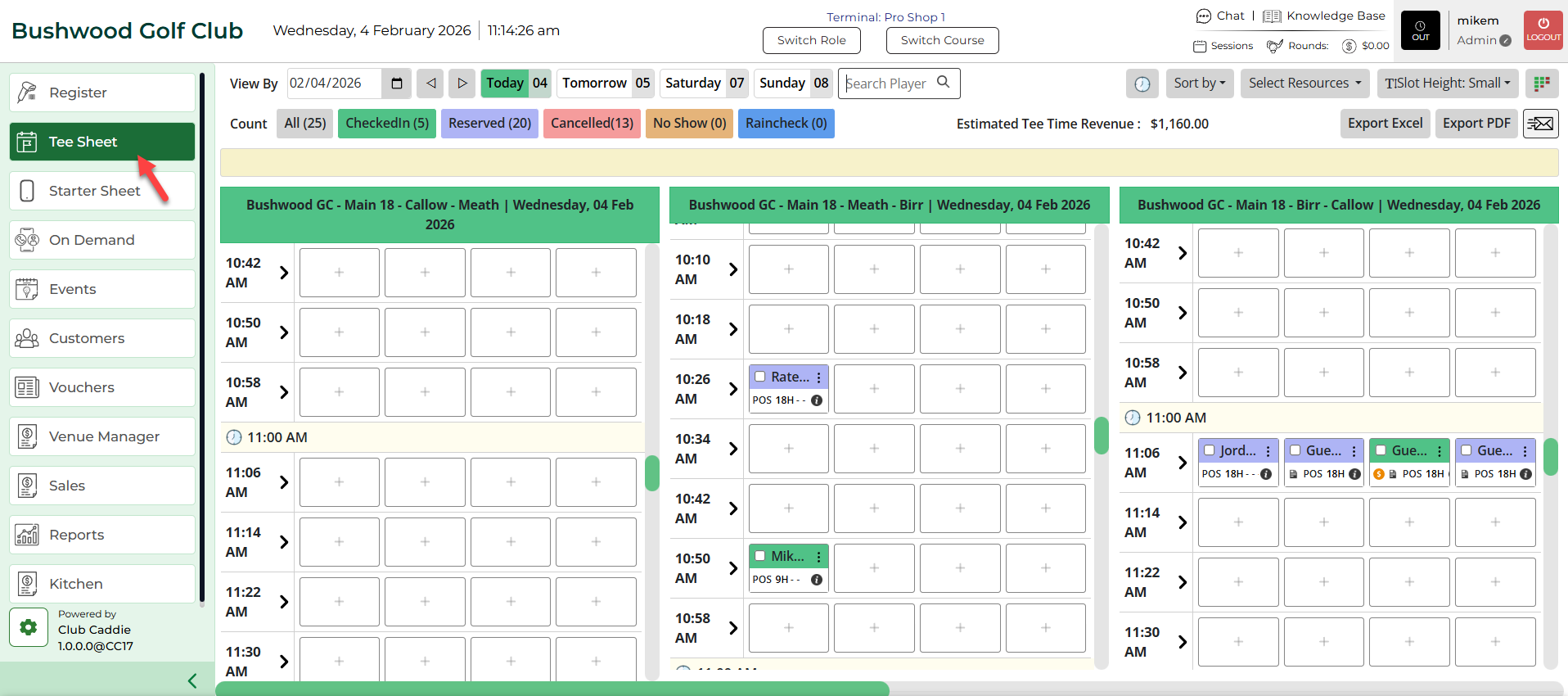
Step 2: Select the players listed on the time slot. Check on the boxes on the time slot next to the player names. 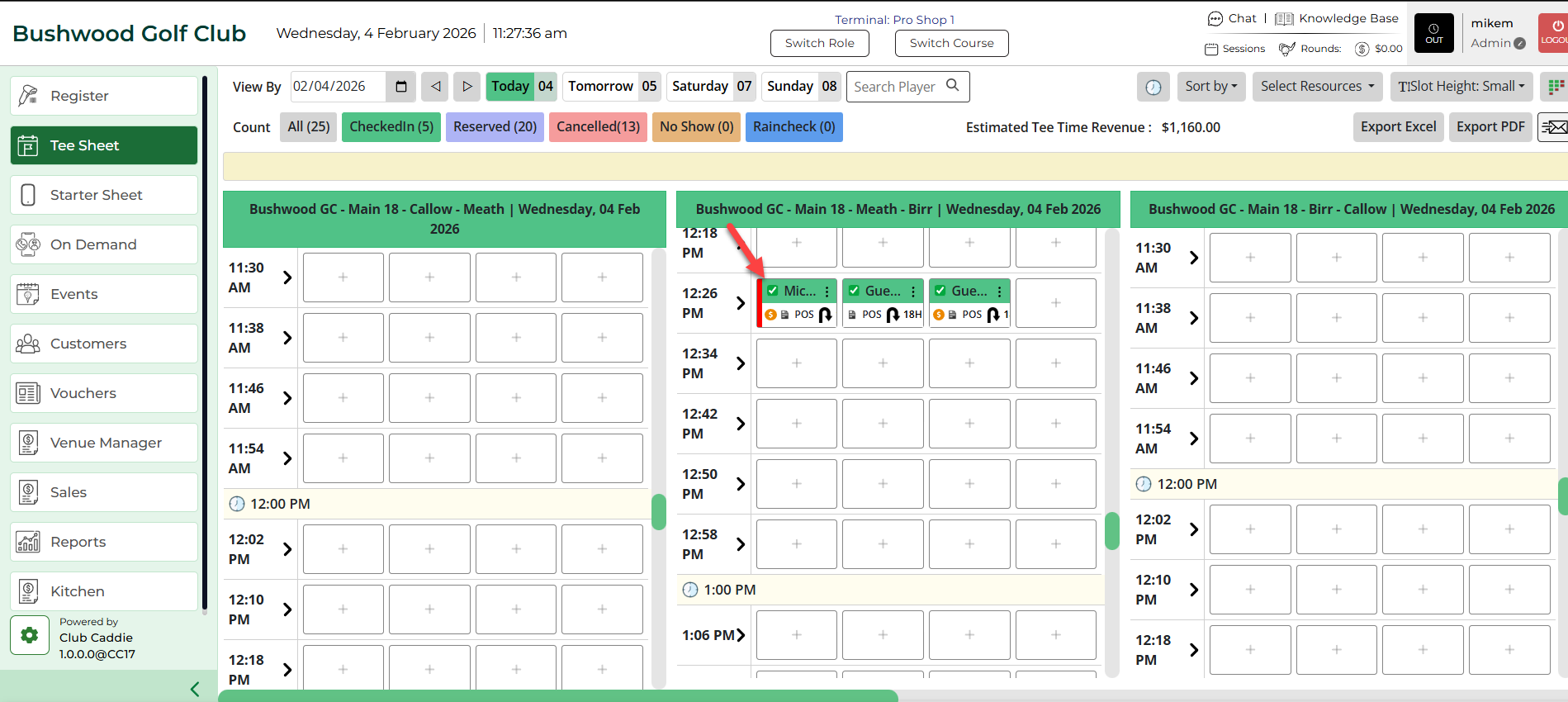
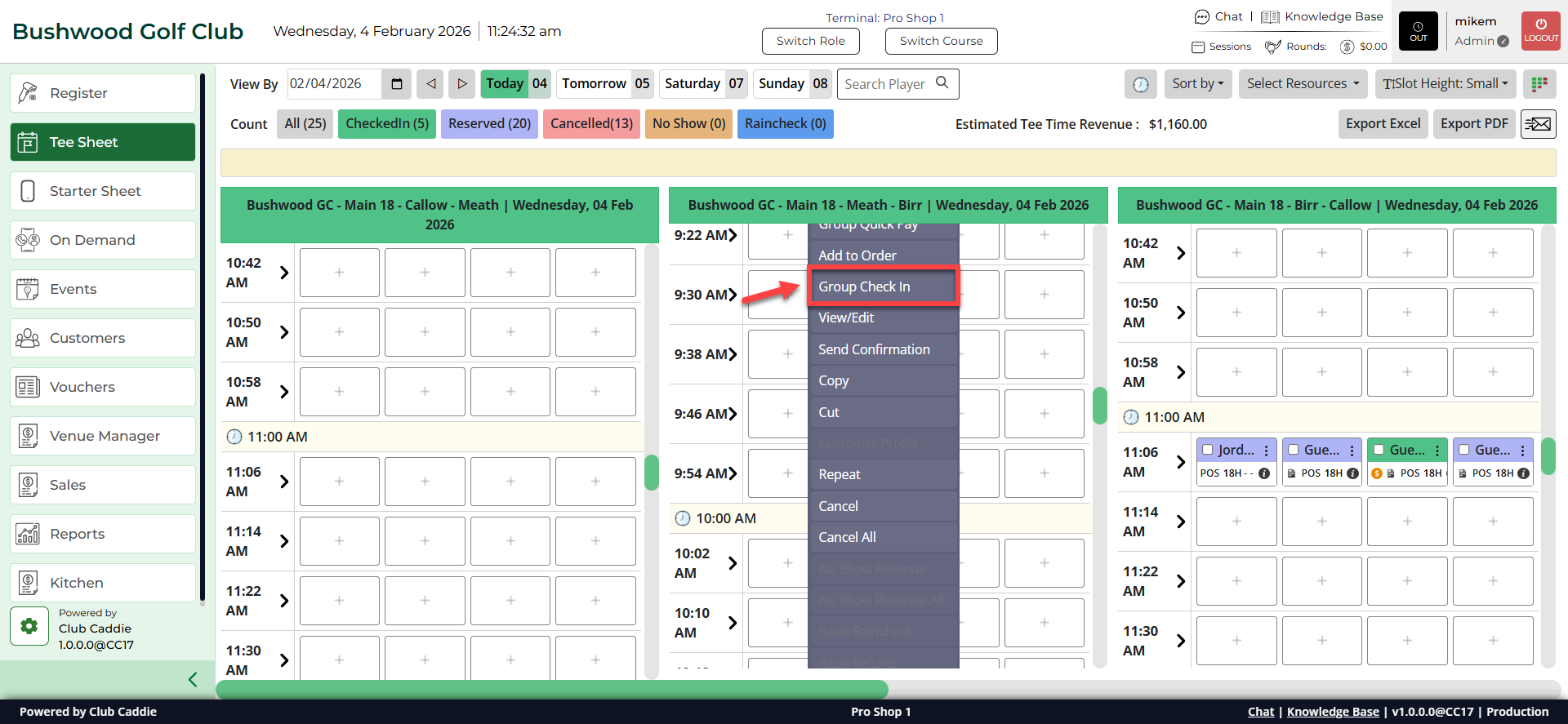
Step 3: Right click on the time slot and click on Group Check-In from the drop down.
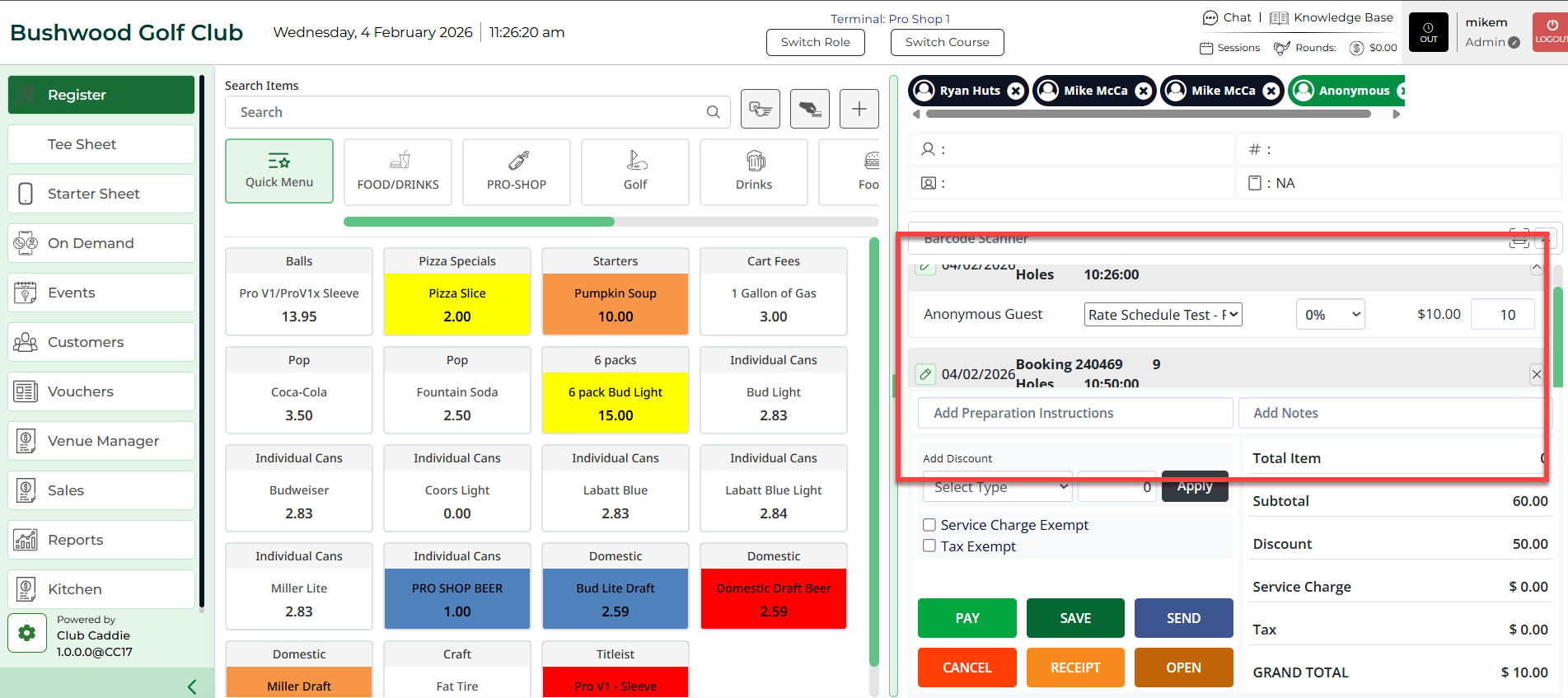
Step 4: The system will direct you to the Register and open Tabs for checked-in players.