.png?width=200&height=89&name=CC%20%20fiserv.%20(3).png)
Step by Step:
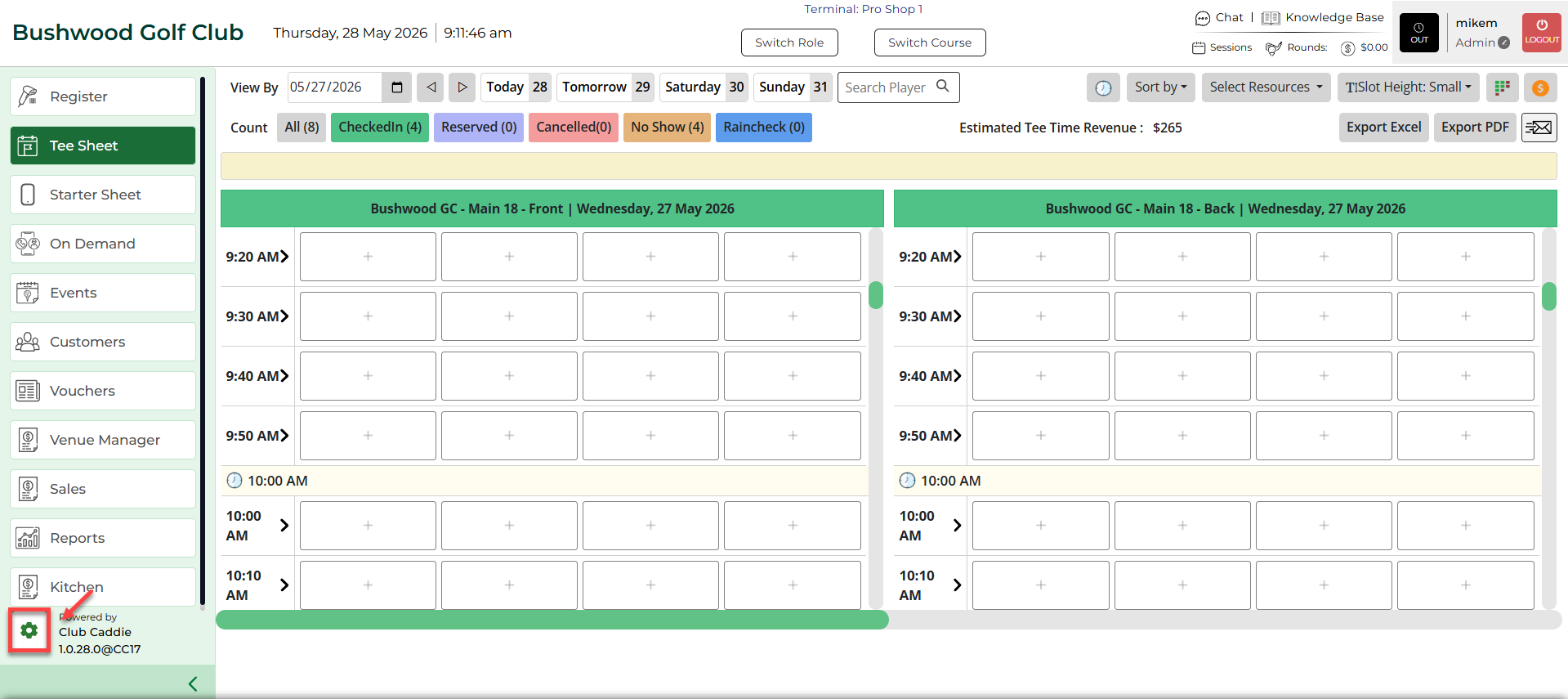
Step 1: You need to enable the Rate Map option if it is disabled on the tee sheet. To do so, first select Settings followed by the Manage Roles tab.
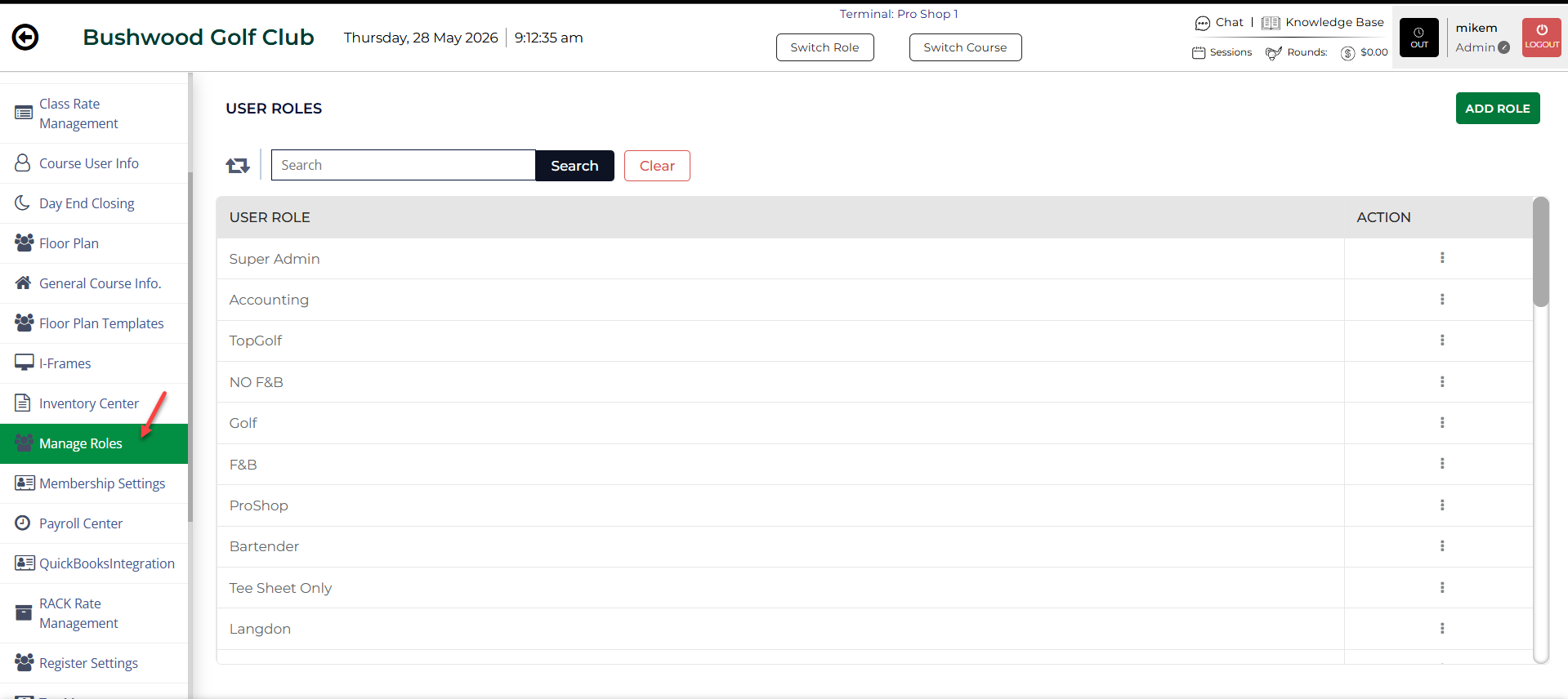
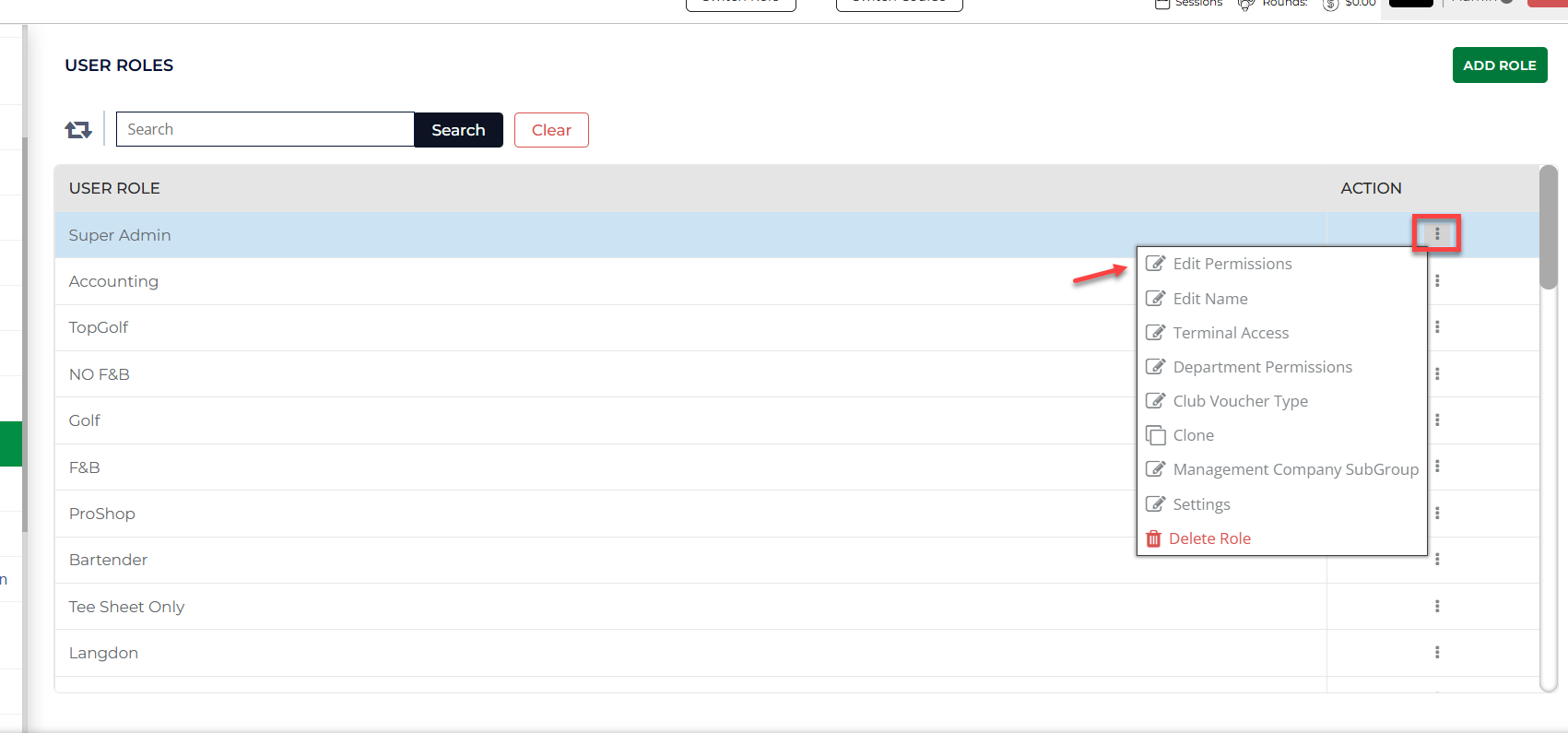
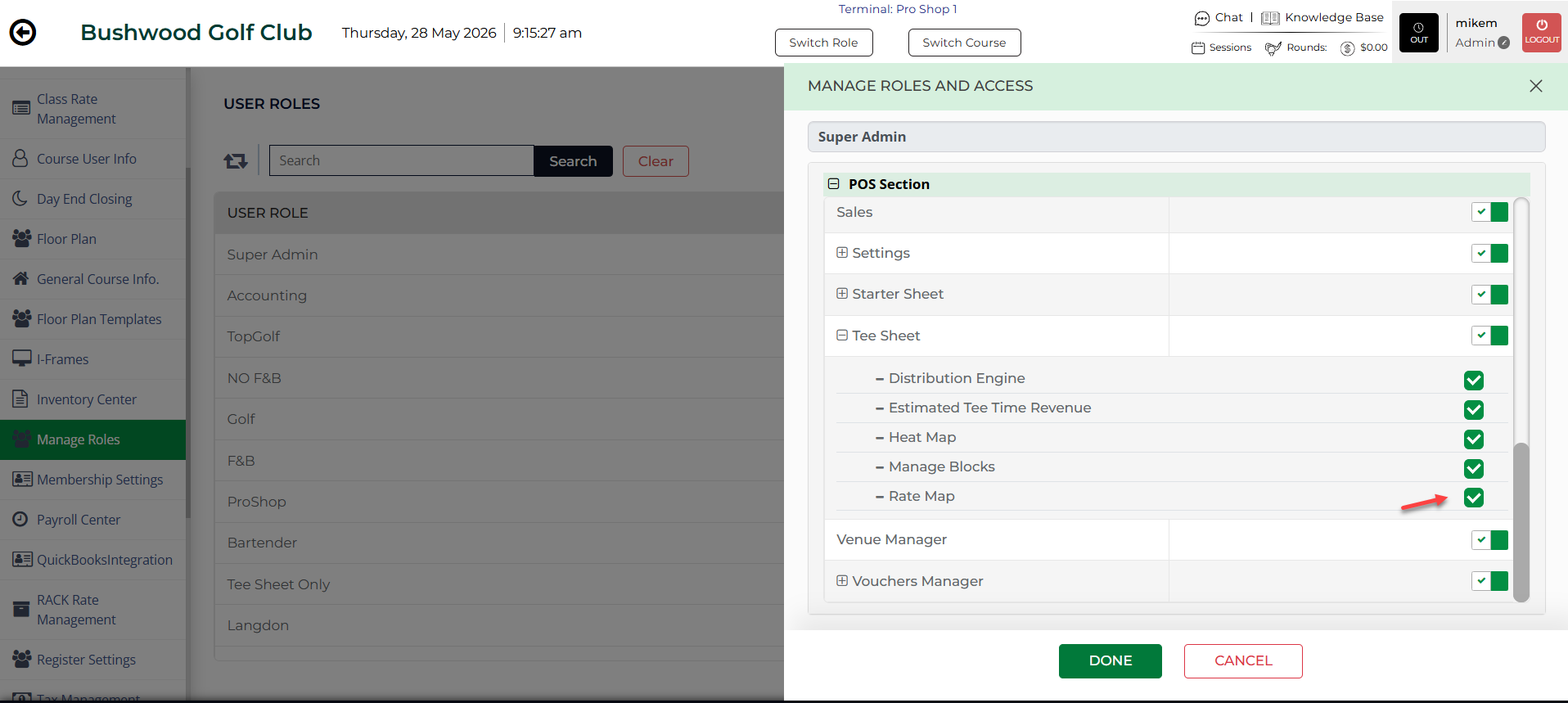
Step 2: Under Action, select the three small dots, followed by Edit Permission. The system will prompt a Manage Roles and Access pop up. Select the "+" sign and then "Tee Sheet" and then locate the Rate Map option. Select it to enable the option. Select Done.
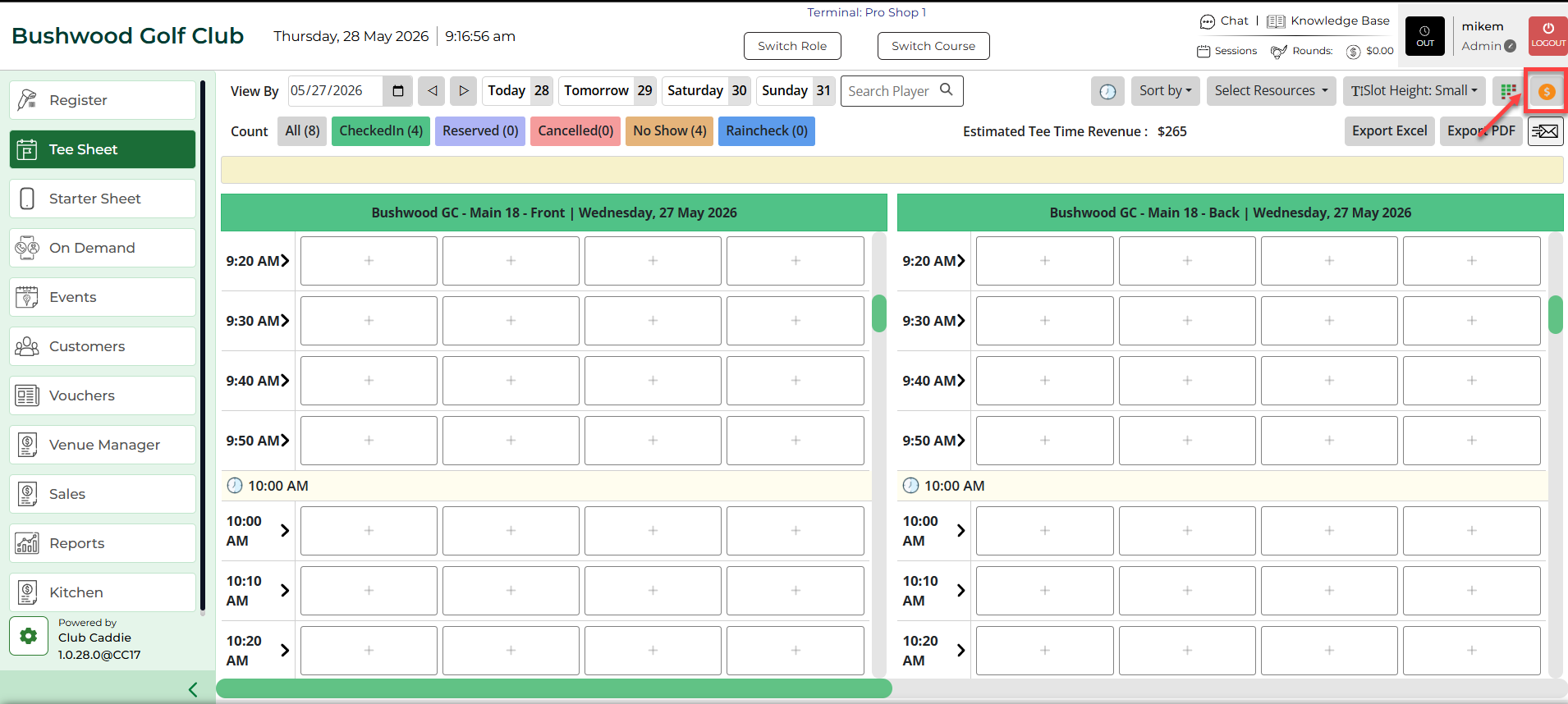
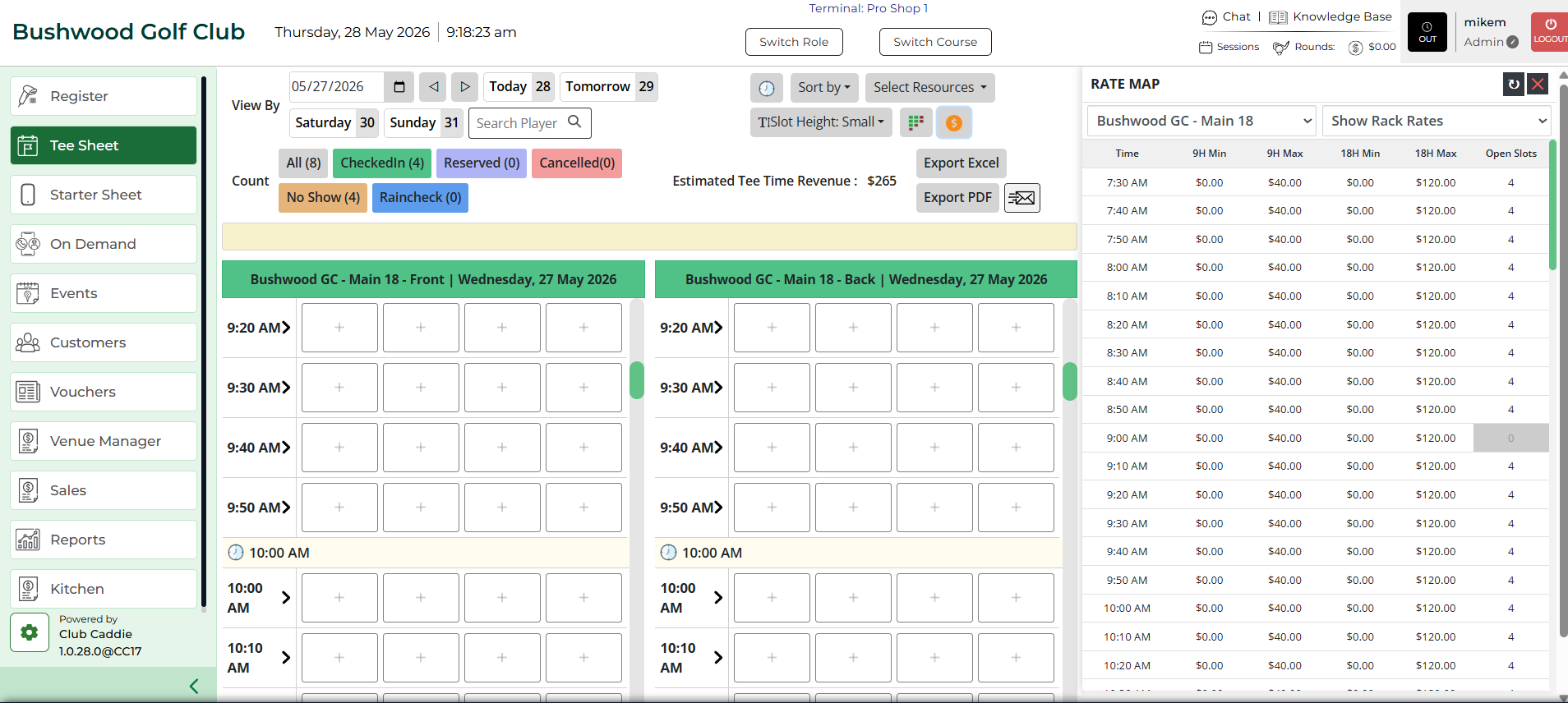
Step 3: Navigate to the Tee Sheet, and on the top right corner, select $ icon for the option Rate Map.