.png?width=200&height=89&name=CC%20%20fiserv.%20(3).png)
Step-By-Step:
Step 1: Navigate to the TEE SHEET module from the top navigation bar.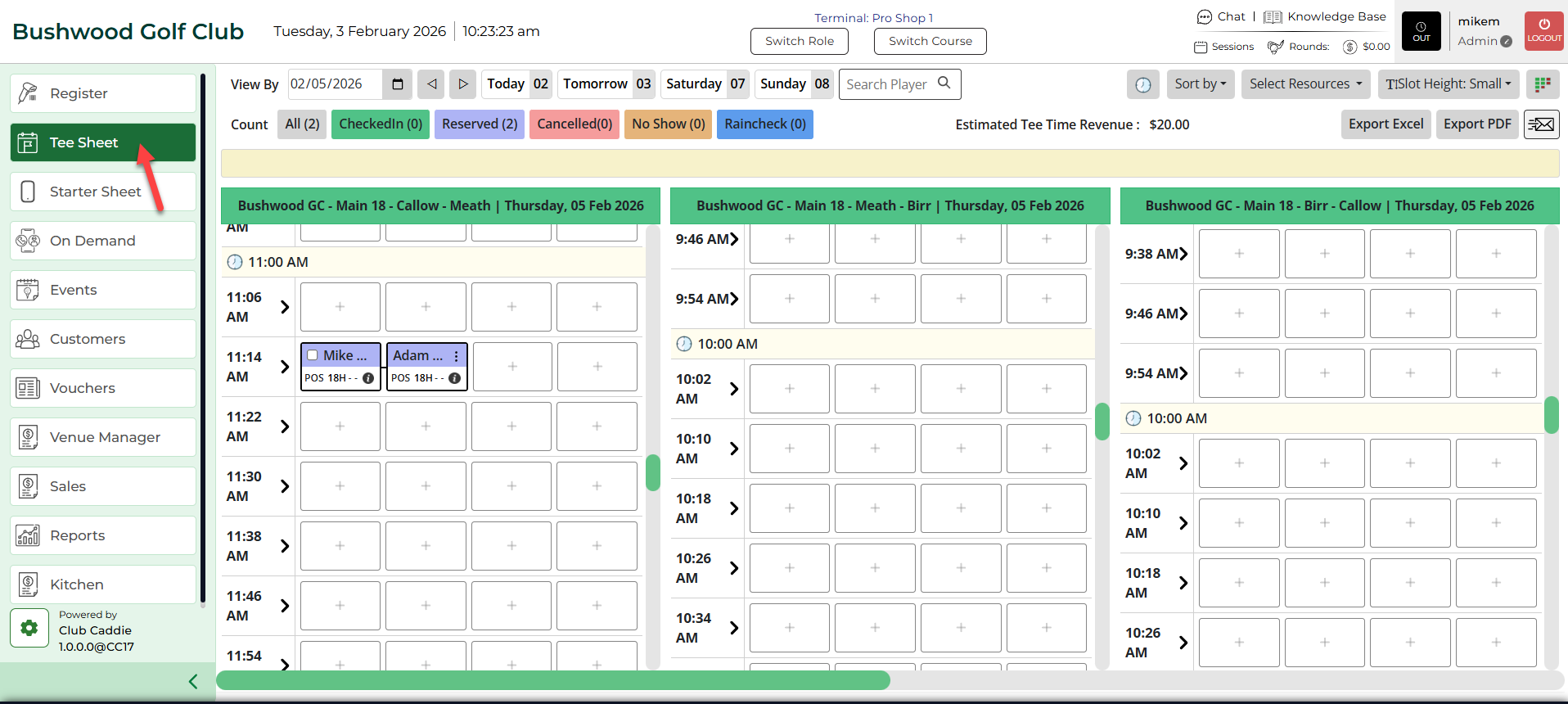
Step 2: Right-click on the selected booking. A selection window will appear where the Repeat option is to be selected. Once completed, a Repeat Booking pop up window will open.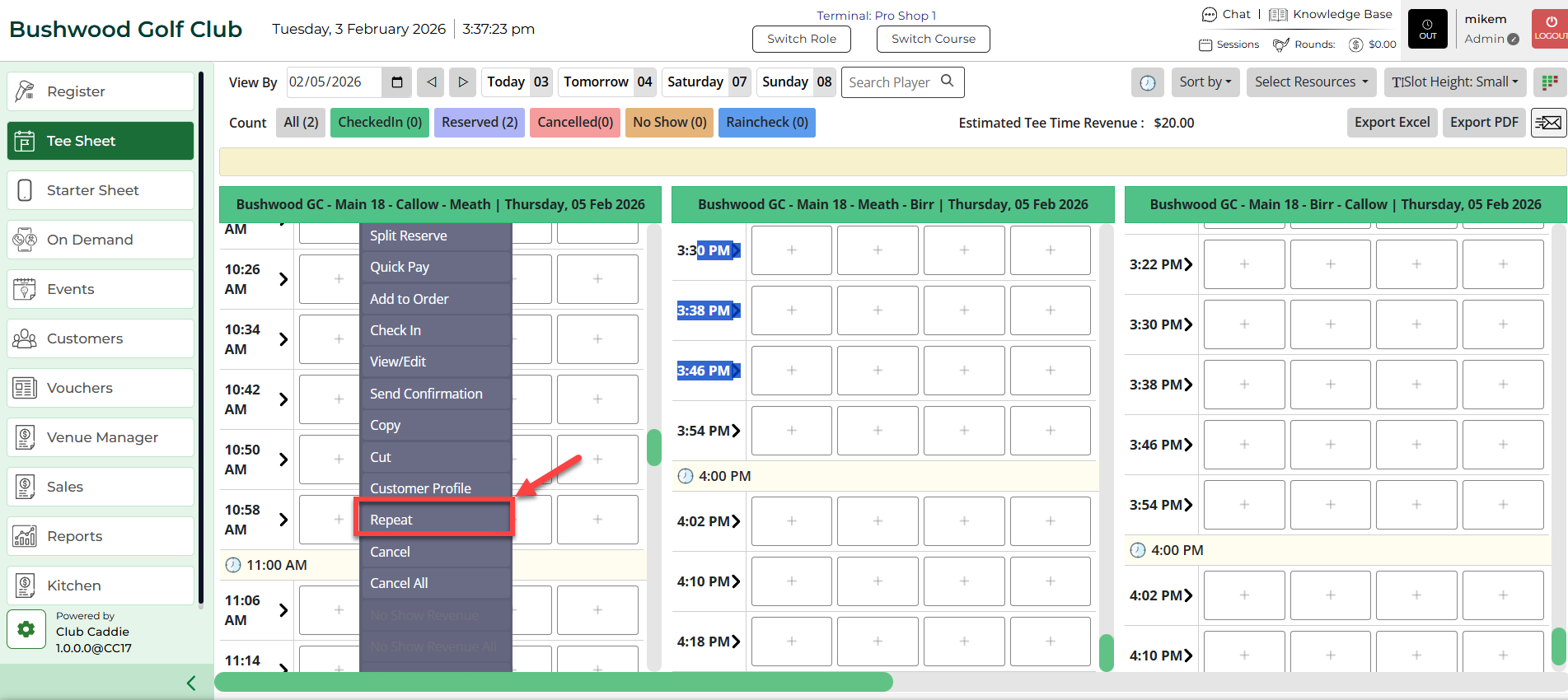
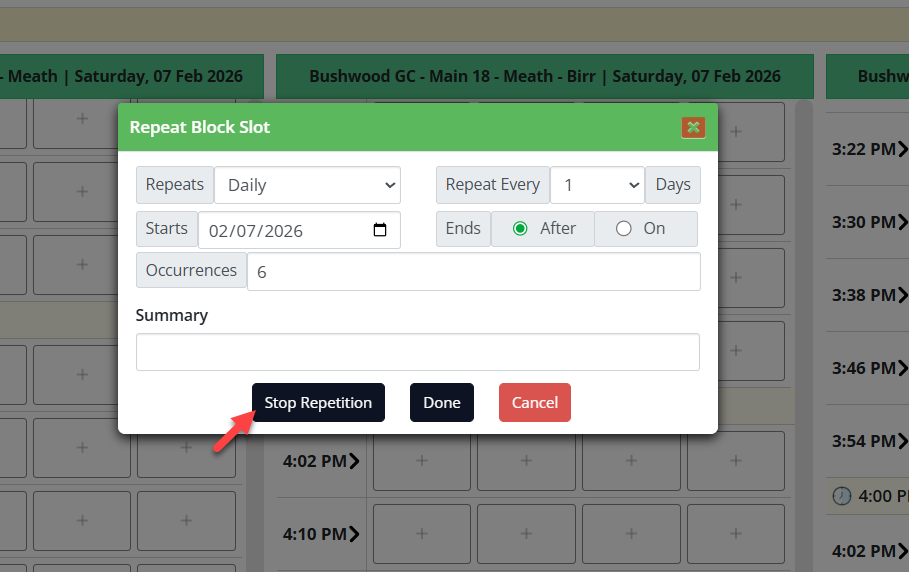
Step 3: Within the Repeat Booking window, fill in the details: Repeats, Daily, Weekly, Number of Days, Repeat every, Starts on, Ending Date for Repeat. Additionally, a Summary field is to be completed.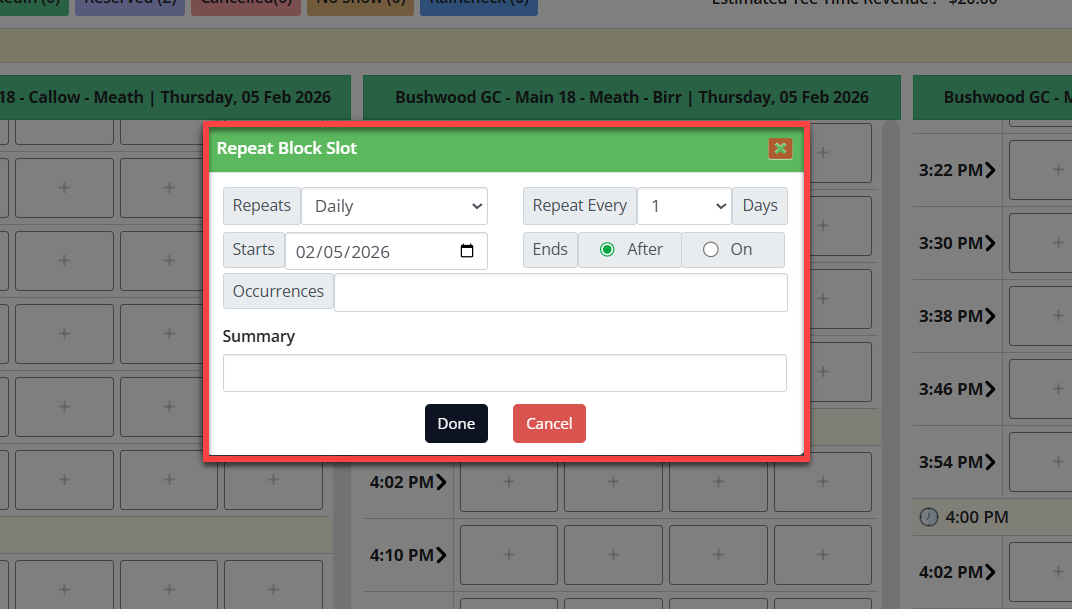
Step 4: Click Done and a Repeat icon will be created on the Tee Sheet, along with other tee time highlights.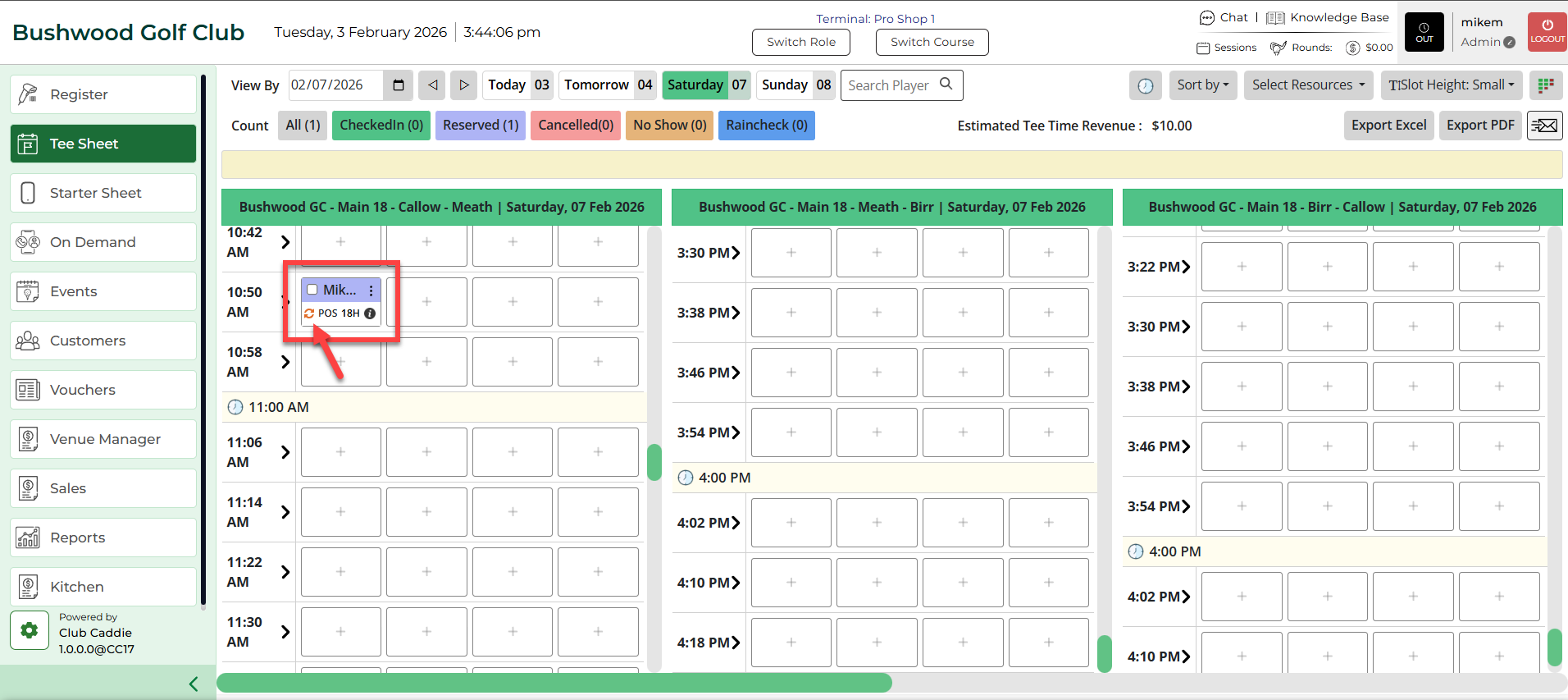
Step 5: To cancel/edit the created repetition, right-click on the reservation within the tee sheet and select Repeat. A Repeat Booking pop-up window will open. Make the required changes and click on Done or Stop Repetition.