.png?width=200&height=89&name=CC%20%20fiserv.%20(3).png)
Step by Step:
Step 1: Click on the TEE SHEET button at the top of the screen.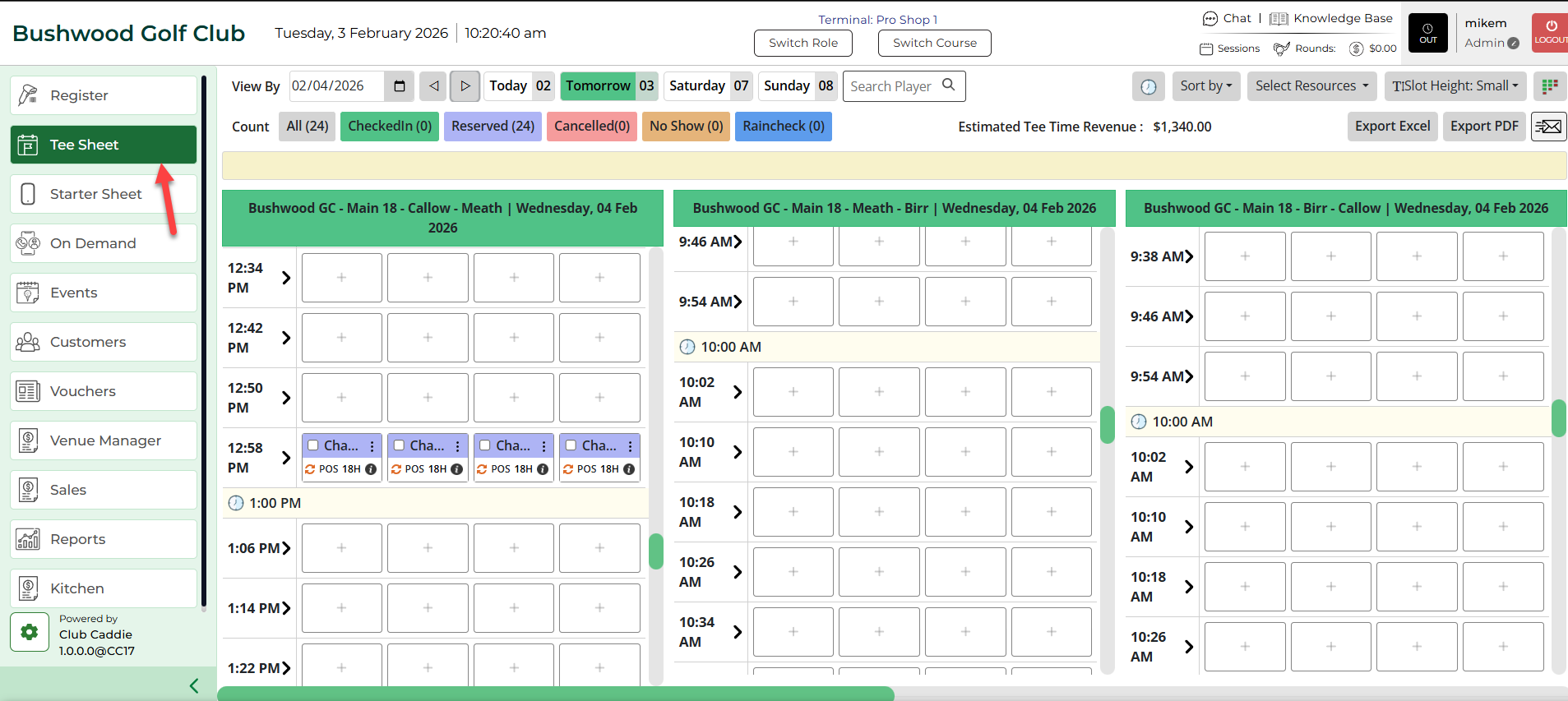
Step 2: Click on the Send Email button at the top of the screen as this will generate a pop-up window to send an e-mail.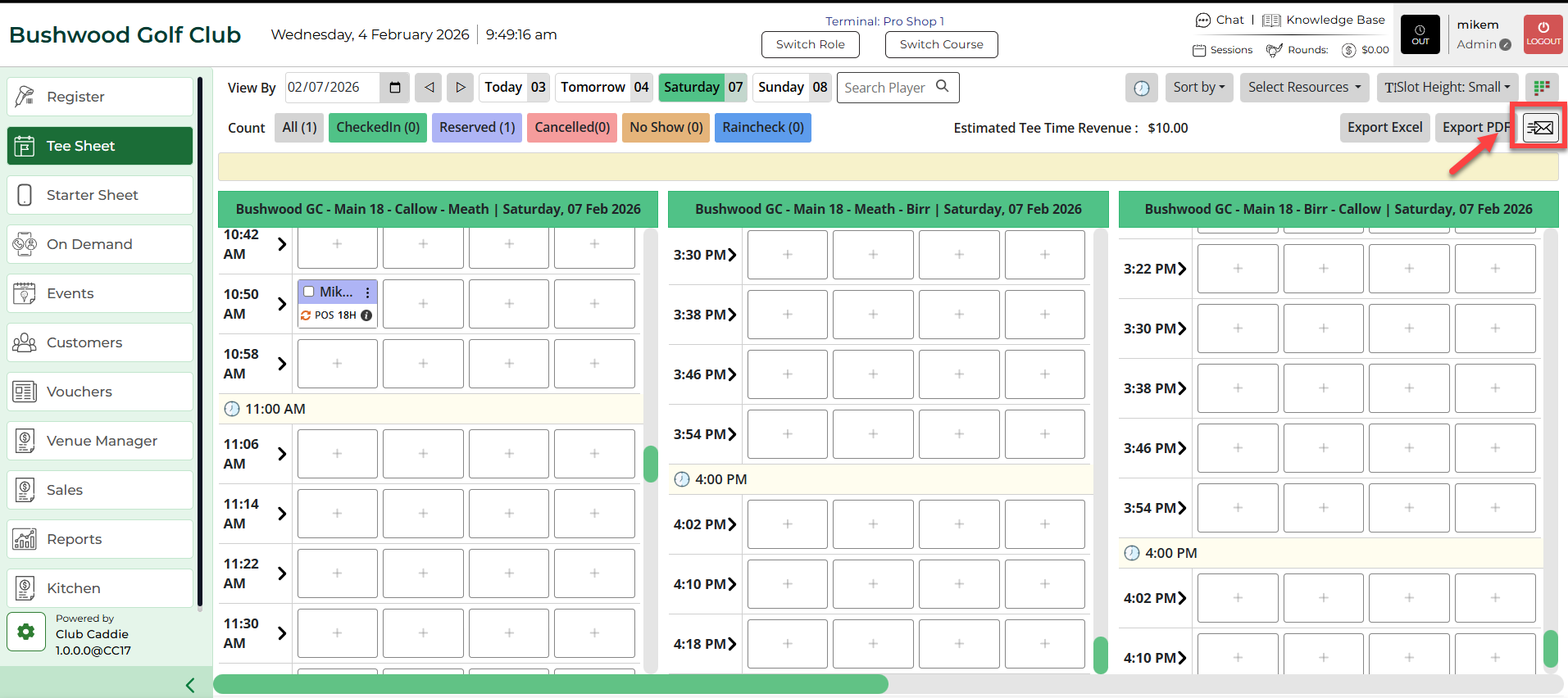
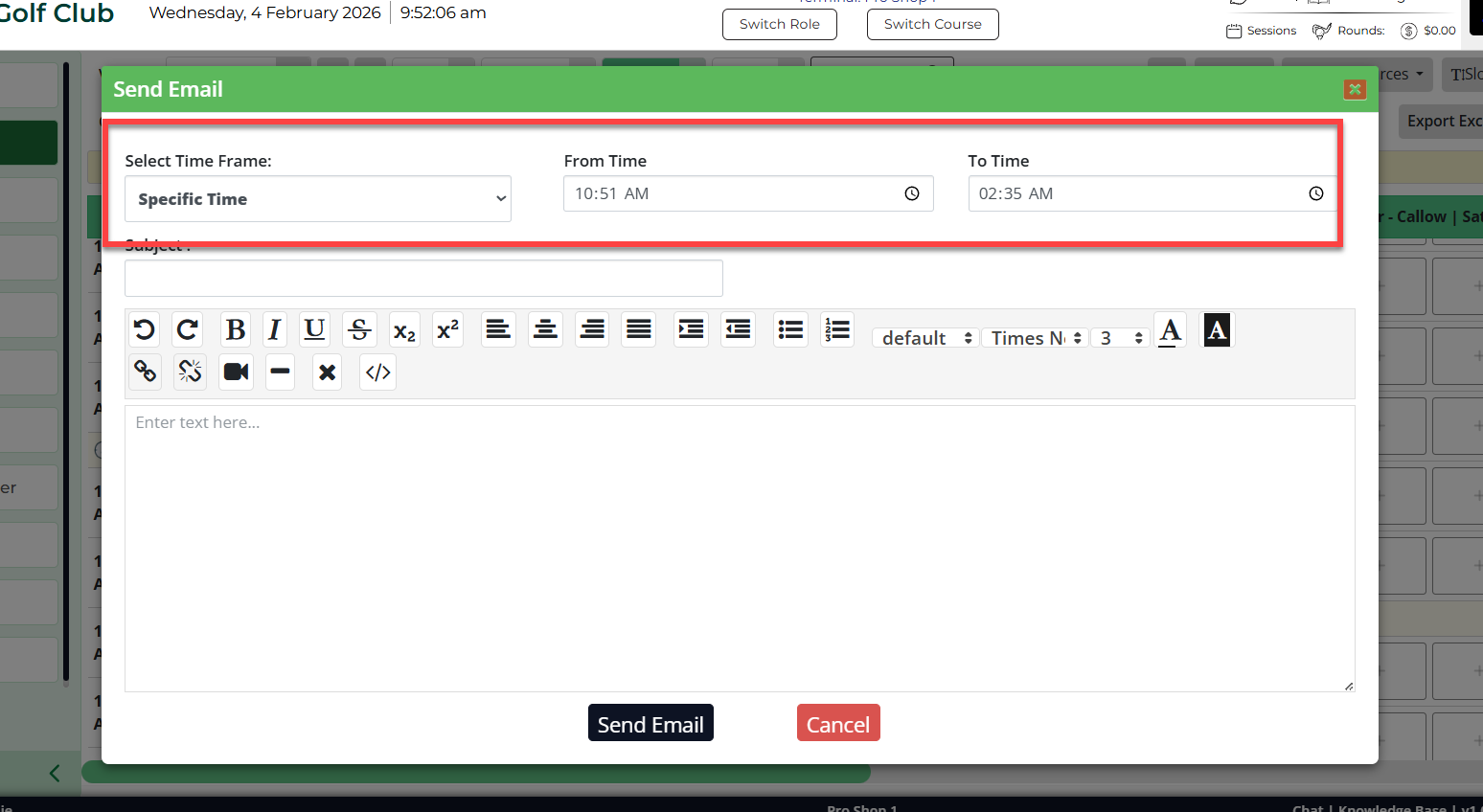
Step 3: If you want to send an email to everyone on a tee sheet for the day, select the All option in the email window. Next, enter the subject and the information you want to inform the golfers, then click on Send E-Mail.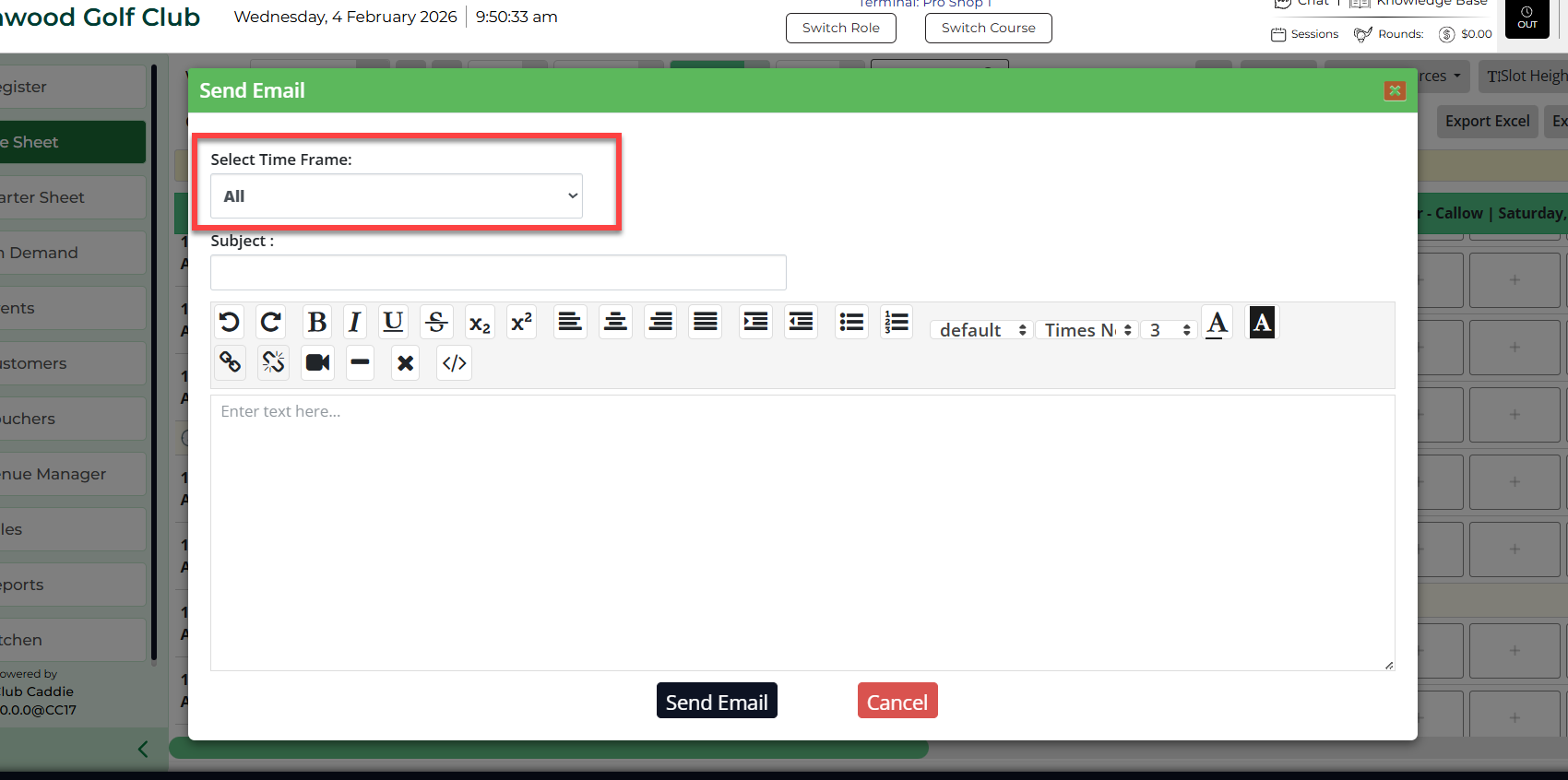
Step 4: If you want to send an email to specific time span on a tee sheet for a day, select the Specific Time option in the e-mail window. Then enter the time span, subject, and the information you want to inform. Finally, click Send E-Mail.