.png?width=200&height=89&name=CC%20%20fiserv.%20(3).png)
When to use: Use this when a promotion or happy hour applies to a broad group of items, such as all bourbons, all wines, or an entire food category, rather than a single product.
Step-by-Step:
Step 1: Open Settings via the gear icon in the top right corner, then navigate to Settings → Inventory Center. Select the Multiple Inventory Pricing Schedule tab. This tab handles bulk, group-level pricing schedules and is separate from the per-item pricing schedule that lives on individual inventory items.
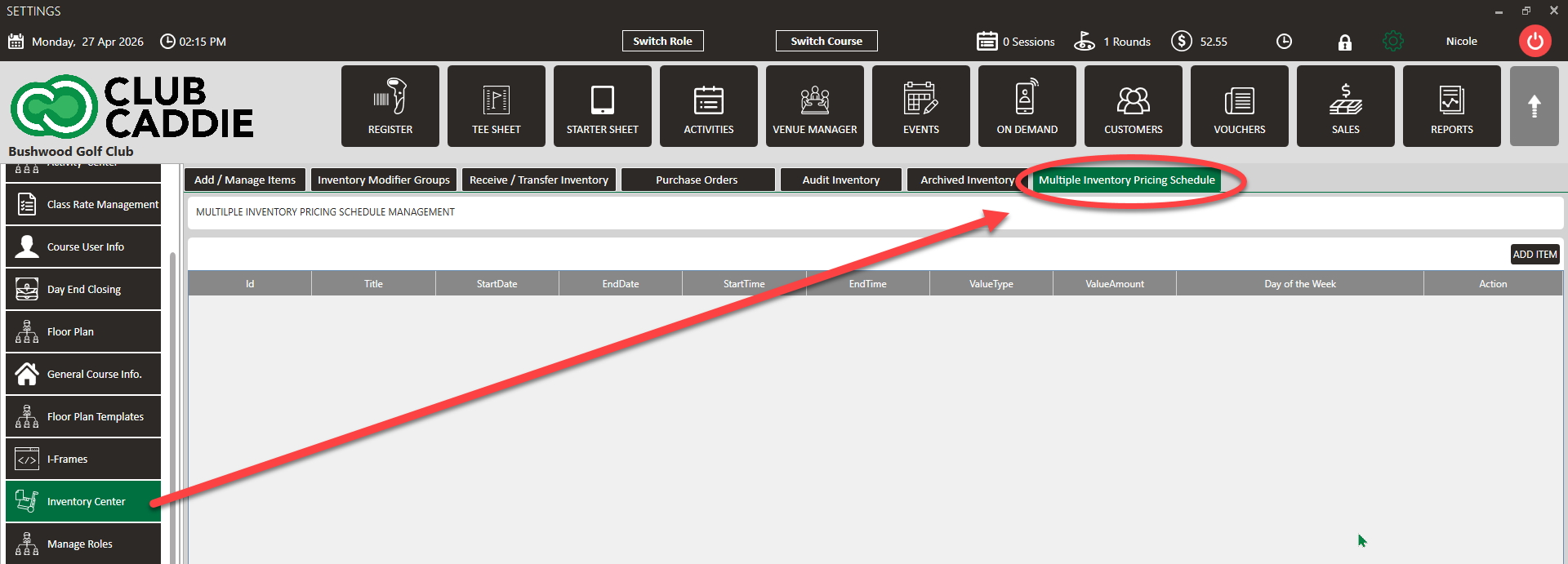
Step 2: Click Add to create a new schedule. Enter a descriptive name for the schedule — for example, Happy Hour - Bourbon or Weekend Wine Discount — so it is easy to identify in the list later.
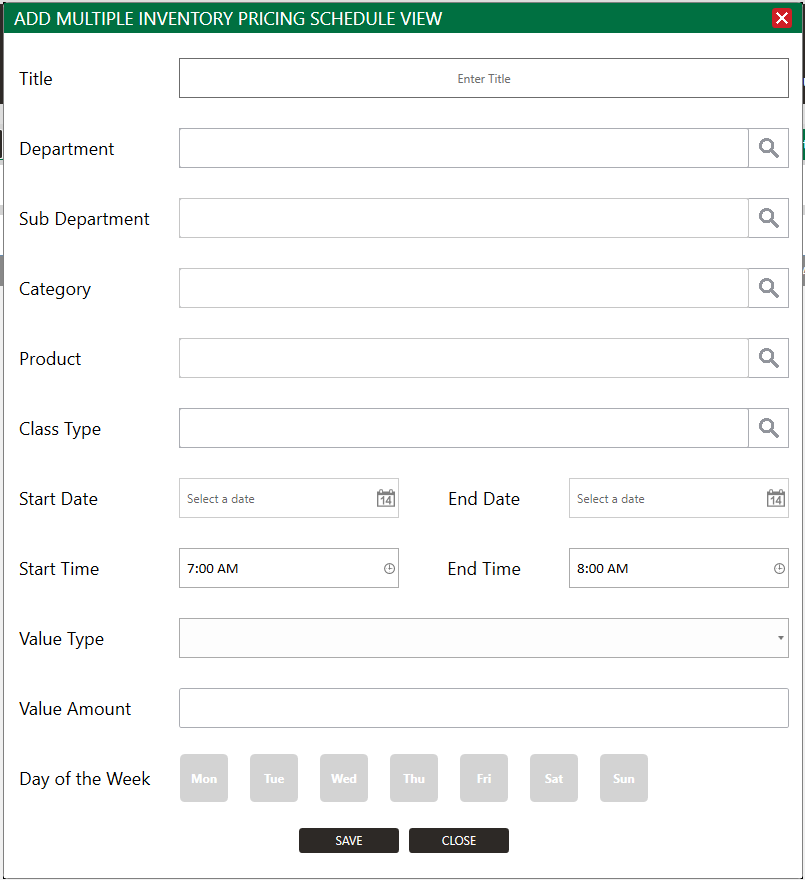
Step 3: Select the scope level: Department, Sub Department, or Category. Then choose the specific Department, Sub Department, or Category this schedule should apply to. All items within that grouping will be affected when the schedule is active.
Step 4: Set the Start and End Date, Start Time and End time, and choose the pricing adjustment details including the discount type by selecting from the Value Type then the Value Amount. Select the active days of the week, and the start and end times. Click Save when finished.
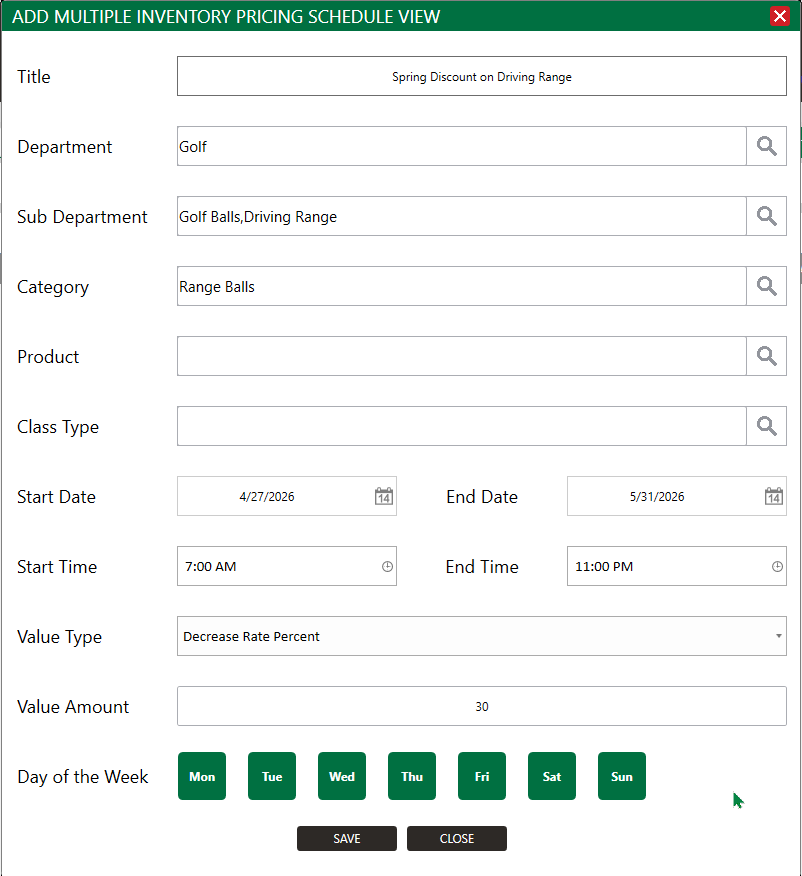
Step 5: The saved schedule will appear in the Multiple Inventory Pricing Schedule list. Items in the scoped Department, Sub Department, or Category will automatically apply the adjusted price during the configured time window and revert to their standard price outside of it.
NOTE: This tab handles group-level pricing only. Individual item pricing schedules still exist on each item record and are intended for one-off adjustments. When both a group-level schedule and an item-level schedule could apply to the same item at the same time,
Changes to a pricing schedule take effect going forward. Existing open transactions or tabs are not retroactively adjusted.