.png?width=200&height=89&name=CC%20%20fiserv.%20(3).png)
How to Add a Sub-Member to a Primary Member in Club Caddie
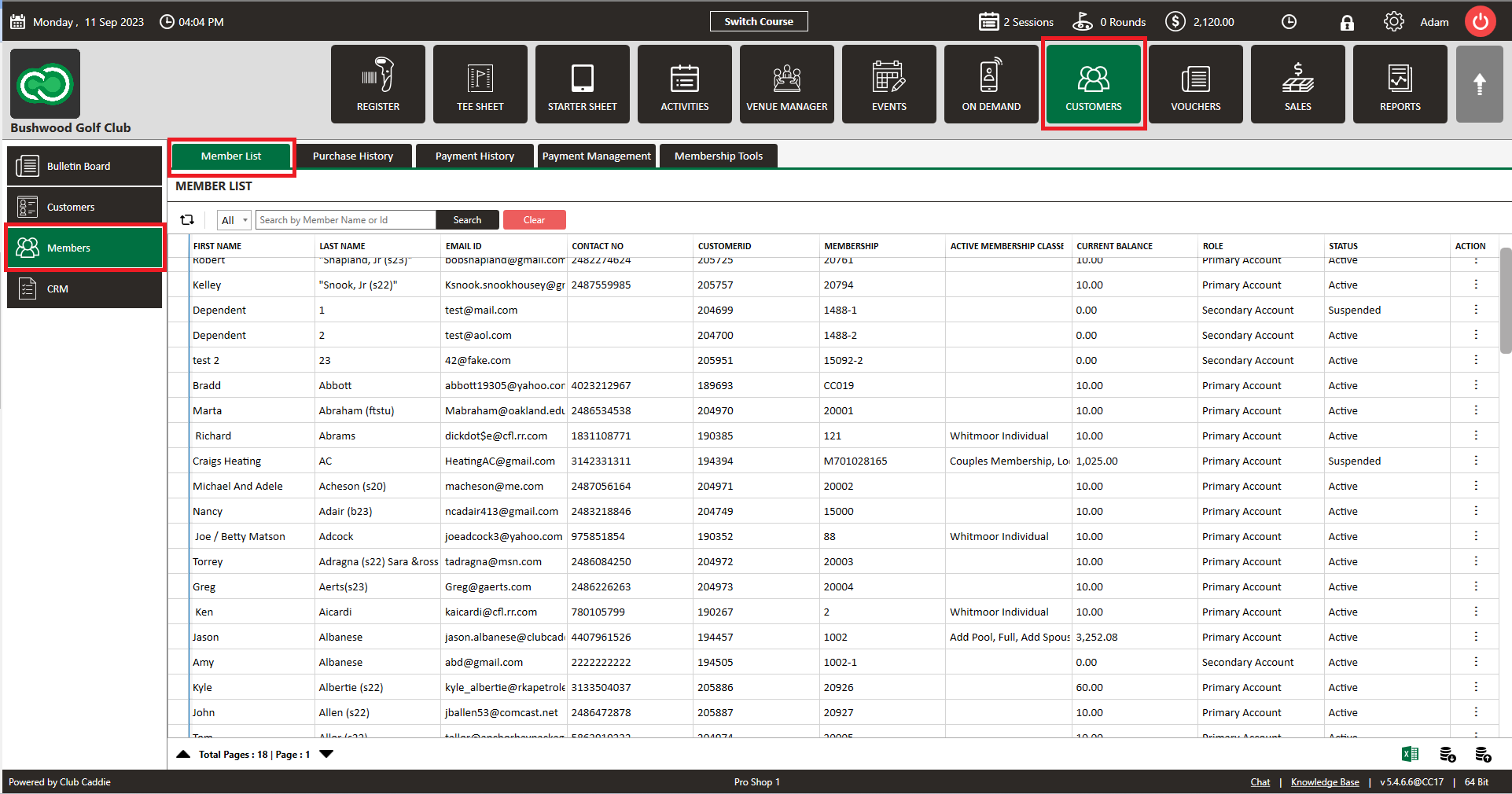
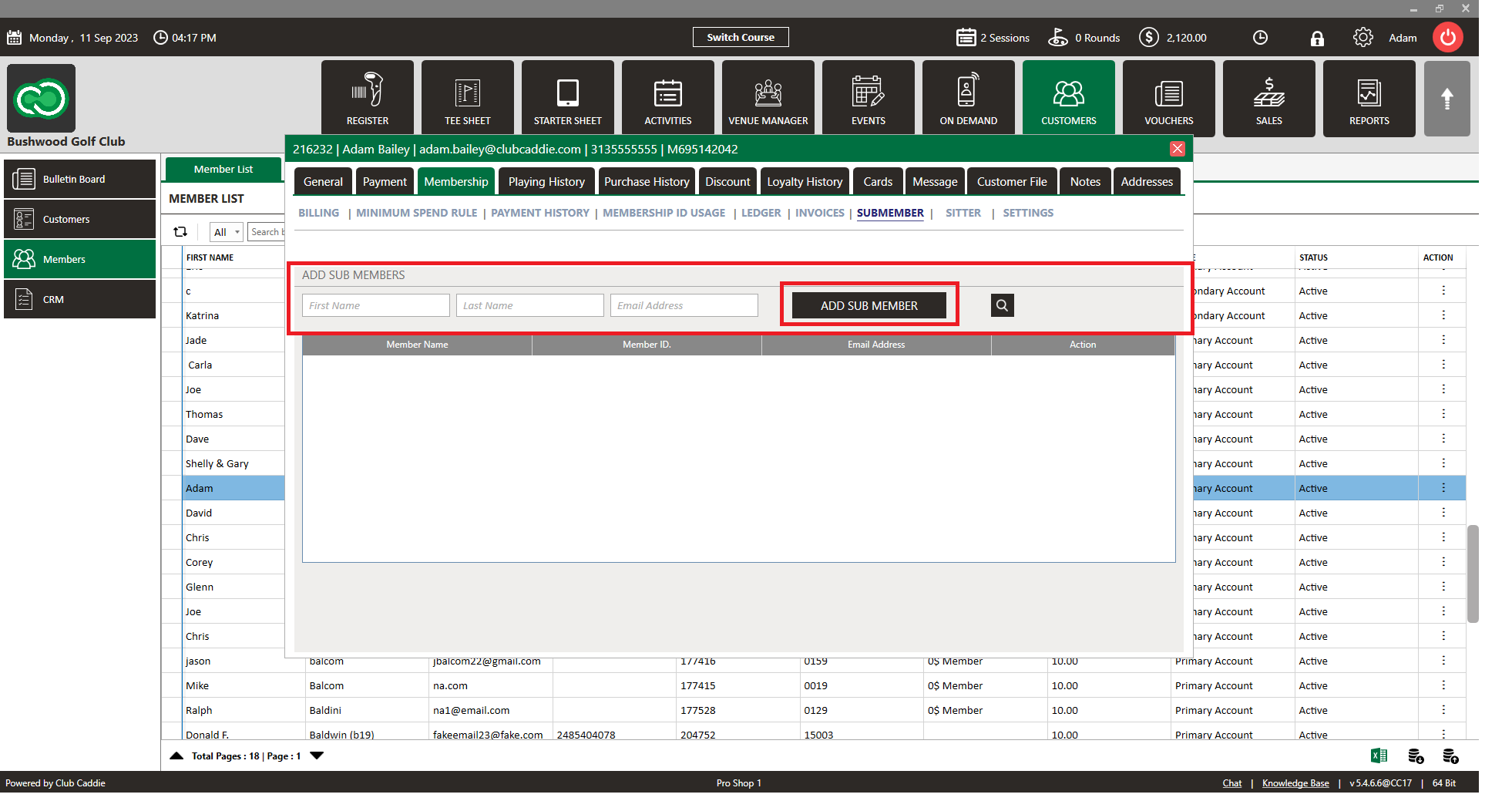
Step 1: Click Customers, then click Members.
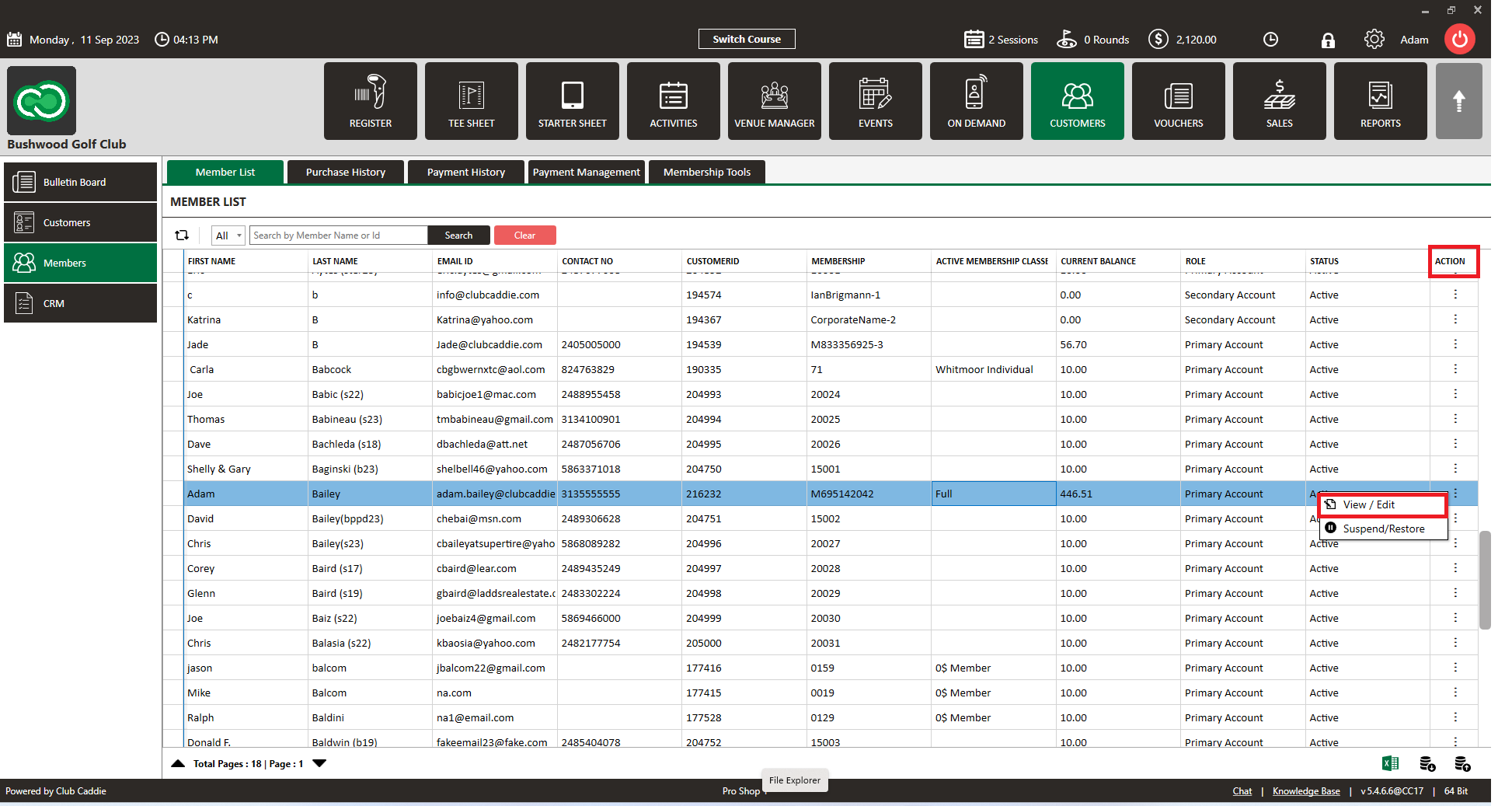
Step 2: Select the member you want to add a sub-member to, then click Action > View/Edit.
Step 3: Click on "Membership" then click on "SUBMEMBER".
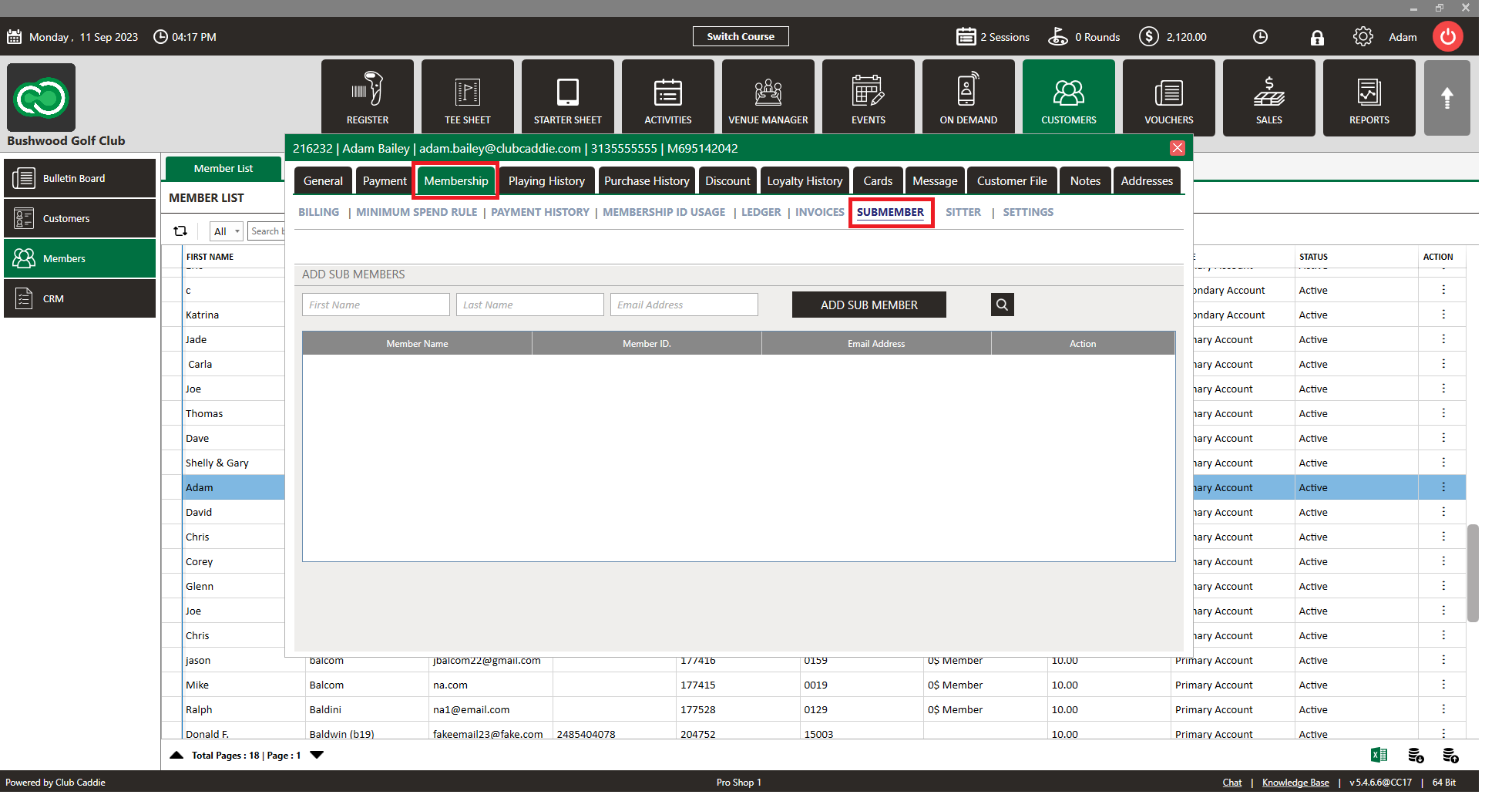
Step 4: Enter the sub-member's first name, last name, and email address, then click Add Sub-Member.
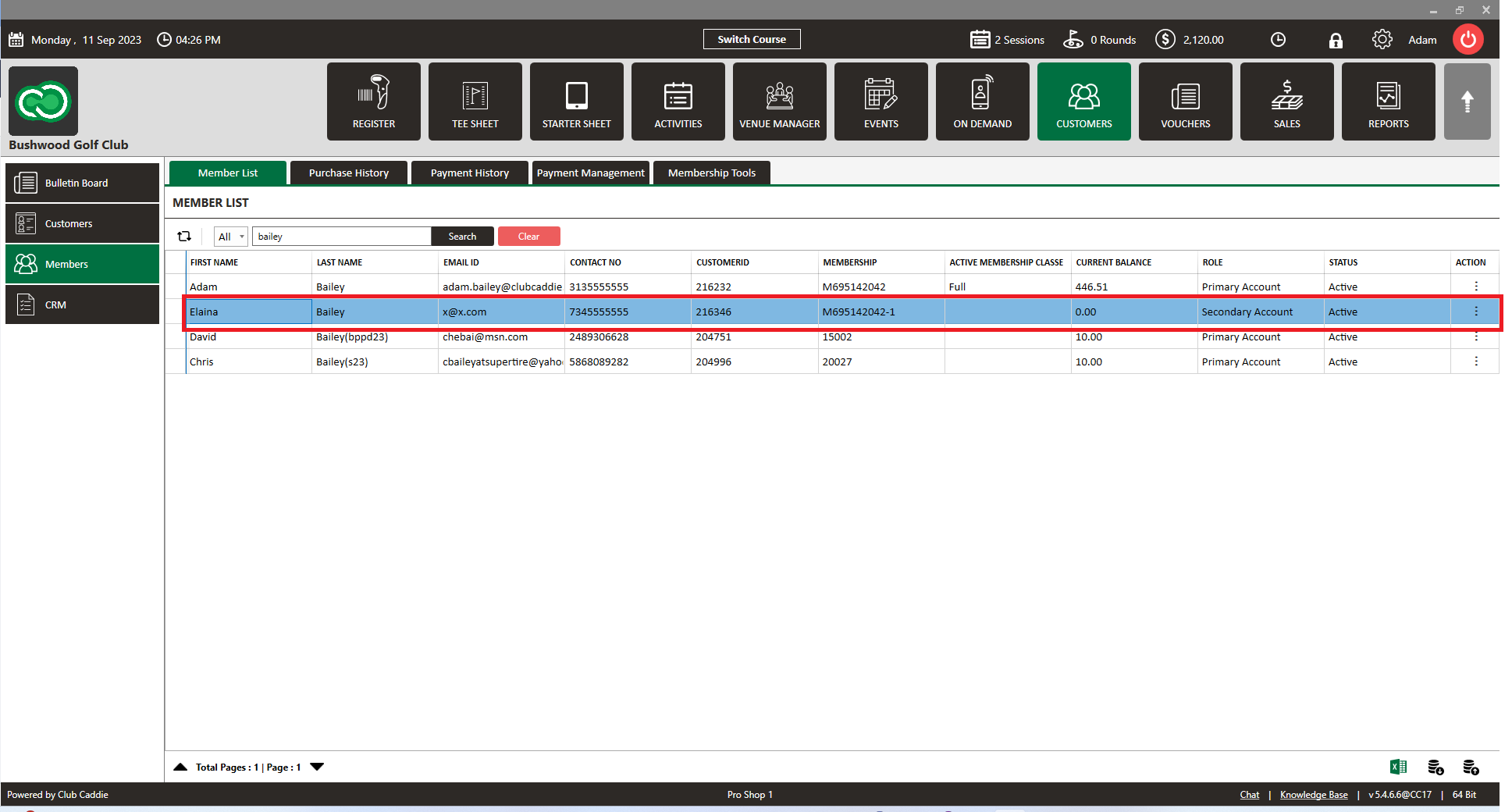
Step 5: The newly added sub-member will now appear in the member list.