Step by step:
Step 1: Select the Customer module.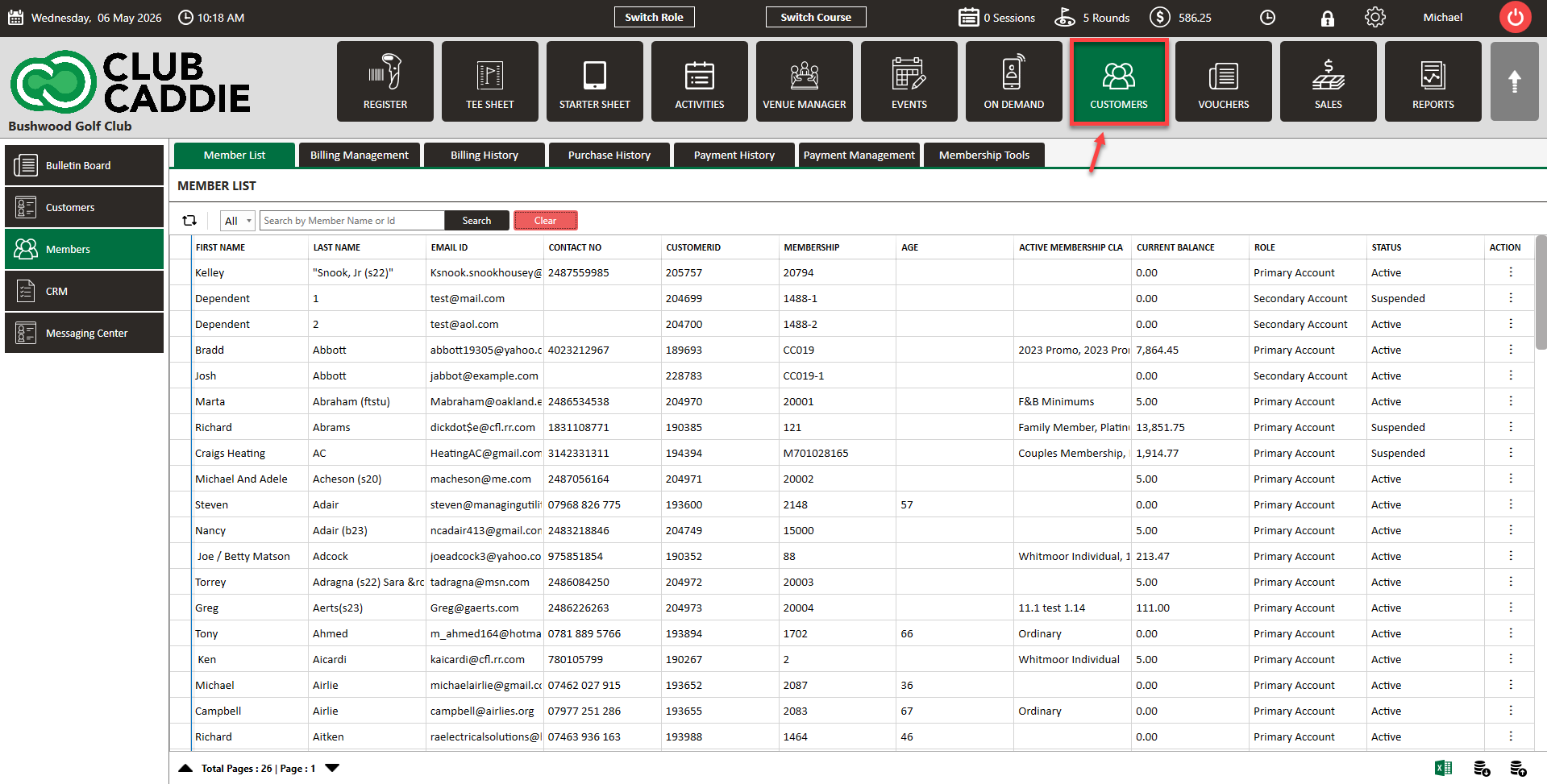
Step 2: Select the Members tab from the menu.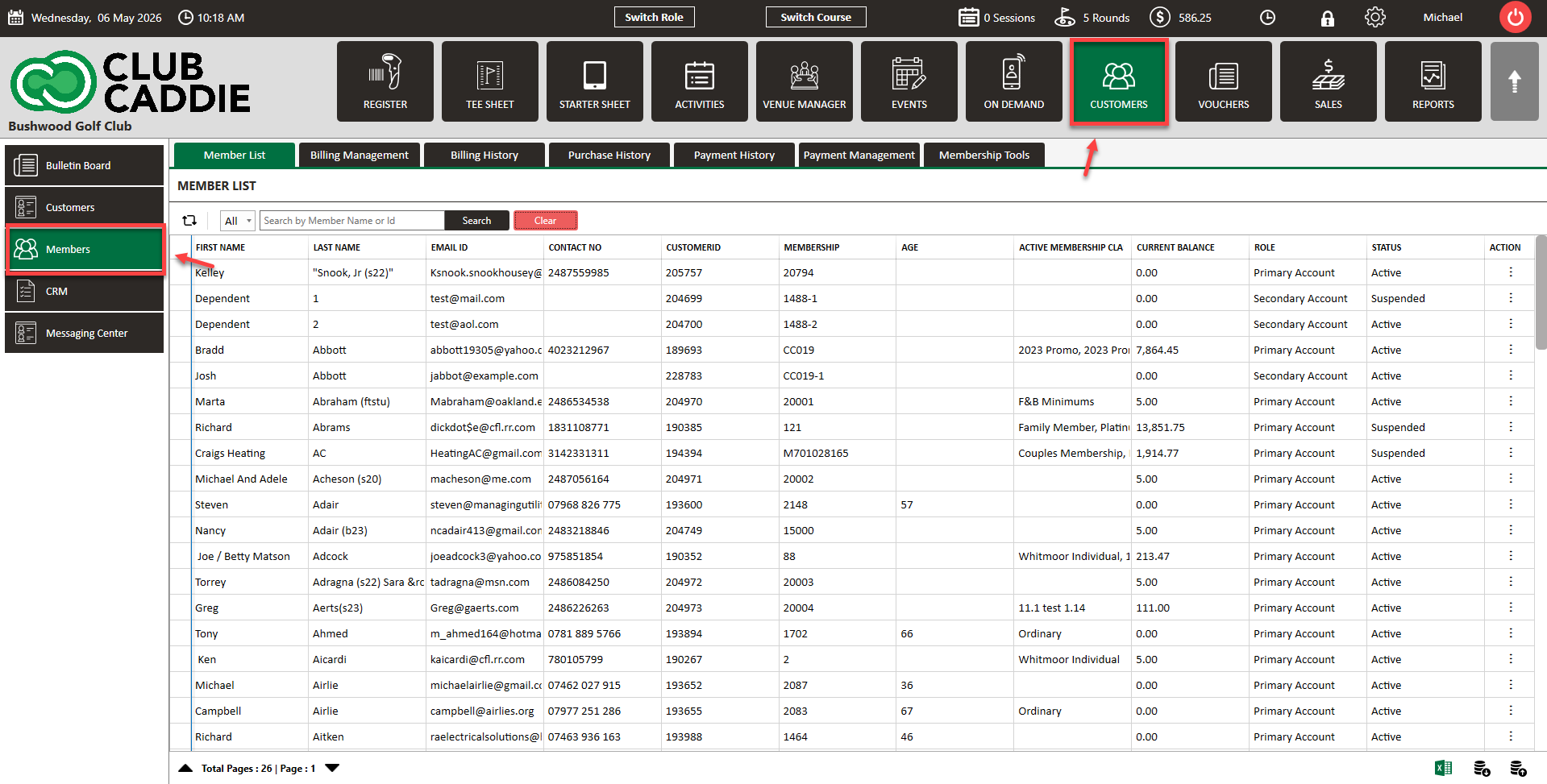
Step 3: Locate the profile you would like to check. On the General > General Info tab, you will see Member Since and next to it will be the date.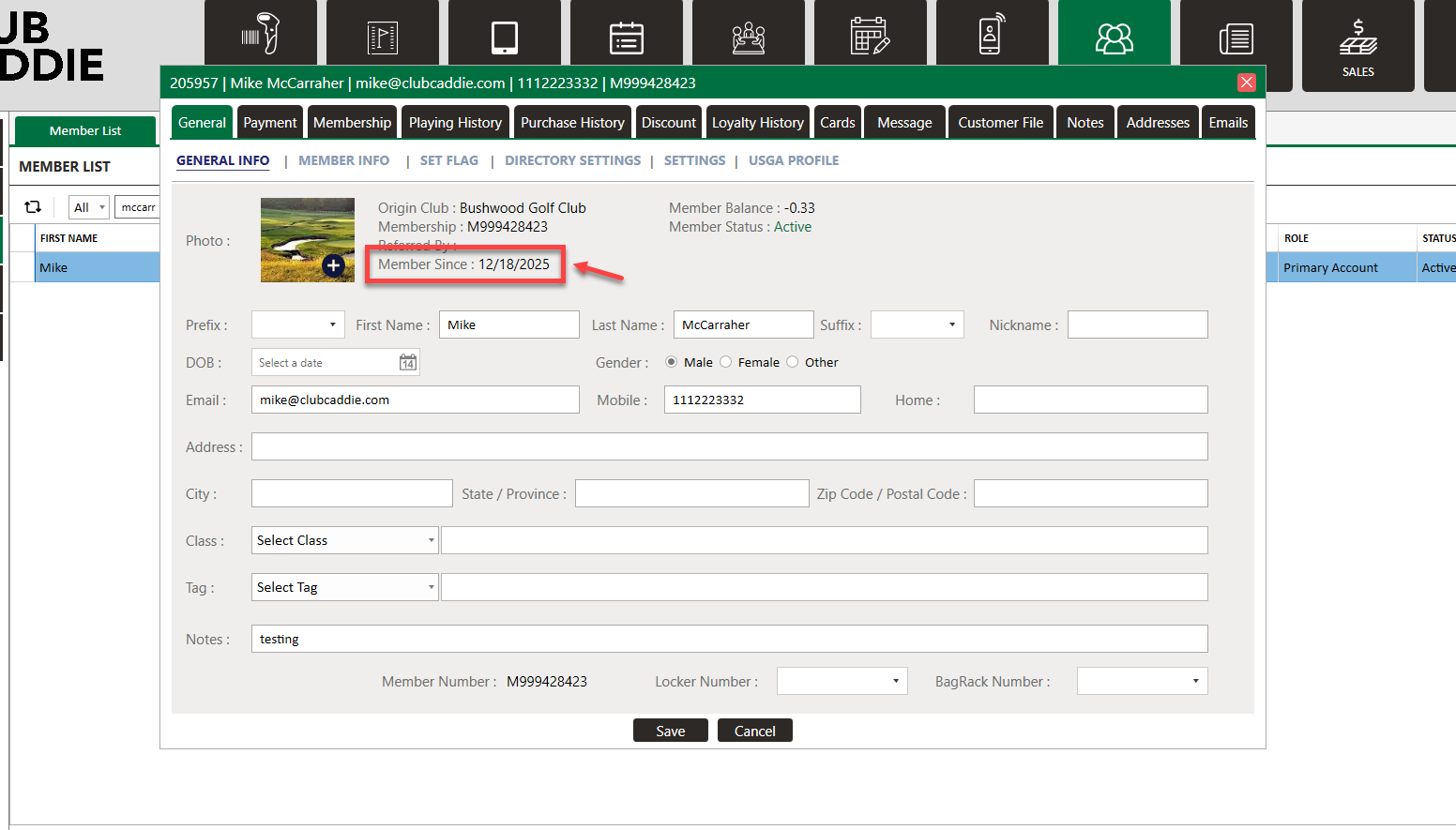
.png?width=200&height=89&name=CC%20%20fiserv.%20(3).png)
Step by step:
Step 1: Select the Customer module.
Step 2: Select the Members tab from the menu.
Step 3: Locate the profile you would like to check. On the General > General Info tab, you will see Member Since and next to it will be the date.