.png?width=200&height=89&name=CC%20%20fiserv.%20(3).png)
Step-By-Step:
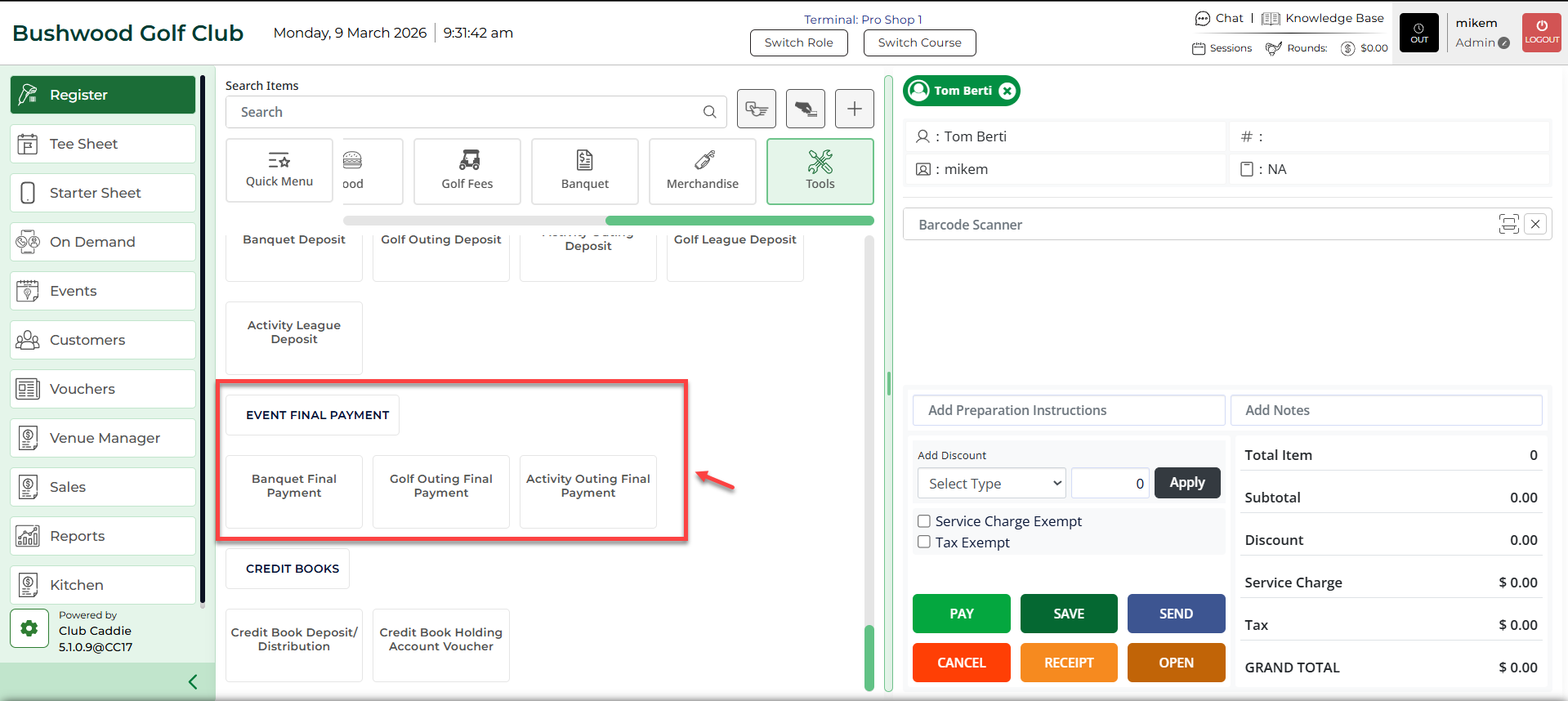
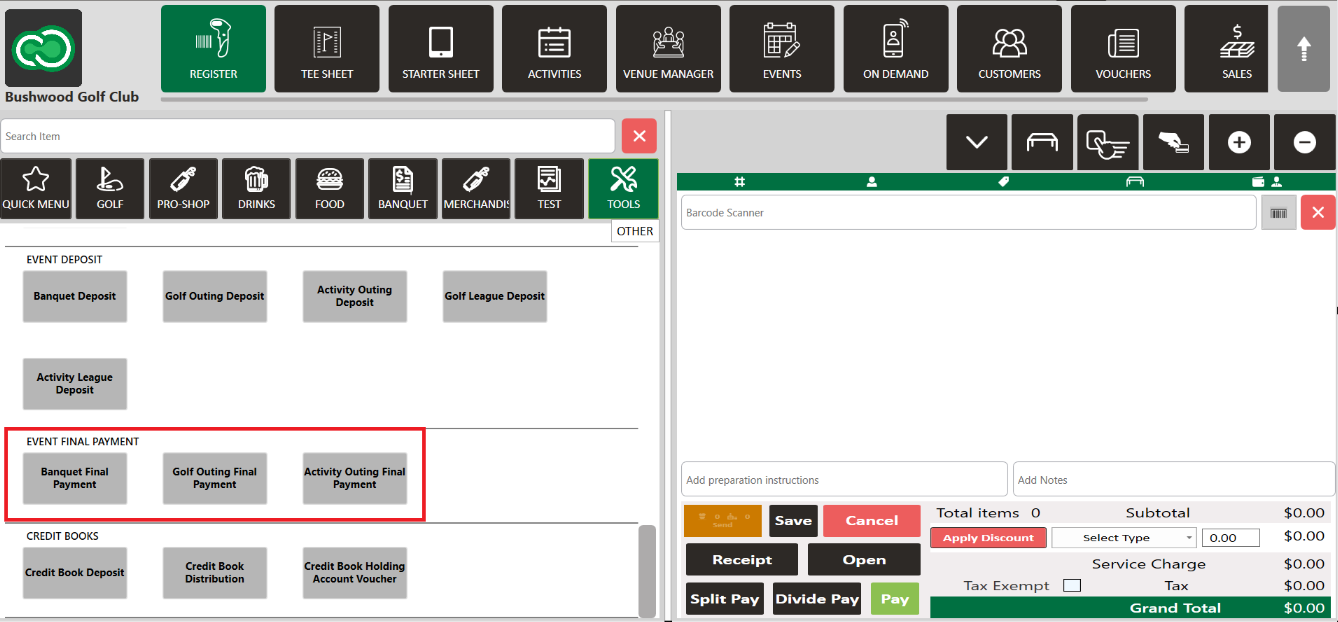
Step 1: Select the REGISTER module, then select the TOOLS tab.
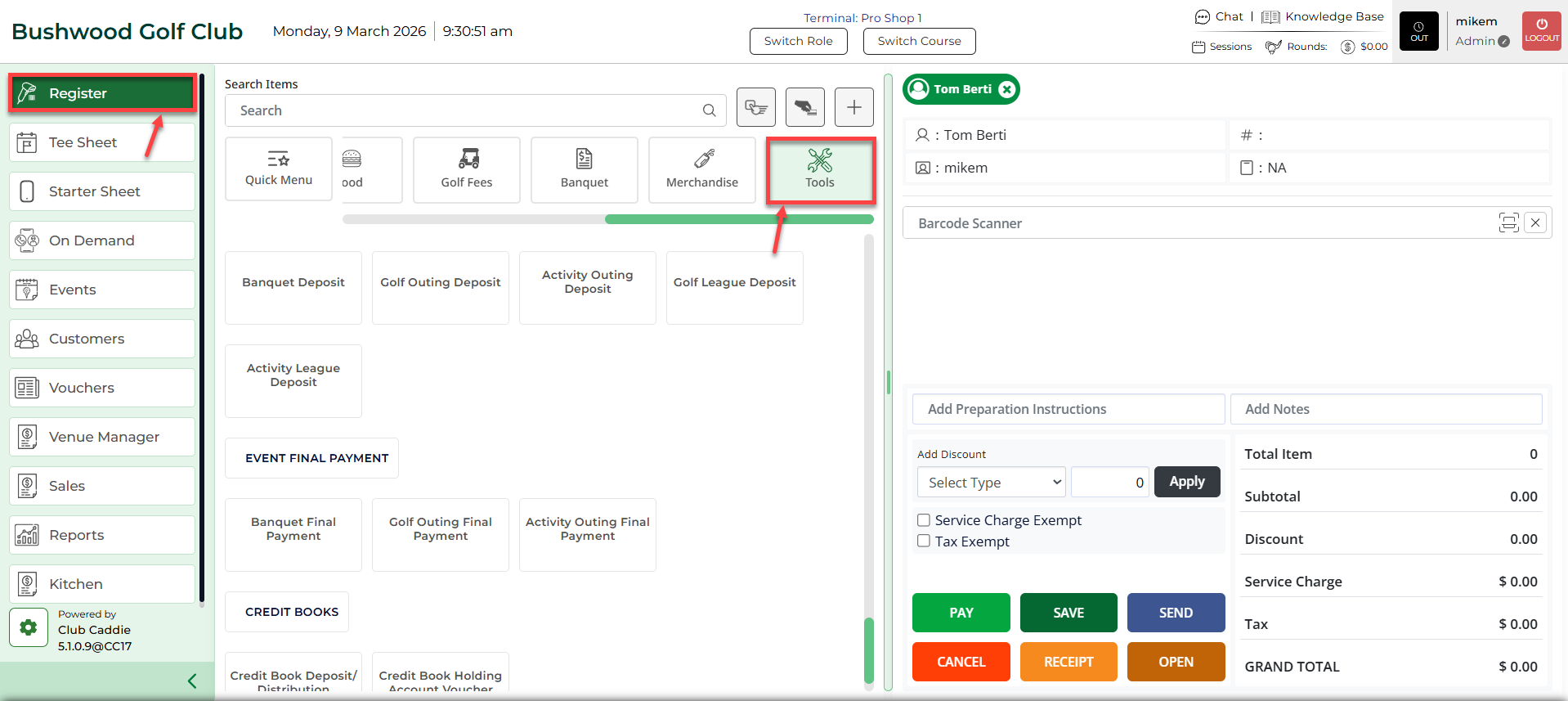
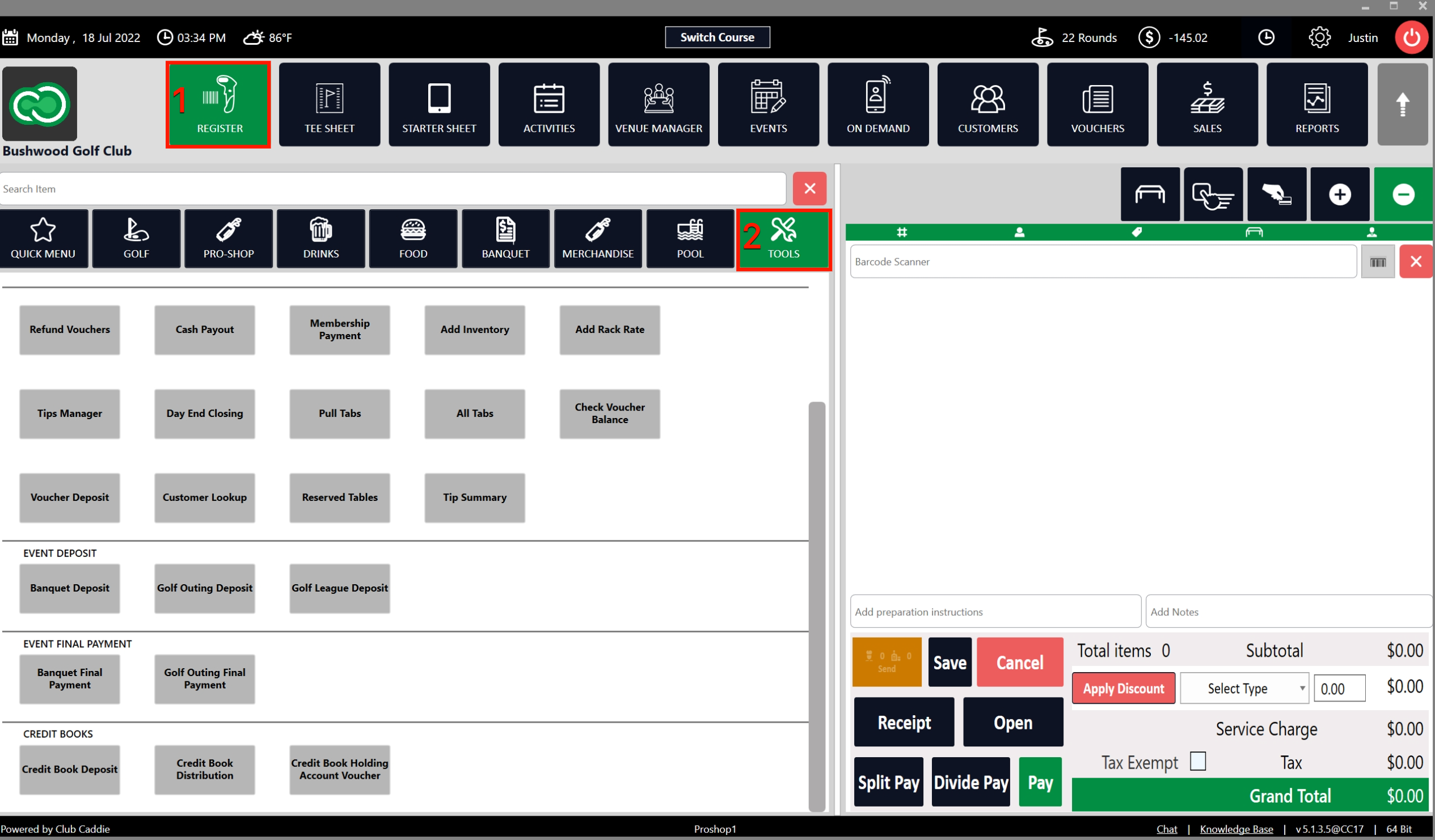
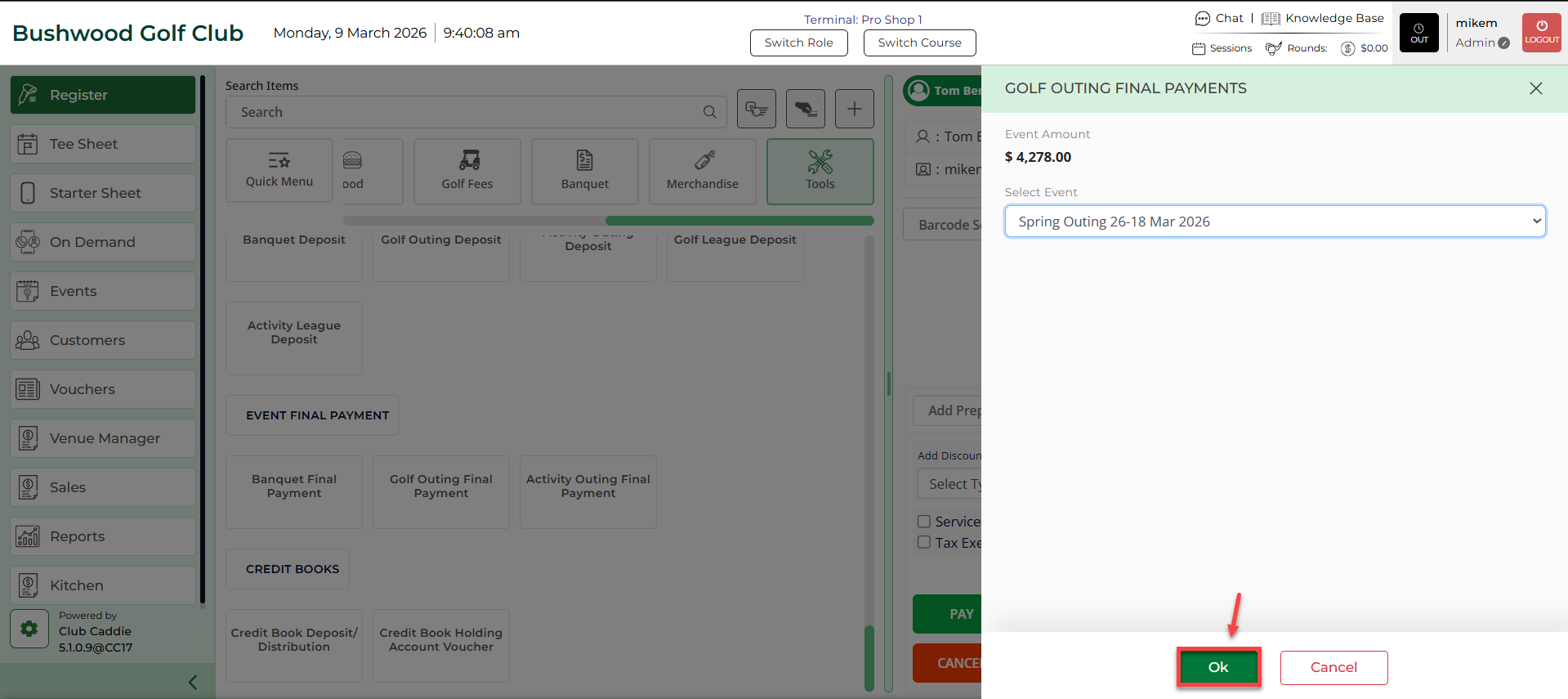
Step 2: Under the EVENT FINAL PAYMENT section, select and choose an event type to make a final payment. All of the event types work the same.
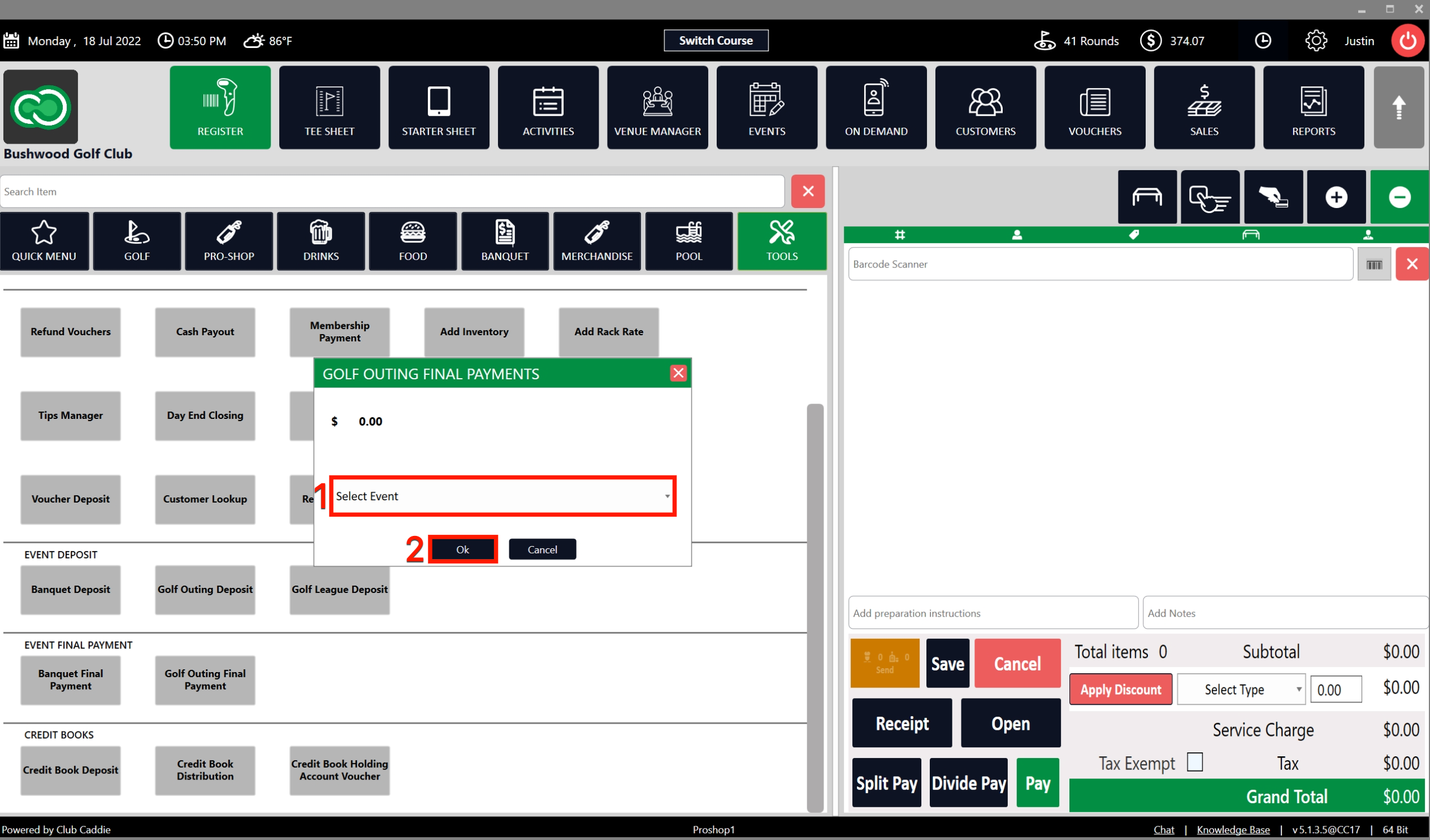
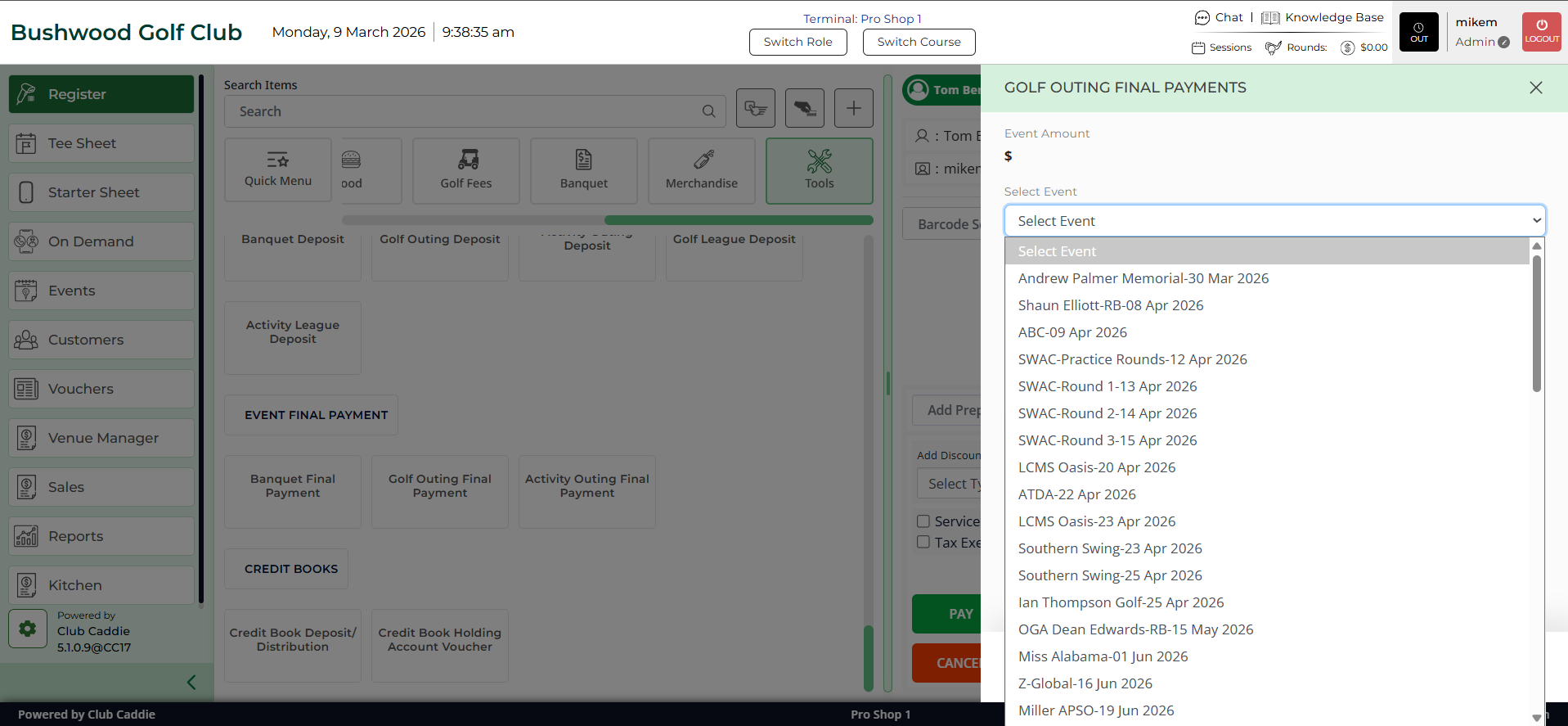
Step 3: After selecting an event, the system will generate a FINAL PAYMENTS pop-up. Select the event from the Select Event drop-down. The pop-up will display the amount due for the event. Select Ok.
Step 4: Once you select Ok on the above step, the system will take you to a payment tab. You can choose the payment mode and follow the payment process.