.png?width=200&height=89&name=CC%20%20fiserv.%20(3).png)
Learn how to set up inventory-specific loyalty so points are earned per item, calculated as a fixed amount or from the item's price, and controlled by the register setting.
Step by step
Step 1: Click Settings, then go to Register Settings → Loyalty.

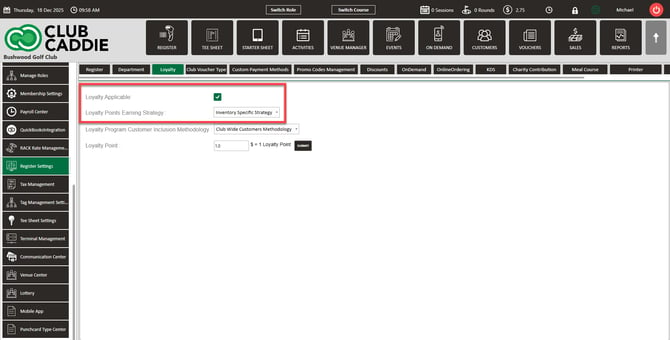
Step 2: Check Loyalty Applicable:, then under Loyalty Points Earning Strategy : select Inventory Specific Strategy.
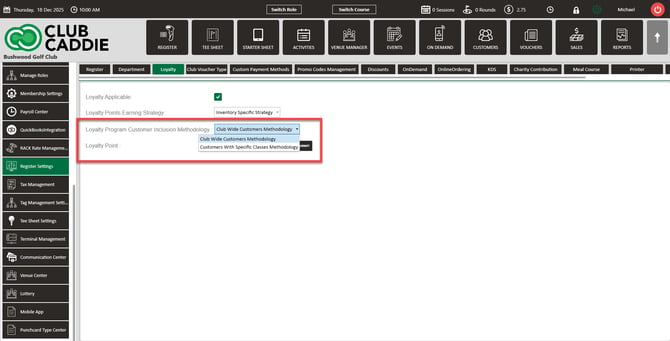
Step 3: In Loyalty Program Customer Inclusion Methodology :, choose who can earn points:
- Club Wide Customers Methodology to let all customers earn, or
- Customers With Specific Classes Methodology to limit points to customers in designated classes. For the class setup, see Register Settings: Loyalty Points - Customers With Specific Classes.
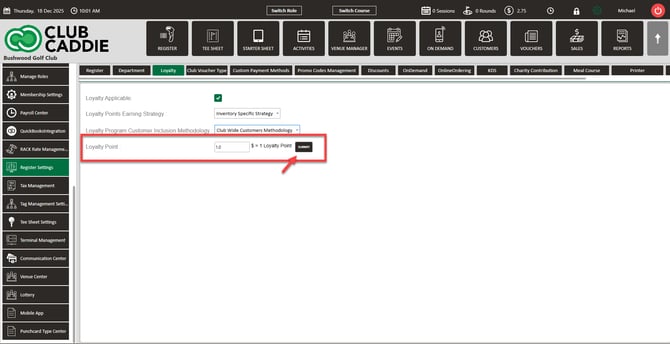
Step 4: Click SUBMIT, then review your items: with the register set to Inventory Specific Strategy, an item with no Loyalty Earned Type selected earns zero points, even if a number appears in Loyalty Earned.
Step 5: Go to Settings → Inventory Center → Add / Manage Items. Find the item, click its Action menu (⋮), then View / Edit.
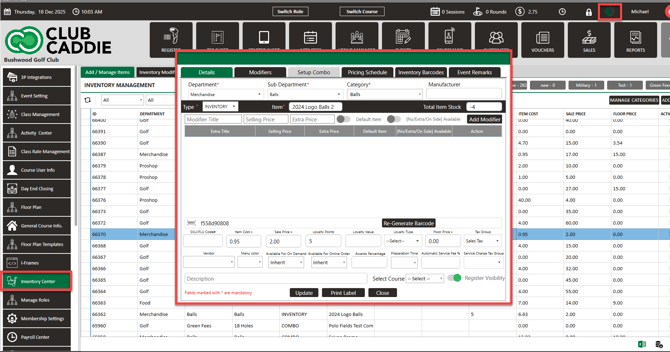
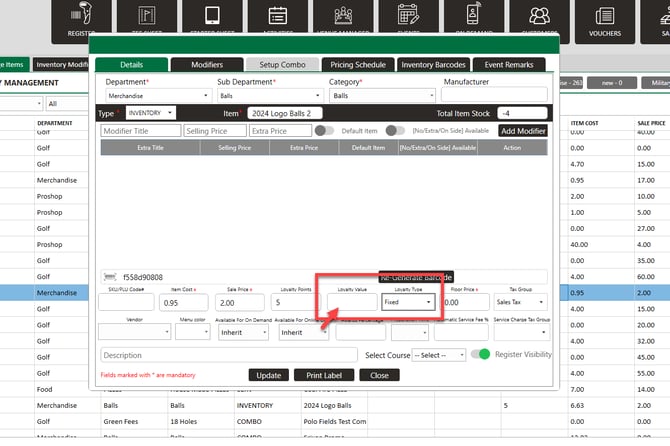
Step 6: On the Details tab, set Loyalty Earned Type:
- Fixed to award the same points each time the item is purchased, or
- Point Per Dollar to calculate points automatically from the item price.
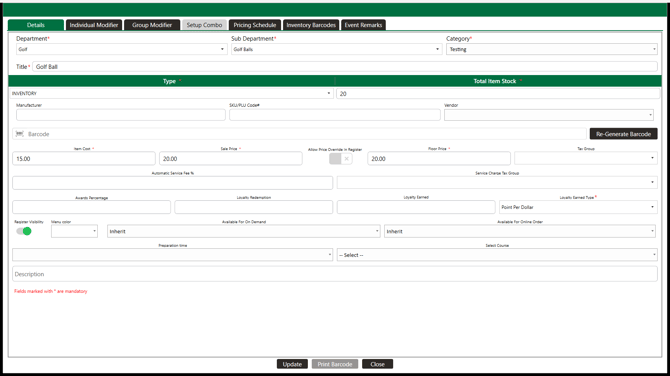
Step 7: If you chose Fixed, enter the points in Loyalty Earned, then click Update. If you chose Point Per Dollar, Loyalty Earned is disabled because points come from the item price. Loyalty Redemption is the number of points needed to redeem toward this item.
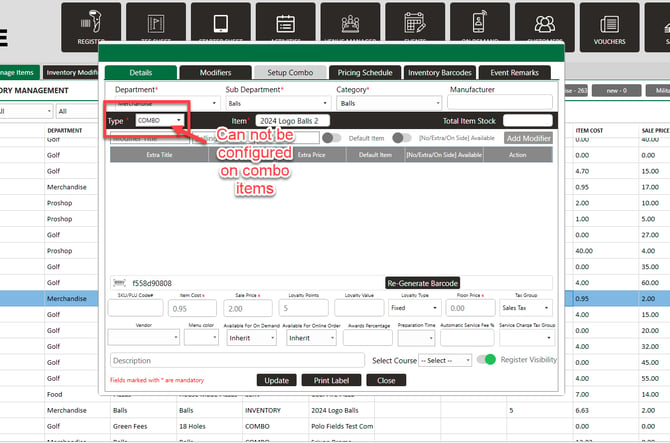
Step 8: For a combo, set these fields on the items inside the combo, not on the combo itself. The combo record has no loyalty fields; a combo sale earns the sum of what its component items earn. If none of the components has a Loyalty Earned Type, the combo earns nothing.
Example scenario
Your club wants to push high-margin snacks without changing prices. You set the register to Inventory Specific Strategy, then set "Noodle Pack" to Fixed with Loyalty Earned = 5 and "Soda" to Fixed = 1. A customer buys both and pays with a credit card, so they earn 6 points.
Common questions
An item has a number in Loyalty Earned but earns nothing. Why?
Its Loyalty Earned Type is blank. Under Inventory Specific Strategy the type must be set; the number alone does nothing.
Do refunds take the points back?
Yes, in proportion to what was refunded. Only the refunded items' points are removed. Details: Settings: Loyalty Points Overview.