.png?width=200&height=89&name=CC%20%20fiserv.%20(3).png)
How to enable: This report is toggled off by default and must be enabled through role permissions before staff can access it.
- Navigate to Settings → Manage Roles.
- Select the role you want to grant access to.
- Locate the GHIN Rounds Report permission and toggle it On.
Select Save.
Step by Step:
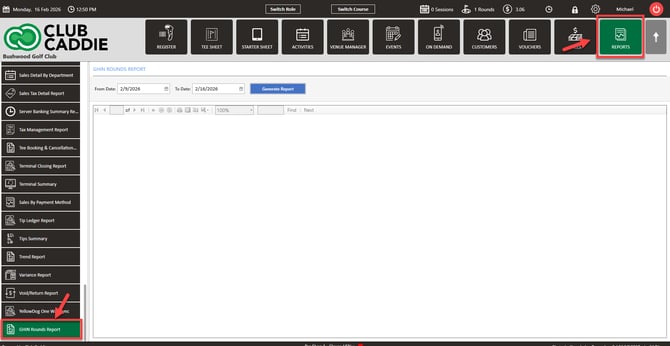
Step 1: Select Reports from the module navigation menu at the top. Then, on the left hand of the screen, select the GHIN Rounds Report.
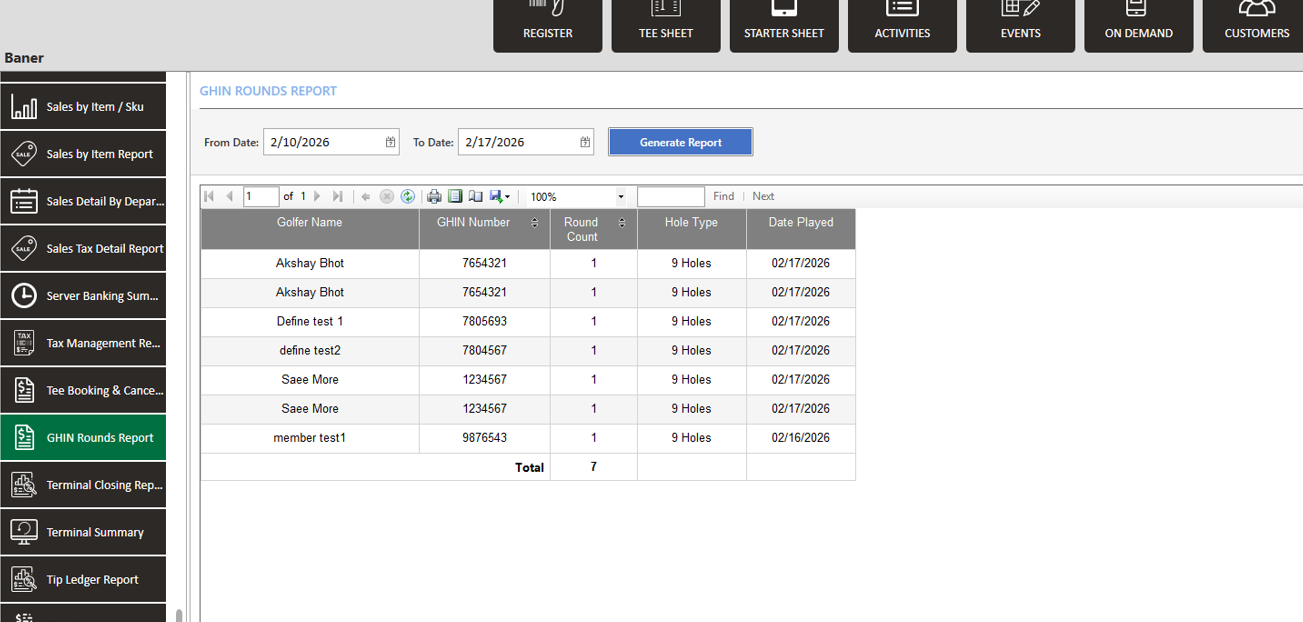
Step 2: Review each row to see the round details alongside the related GHIN information, which helps you quickly confirm if a round was posted to GHIN and cross-reference a player’s handicap posting data with their actual play history.