
Overview
The Server Banking Summary Report lists one row for each employee who collected cash, earned tips or shared tips in the dates you choose, with columns for cash collected, tips and cash owed. A bold Totals : row closes the list. The report opens on Day with today's date.
Watch how to open the Server Banking Summary Report in the Club Caddie Desktop app and read each employee's row and the totals.
Open the Server Banking Summary Report
- Click the Reports button on the header tab.
- On the left side of the screen, click Server Banking Summary Report. The list shortens the name to Server Banking Sum....
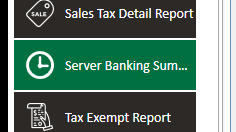
- The report opens on today's date with the results already loaded. It has no title above the filter row. The columns are Employee, ($) Cash Collected, ($) Register Tips, ($) Cash Tips, ($) Tips Shared, ($) Tip Balance and ($) Cash Owed.

Choose employees and dates
- Open the employee dropdown. It is blank until you choose, and it is a list of checkboxes with -- All Users -- at the top, followed by the employee names.
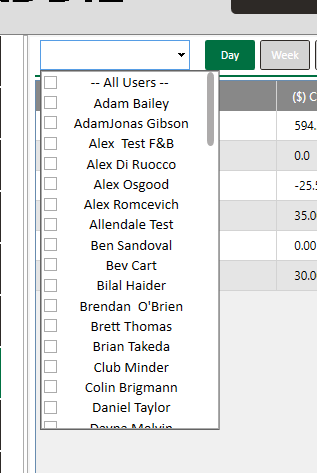
- Choose -- All Users -- or tick the employees you want.
- Click Day, Week, Month or Year. The two date boxes beside them hold the dates the report covers.
- Click Search. Click Clear Search to reset the dates to today.

Find the export button
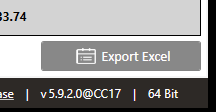
- Look at the bottom right corner of the report for the Export Excel button.
Common Questions
What are the report's columns?
Employee, ($) Cash Collected, ($) Register Tips, ($) Cash Tips, ($) Tips Shared, ($) Tip Balance and ($) Cash Owed.
Can I choose more than one employee?
Yes. The employee dropdown is a list of checkboxes, so you can tick more than one name, or choose -- All Users --.
Where is the total?
A bold Totals : row closes the list.
Where is the Excel export?
The Export Excel button is at the bottom right of the report.