.png?width=200&height=89&name=CC%20%20fiserv.%20(3).png)
Cash Rounding rounds the total on a cash payment to an amount you choose, so your staff don't have to count out pennies. You set it once for a location, and every terminal in that location follows the same rule.
Where to find it
Cash Rounding is set on the location, not on each terminal. It's a button on each location row in the MANAGE LOCATION window. A terminal's own edit screen has no cash rounding setting.
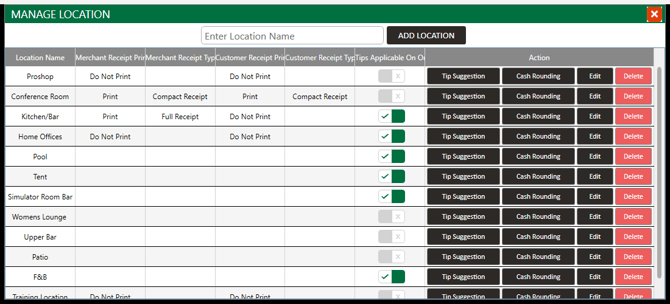
Set up Cash Rounding for a location
- Go to SETTINGS → Terminal Management.
- Click MANAGE Location at the top right of the Terminal Management screen .
- Find the location, then click Cash Rounding in its Action column.
- In Denomination:, type the amount to round to. For example, enter 0.05 to round cash totals in 5 cent steps.
- Choose an option from Rounding Rule:.
- Click Save.
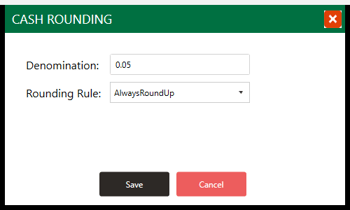
Rounding rules
The Rounding Rule: dropdown has four options:
- RoundMidpointUp
- RoundMidpointDown
- AlwaysRoundUp
- AlwaysRoundDown
For example, with AlwaysRoundUp and a denomination of 0.05, a ticket total of $5.93 comes to $5.95 when the guest pays cash.
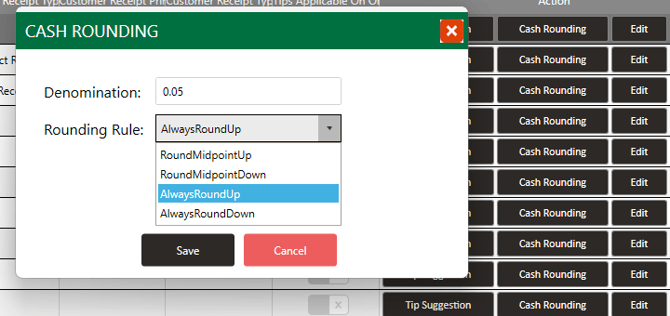
What your cashiers see
Rounding shows up on the PAYMENT MODE screen, and only when Cash is the selected payment type.
With a different payment type selected, such as Gift Cards/Credit Voucher, Total Amount shows the exact ticket total.
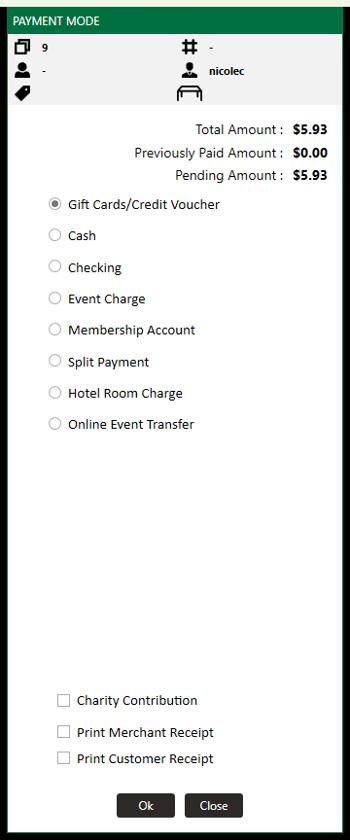
Select Cash, and Total Amount changes to the rounded amount. A separate Cash Rounding line shows the difference.
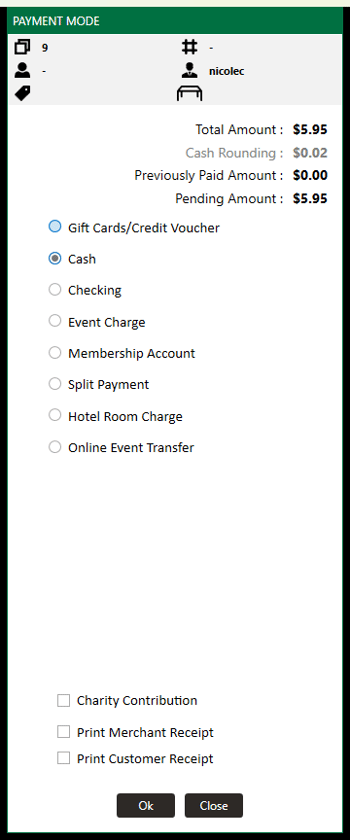
A guest paying cash can see a different total than a guest paying another way for the same items. That's expected, and how far apart the two totals are depends on the denomination and rule set for the location.
Tracking the difference
Rounding posts to its own chart of account, named for Cash Rounding and the location, so you can track what rounding gives up or takes in. You'll find it as its own line in REPORTS → GL Code Report, separate from your sales lines.
Common Questions
Why is the cash total different from the total for other payment types?
Cash Rounding only changes Total Amount when Cash is the selected payment type. With a payment type like Gift Cards/Credit Voucher selected, the total stays exact.
Can the pro shop and the restaurant round differently?
Yes, as long as they're separate locations. Each location has its own Cash Rounding setting.
Can one terminal round differently from the others in its location?
No. Every terminal in a location follows that location's rule. The setting isn't available on individual terminals.
Why isn't a terminal rounding cash payments?
First check that Cash is the selected payment type. Then check which location the terminal belongs to, and confirm Cash Rounding is set on that location.
How can I check a rule before my staff use it?
Ring up a ticket on a terminal in that location, open the payment screen, and select Cash. Total Amount shows the rounded total and the Cash Rounding line shows the difference. Close the payment screen without taking payment.