.png?width=200&height=89&name=CC%20%20fiserv.%20(3).png)
Step by Step
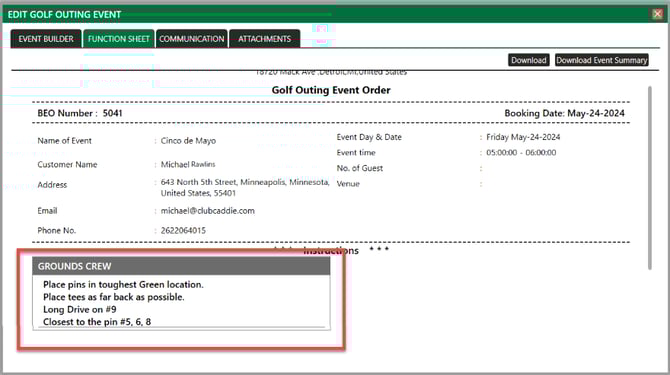
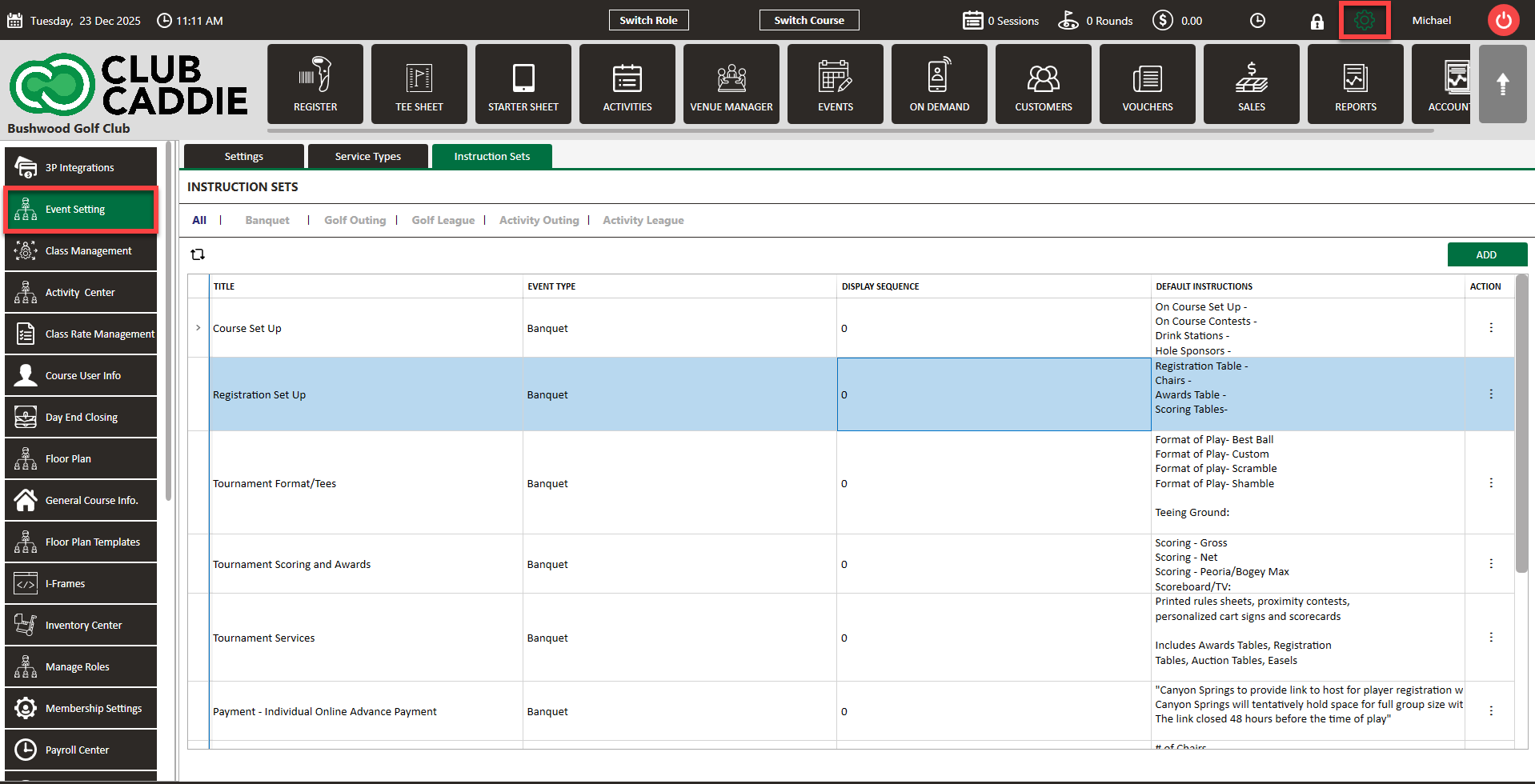
Step 1: Navigate to Settings > Event Settings.
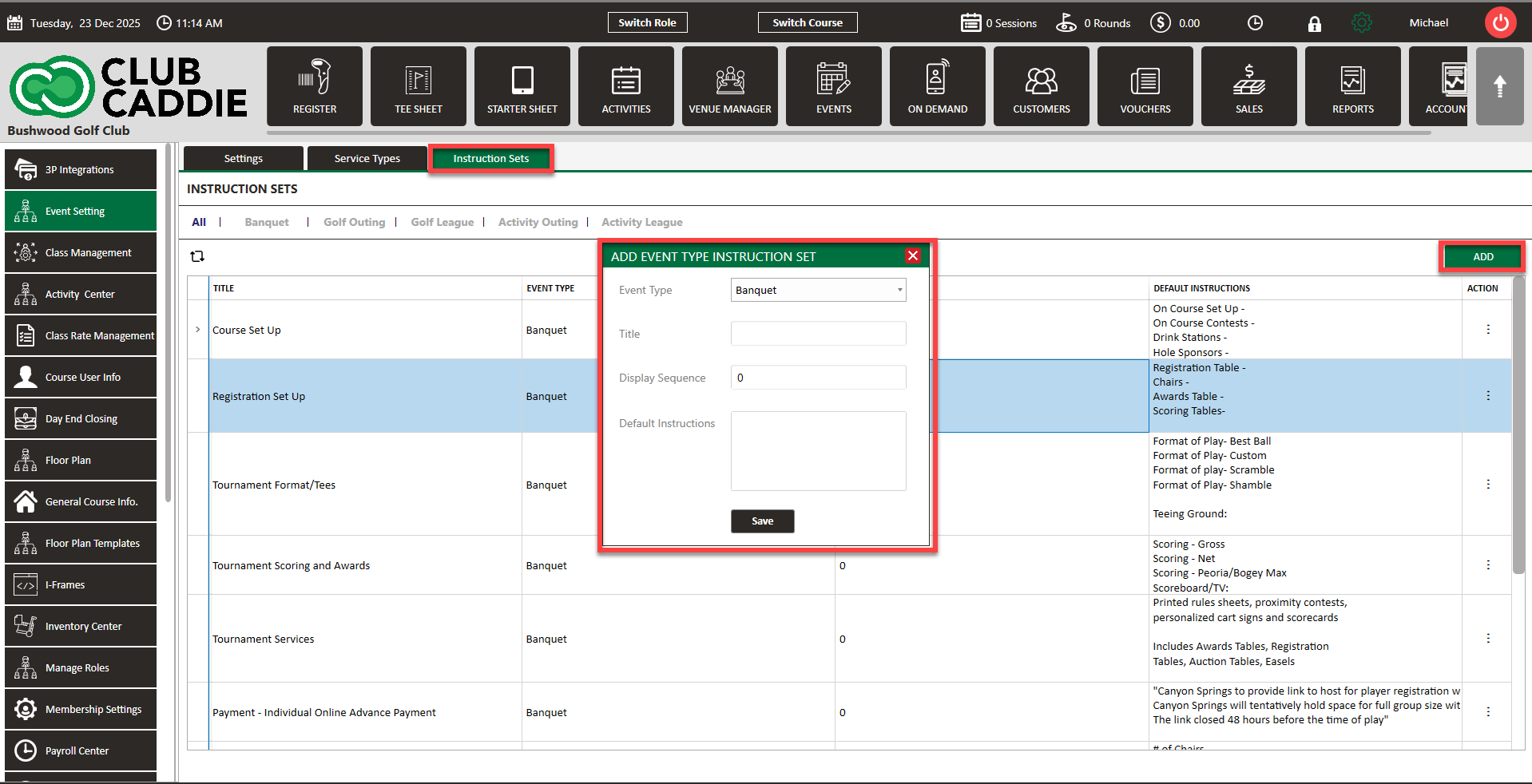
Step 2: Then, click on the Instruction Sets tab, followed by Add. This will create a pop-up window where you will select the event type, provide a title, and select the order is where the instructions populate. Then click Save.