
Overview
Each rack rate has a Display Sequence number. Use it to set the sequence preference of your rack rates. You set the number in the rate window when you add a rate or edit an existing one, and the list in Rack Rate Management shows each rate's number.
Watch how to set the Display Sequence for a rack rate in the Club Caddie Desktop app.
Set the display sequence of a rack rate
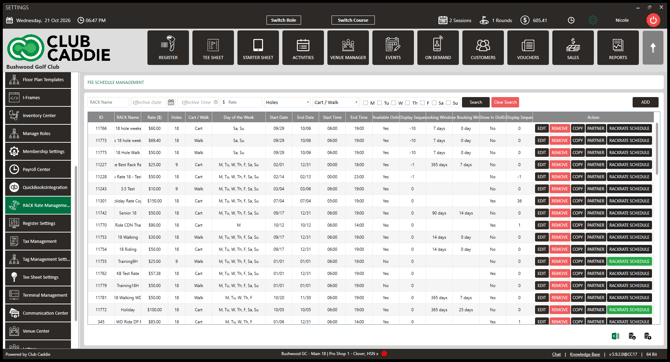
- Click the gear icon in the top right corner, then click RACK Rate Management in the left menu. If you do not see it, scroll down the left menu. The FEE SCHEDULE MANAGEMENT list opens.
- Click ADD in the top right to create a new rate, or click EDIT on an existing rate. The ADD RACK RATE VIEW or EDIT RACK RATE VIEW window opens.
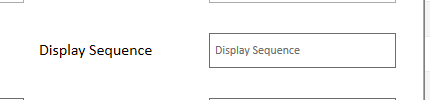
- Type the number in the Display Sequence box. It is in the right column, level with Available Online. When you edit a rate, the box shows its current number. Do not confuse it with Display Sequence in DistEngine, the separate box under it.
- Click Next. The BUILD GREEN FEE PACKAGE page opens.
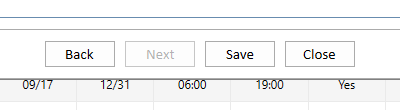
- Click Save. Save is on this second page. The first page has only Back and Next.
Check the sequence numbers
- Back on the FEE SCHEDULE MANAGEMENT list, find the first Display Sequence column. It shows each rate's number. The list has two Display Sequence columns, and the second one is for the distribution engine.
- To change a number later, click EDIT in the Action column of the rate, change the Display Sequence box, click Next, then click Save.
Common Questions
Where is the Save button?
The first page of the rate window has only Back and Next. Click Next, then click Save on the BUILD GREEN FEE PACKAGE page.
There are two Display Sequence boxes. Which one do I use?
Use Display Sequence for the rack rate. Display Sequence in DistEngine is a separate box for the distribution engine.