.png?width=200&height=89&name=CC%20%20fiserv.%20(3).png)
How do I check voucher usage and ledger details?
To check voucher usage and ledger details, navigate to the Voucher module, select a voucher type and number, and then open the Usage tab to view the current balance, initial amount, description, order ID, and original order date.
Step 1: Click on the Voucher module along the top row. Then click on a voucher type, such as Gift Voucher from the menu on the left side.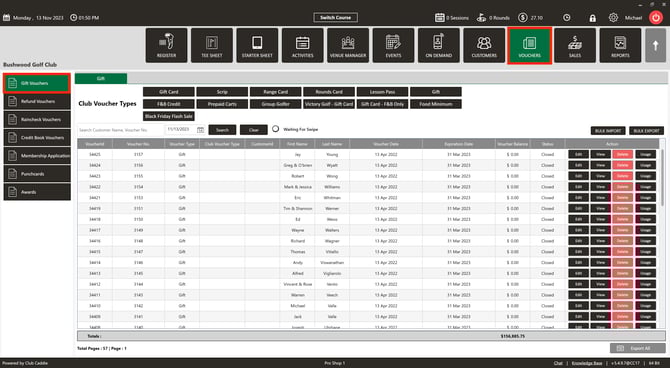
Step 2: Select a particular gift voucher number and click on Usage.

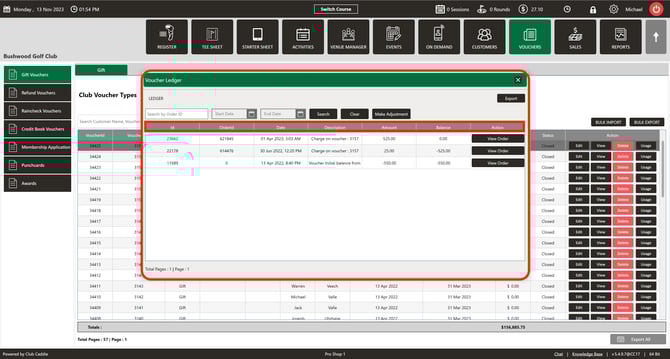
Step 3: The Usage screen displays the following details for the selected voucher: Ledger details for a voucher,
- Current balance
- Initial amount
- Description
- Order ID
- Original order date