.png?width=200&height=89&name=CC%20%20fiserv.%20(3).png)
Step-by-step instructions for setting loyalty points on inventory items from the Inventory Center or directly from the Register. Both paths open the same Edit Item window.
Option A: Set through the Inventory Center
Step 1: Select the Settings icon, then Inventory Center.
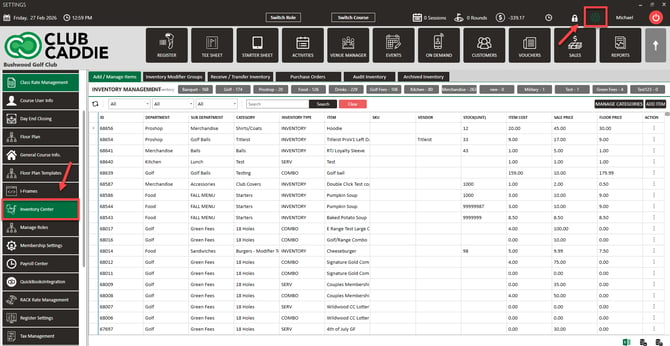
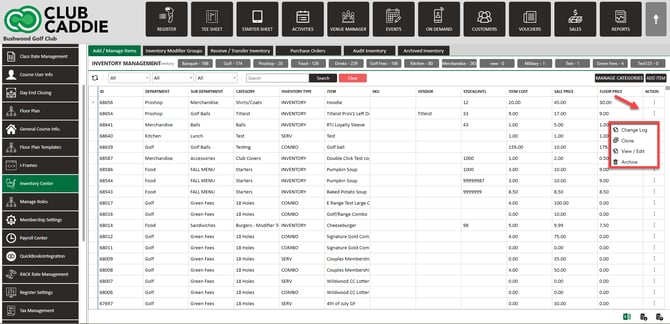
Step 2: On Add / Manage Items, find the item in the list for your department and sub-department. Click its Action menu (⋮), then View / Edit.
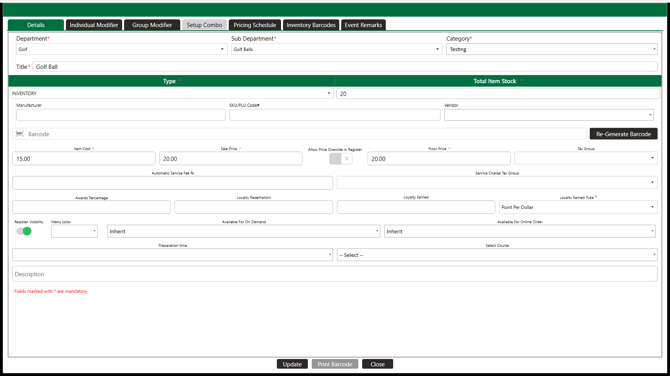
Step 3: On the Details tab, find the loyalty row and set:
- Loyalty Earned Type: choose Fixed to award the same points each time the item is purchased, or Point Per Dollar to calculate points from the item's price.
- Loyalty Earned: with Fixed, the points awarded per purchase. Entering 16 means the customer earns 16 points every time they buy this item. With Point Per Dollar this field is disabled.
- Loyalty Redemption: the points needed to redeem value toward this item. Entering 160 means 160 points are needed.
Loyalty Earned Type is only required while Loyalty Applicable: is checked in Register Settings. When loyalty is off, the Loyalty Redemption field is hidden and the item saves without a loyalty type.
Step 4: Click Update. The loyalty settings are saved to that item.
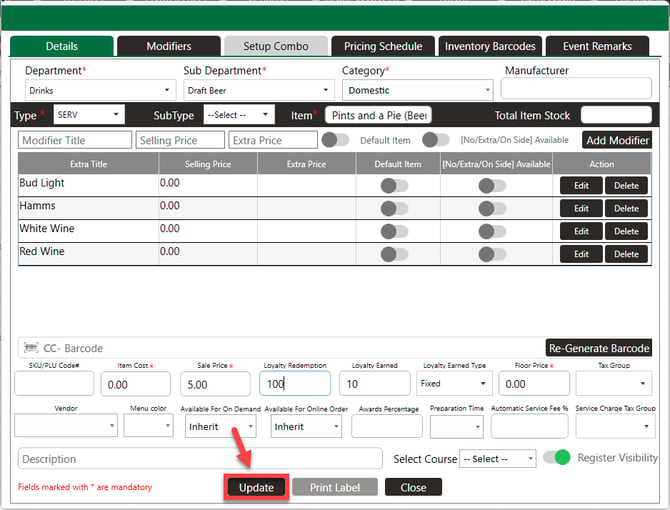
For a combo, set these fields on the items inside the combo. The combo record itself has no loyalty fields; a combo sale earns the sum of what its component items earn.
Option B: Set through the Register
Step 1: Select the Register module from the module navigation menu.
Step 2: Locate the item in the inventory panel on the left side of the screen. Right-click the item and select Edit Inventory.
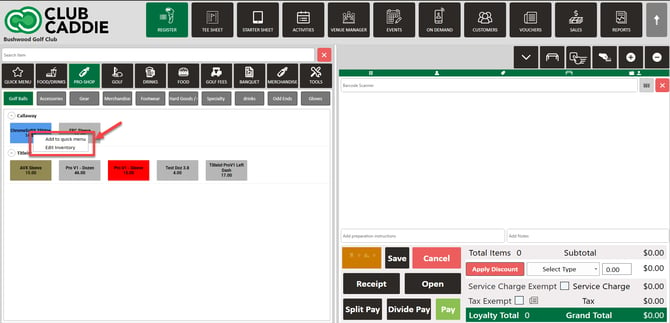
Step 3: The same Edit Item window opens. Configure Loyalty Earned Type, Loyalty Earned, and Loyalty Redemption as in Option A.
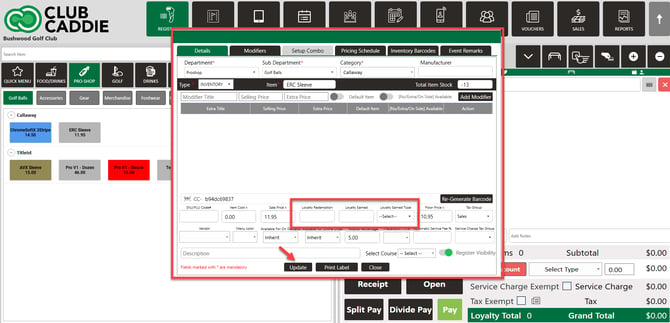
Step 4: Click Update. Changes take effect immediately at the register.
Common questions
The loyalty fields are greyed out or missing. Why?
Either Loyalty Applicable: is off in Register Settings (the Loyalty Redemption field is hidden until it is on), or you opened a combo, which has no loyalty fields of its own.
Which item setting wins, the register strategy or the item?
The register. Item values only apply when Loyalty Points Earning Strategy : is set to Inventory Specific Strategy. Under the club-wide strategy the item fields are ignored.